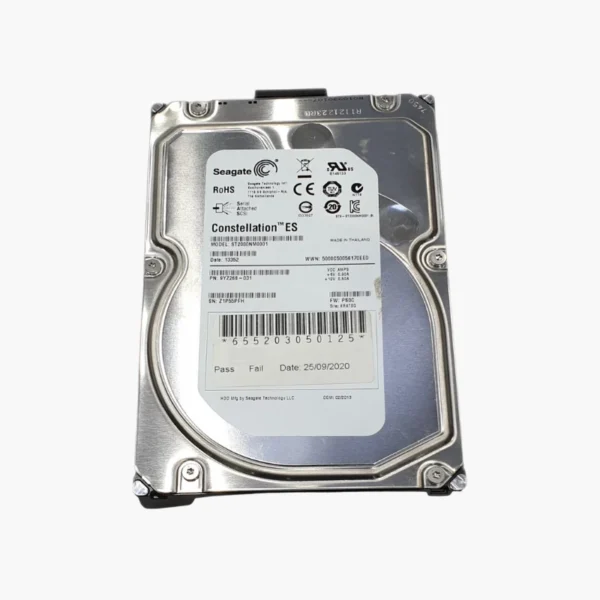

The Seagate Constellation ES 2TB (ST2000NM0011) is a 3.5-inch, 7200 RPM enterprise hard drive with a SATA 6Gb/s interface and 64MB cache. Rated at 1,200,000 hours MTBF, it is designed for 24/7 data center operation and suits server boot pools, small RAID groups and replacement drives for existing arrays.
Deep-Dive Story & Problem/Solution
Why Servers Need Enterprise-Class Drives
Servers and storage arrays run continuously under heavy random and sequential workloads, in chassis packed with spinning disks. Consumer and NAS drives are not rated for those workloads or for the rotational vibration of dense enclosures, which leads to throttled performance, timeouts and early failures across a fleet.
Seagate Constellation ES drives are built for that duty. The ST2000NM0011 is rated for continuous enterprise workloads and carries a 1,200,000 hours MTBF rating, with firmware designed to maintain throughput in RAID and multi-drive systems. Its air-based design offers proven, cost-effective capacity for bulk and replacement storage.
It uses CMR, avoiding the write penalties that shingled drives introduce during RAID rebuilds and random write workloads.
SATA 6Gb/s — Broad Server Compatibility
The SATA 6Gb/s interface works with standard server HBAs, RAID controllers and SAS backplanes, making the drive easy to deploy in new builds or as a replacement in existing arrays.
Built for 24/7 Data Center Reliability
With 2TB of capacity and a 64MB cache, the ST2000NM0011 delivers consistent performance for backup repositories, distributed file systems such as Ceph and Hadoop, and virtualization datastores. Its reliability rating supports predictable fleet planning.
Setup Instructions
How to Install the Seagate Constellation ES 2TB in a Server or Storage Array
- Confirm your server, HBA or RAID controller supports SATA 6Gb/s drives at this capacity, and update controller firmware if needed.
- Mount the drive in a compatible 3.5-inch carrier and insert it into the bay (hot-swap where the backplane supports it).
- Verify the controller detects the drive, then initialise it or add it to a new or existing RAID group or storage pool.
- Enable S.M.A.R.T. or controller-level health monitoring and alerts as part of standard maintenance.