
















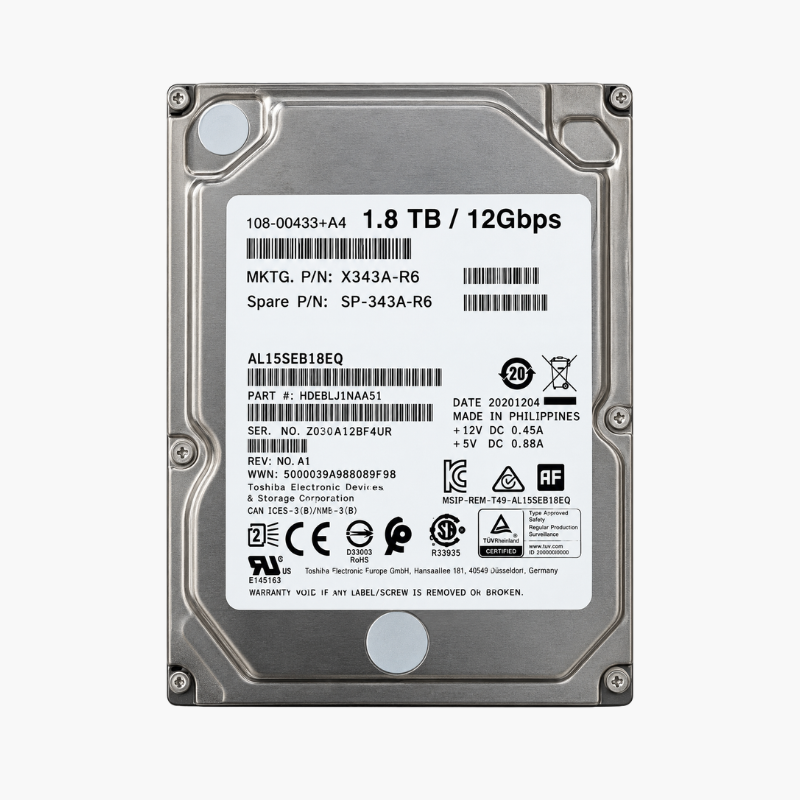
ONTAP-ready 1.8TB 10K SAS capacity for NetApp DS224C and DS2246 shelves.
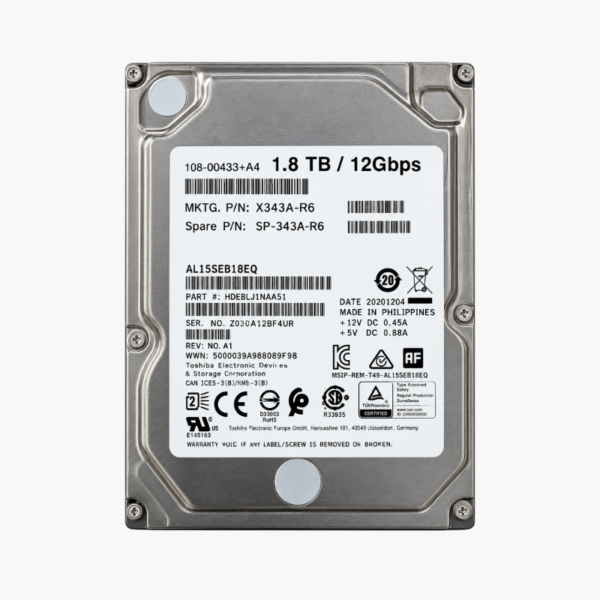
The NetApp X343A-R6 (108-00433) is a 1.8TB, 10,000 RPM, 2.5-inch 12Gb/s SAS hard drive qualified for NetApp DS224C and DS2246 disk shelves. It is built for organizations running FAS storage systems on ONTAP that need to expand aggregates or replace failed drives with a matched NetApp part.
Why NetApp Shelves Need NetApp-Qualified Drives
NetApp storage does not treat hard drives as interchangeable commodity parts. ONTAP expects NetApp firmware and formatting, and a generic SAS drive pulled from a different vendor’s server is unlikely to be accepted into an aggregate. Trying to save money with the wrong part often costs more in downtime and troubleshooting.
The X343A-R6 is NetApp’s own part number for a 1.8TB 10K SAS drive. It runs NetApp firmware, fits NetApp drive carriers and is recognized by ONTAP in supported DS224C and DS2246 shelves attached to FAS controllers.
Its 10,000 RPM spindle places it in the performance hard drive tier, suitable for virtualization datastores, file shares and application data that need better random performance than nearline drives.
Performance-Tier Capacity for FAS Systems
At 1.8TB per drive and up to 24 drives per 2U shelf, the X343A-R6 offers a strong balance of capacity and IOPS. It is a common choice for growing existing aggregates or building new ones on mid-range FAS platforms where all-flash storage is not required.
Hot-Swap Replacement Without Downtime
NetApp shelves support hot-swapping, so a failed drive can be replaced while the system serves data. ONTAP automatically reconstructs data onto a spare and lets you assign the new drive as a replacement spare, keeping RAID-DP or RAID-TEC protection intact.
How It Works / Setup Instructions
How to Install the NetApp X343A-R6
- Confirm your shelf is a DS224C or DS2246 and that your ONTAP version supports the X343A-R6 using NetApp Hardware Universe.
- Ground yourself, then remove the failed drive or blank from the shelf bay using the carrier’s cam handle.
- Insert the X343A-R6 carrier fully into the bay and close the cam handle until it locks; the shelf stays online.
- In ONTAP, verify the new drive appears, assign ownership to the correct node if auto-assign is disabled, and add it to an aggregate or keep it as a spare.





Reviews
There are no reviews yet.