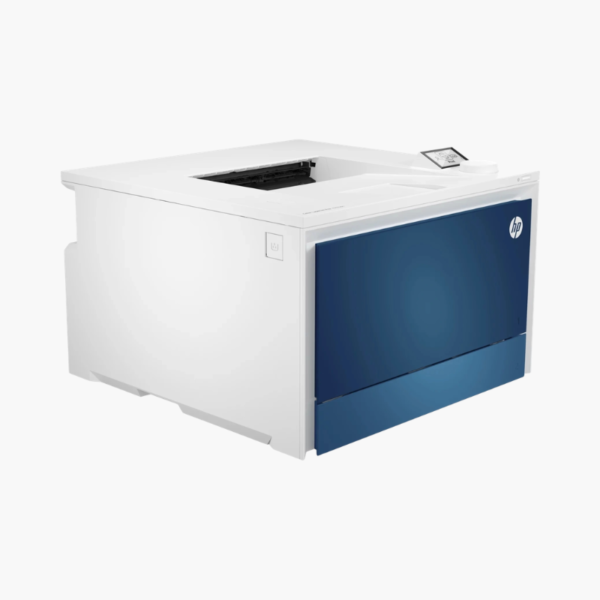
HP Color LaserJet Pro 4201dn Color Laser Printer – 35 ppm, Auto Duplex, Ethernet for Small Business

SKU: HP-COLOR-LASERJET-PRO-4201DN
  • 30-Day Hassle Free Returns
  • Secure Payment Options

Price on RequestRequest a quote for volume pricing, availability and lead time.

Key Value Highlights

  • 35 ppm in black and color – Keeps pace with a busy workgroup.
  • Ethernet and USB connectivity – Provides stable wired networking for managed offices.
  • Automatic duplex printing – Reduces paper consumption.
  • 250-sheet tray plus 50-sheet multipurpose tray – Handles mixed media such as labels and envelopes.
  • HP 210A / 210X toner – Offers standard and high-yield options.

Description

The HP Color LaserJet Pro 4201dn is a wired color laser printer for small and medium businesses. It prints at 35 pages per minute in black and color with automatic duplex, and connects by Ethernet or USB for dependable performance on managed office networks.

Deep-Dive Story & Problem/Solution

Color Printing for a Team Needs Speed and a Dependable Network Connection

When a team shares one color printer, slow engines and flaky wireless connections waste time. Print jobs stall, someone restarts the printer, and the queue backs up before a meeting.

The 4201dn connects by Ethernet, so it behaves like any other fixed device on the network. Its laser engine prints 35 ppm in both black and color, with automatic two-sided printing.

A 250-sheet main tray and 50-sheet multipurpose tray give 300 sheets of standard input, and optional trays are available for higher volumes.

Workgroup-Class Color Speed

Toner-based prints are sharp, dry, and smudge-resistant, well suited to customer-facing material and internal reporting.

Simple, Wired Deployment

Without wireless radios to configure, the printer is quick to deploy and secure. HP 210A and 210X cartridges let you match toner yield to print volume.

Setup Instructions

How to Set Up the HP Color LaserJet Pro 4201dn

  1. Unpack the printer with a second person if needed and remove packing material.
  2. Load paper in the main tray and connect power.
  3. Connect an Ethernet cable to the network, or a USB cable to a single PC.
  4. Install the driver and print a test page.

Overview

ModelHP Color LaserJet Pro 4201dn
FunctionsPrint
Print TechnologyColor laser
Print SpeedUp to 35 ppm black and color
Duplex PrintingAutomatic
Paper Input250-sheet tray + 50-sheet multipurpose tray
ConnectivityEthernet, USB
WirelessNot included
TonerHP 210A / 210X (black, cyan, magenta, yellow)
Number of Cartridges4
Maximum Paper Size8.5 x 14 inches (legal)
Mobile PrintingVia network with Apple AirPrint and Mopria
In the BoxPrinter, preinstalled toner cartridges, power cord, setup guide
MaintenanceReplace toner cartridges individually when prompted

Frequently Asked Questions

Find answers to common questions about this product.

Customer Reviews

Reviews

There are no reviews yet.

Be the first to review “HP Color LaserJet Pro 4201dn Color Laser Printer – 35 ppm, Auto Duplex, Ethernet for Small Business”

Your email address will not be published. Required fields are marked *