Canon PIXMA G3270 Wireless MegaTank All-in-One Printer – Print, Scan, Copy with Refillable Ink Tanks
Canon PIXMA G3270 Wireless MegaTank All-in-One Printer – Print, Scan, Copy with Refillable Ink Tanks Price on RequestRequest a quote for volume pricing, availability and lead time.
Back to products
Canon PIXMA G7020 Wireless MegaTank All-in-One Printer – Print, Copy, Scan, Fax with ADF and Auto Duplex
Canon PIXMA G7020 Wireless MegaTank All-in-One Printer – Print, Copy, Scan, Fax with ADF and Auto Duplex Price on RequestRequest a quote for volume pricing, availability and lead time.

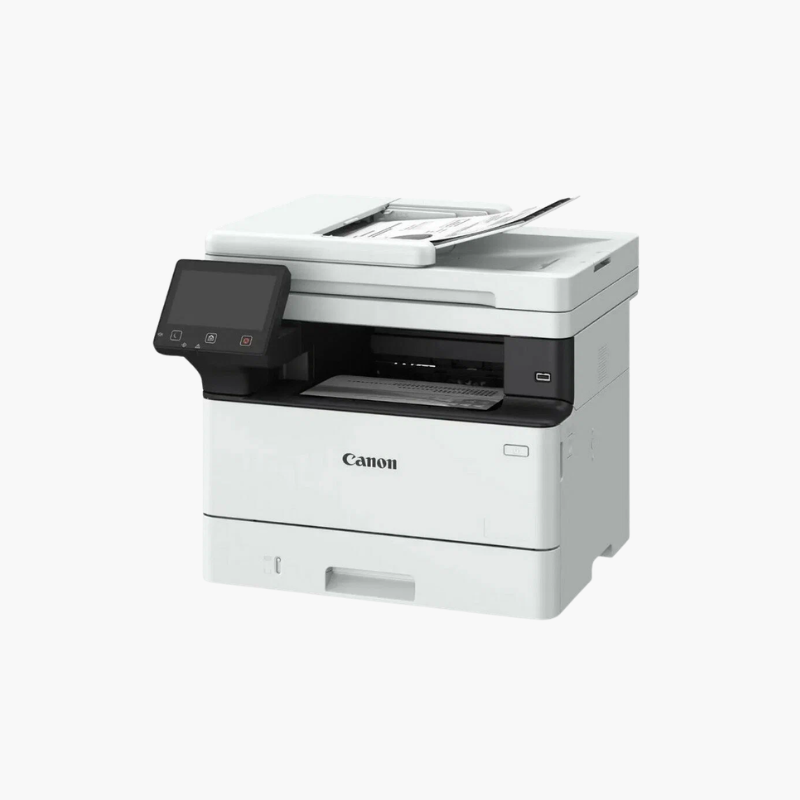
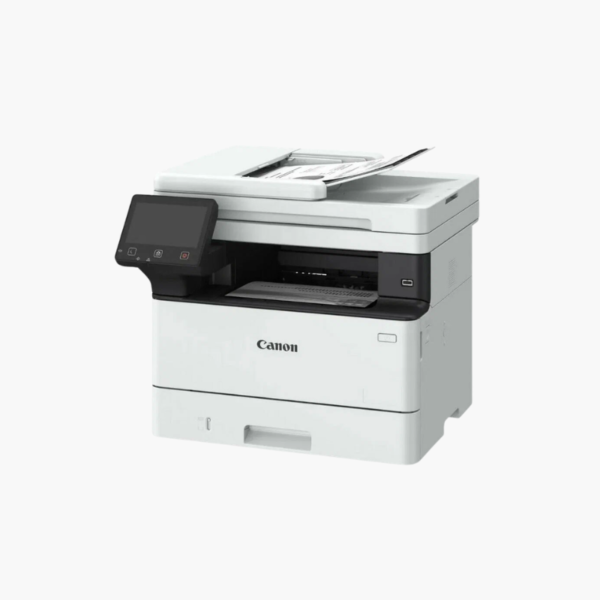
Canon imageCLASS MF462dw Wireless Monochrome Laser All-in-One Printer – 37 ppm, Duplex, Fax, 50-Sheet ADF

SKU: CANON-IMAGECLASS-MF462DW
  • 30-Day Hassle Free Returns
  • Secure Payment Options

Price on RequestRequest a quote for volume pricing, availability and lead time.

Key Value Highlights

  • 37 ppm with first print in about 5 seconds – Clears text-heavy jobs quickly.
  • 50-sheet ADF with one-pass 2-sided scanning – Captures both sides of each page in a single pass.
  • Print, copy, scan, and fax – Replaces separate office devices.
  • 350-sheet standard input, expandable to 900 – Grows with office volume.
  • 5-inch color touchscreen – Offers a customisable home screen and one-touch workflows.

Description

The Canon imageCLASS MF462dw is a wireless monochrome laser all-in-one for small offices and workgroups. It prints at 37 pages per minute, scans two-sided documents in one pass through a 50-sheet ADF, and includes copy and fax functions with a 5-inch color touchscreen.

Deep-Dive Story & Problem/Solution

Paper-Heavy Offices Need Speed at Both Ends of the Workflow

Printing fast is only half the job in legal, accounting, and administrative offices. Incoming paperwork also has to be scanned, and a slow or single-sided feeder turns that into a daily bottleneck.

The MF462dw prints 37 ppm with the first page in about 5 seconds and duplexes automatically. Its 50-sheet document feeder scans both sides of a page in one pass, sending files to email, network folders, or cloud services such as Dropbox, Google Drive, and OneDrive.

Toner-based output is sharp and smudge-resistant, and the high-yield Canon 070 H cartridge prints roughly 10,200 pages between changes.

Fast Monochrome Laser Output

A 250-sheet cassette and 100-sheet multipurpose tray are standard, with an optional cassette raising capacity to 900 sheets.

Easy Operation and Connectivity

The 5-inch touchscreen supports Application Library shortcuts. Wi-Fi, Ethernet, and USB are built in, with a front USB port for direct print and scan.

Setup Instructions

How to Set Up the Canon imageCLASS MF462dw

  1. Unpack the printer, remove packing materials, and pull the toner sealing tape.
  2. Load paper in the 250-sheet cassette and connect power.
  3. Follow the touchscreen setup guide to join Wi-Fi or Ethernet and set the fax line.
  4. Install drivers and send a test print and scan.

Overview

ModelCanon imageCLASS MF462dw
FunctionsPrint, copy, scan, fax
Print TechnologyMonochrome laser
Print SpeedUp to 37 ppm
First Print TimeApprox. 5 seconds
Paper Input250-sheet cassette + 100-sheet multipurpose tray
Maximum Paper Capacity900 sheets with optional cassette
Automatic Document Feeder50 sheets, one-pass 2-sided scanning
Duplex PrintingAutomatic
ConnectivityWi-Fi, Ethernet, USB
Cloud and MobileDropbox, Google Drive, OneDrive, mobile printing
Control Panel5-inch color touchscreen
TonerCanon 070 (approx. 3, 000 pages), 070 H (approx. 10, 200 pages)
In the BoxPrinter, starter toner cartridge, power cord, setup guide
MaintenanceReplace toner when prompted; clean scanner glass and rollers periodically

Frequently Asked Questions

Find answers to common questions about this product.

Customer Reviews

Reviews

There are no reviews yet.

Be the first to review “Canon imageCLASS MF462dw Wireless Monochrome Laser All-in-One Printer – 37 ppm, Duplex, Fax, 50-Sheet ADF”

Your email address will not be published. Required fields are marked *