Enterprise Juniper switching in a silent, compact chassis for spaces outside the wiring closet.
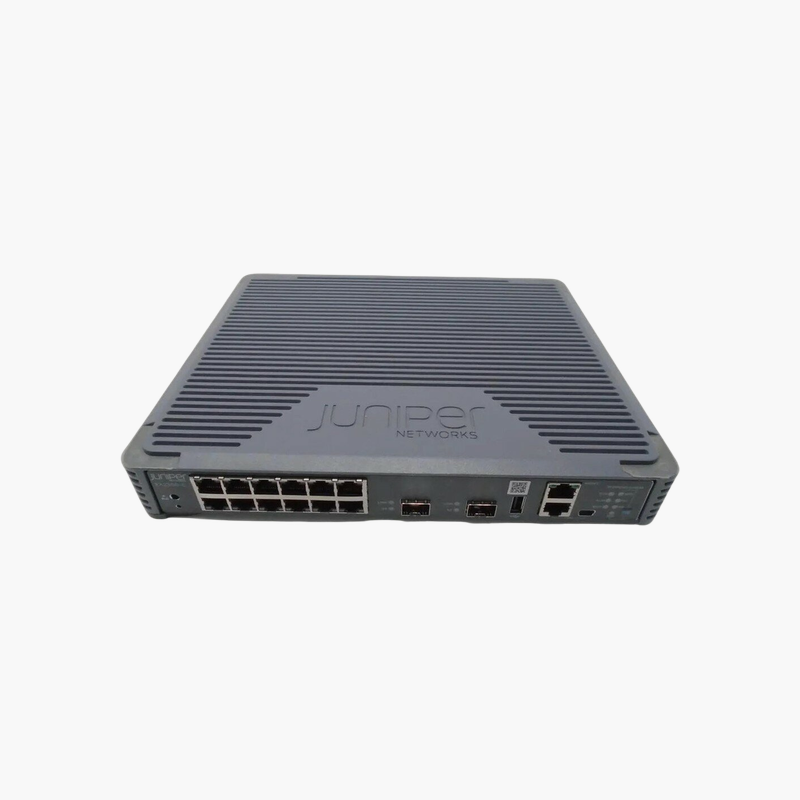
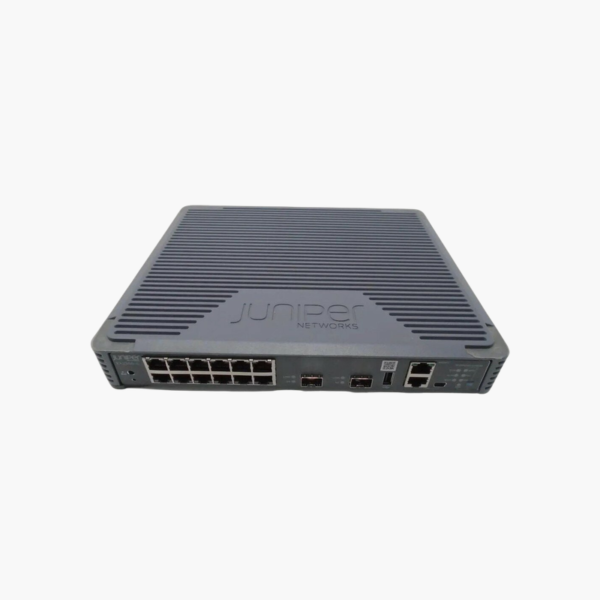
The Juniper EX2300-C-12P is a 12-port Gigabit PoE+ switch from the Juniper EX2300 line, with 2 x 1/10GbE SFP+ uplinks and a 124W PoE budget. Running Junos OS, it is built for classrooms, retail stores, small branches and open offices. It supports Virtual Chassis stacking, up to 4 switches.
What the EX2300-C-12P Fixes in Branch and Campus Networks
As more devices connect at the network edge, access switches are expected to deliver power, segmentation and visibility, not only connectivity. Entry-level switches often lack consistent software, centralized management and the uplink capacity needed when dozens of access points and cameras share one closet.
The EX2300-C-12P runs Junos OS, the same operating system used across Juniper routers and switches, so configuration templates, automation scripts and troubleshooting skills carry over from branch to core. It supports Layer 2 and Layer 3 features including VLANs, 802.1X, QoS, static routing and RIP, with OSPF and advanced features enabled through Juniper licenses.
Its 2 x 1/10GbE SFP+ uplinks and Virtual Chassis support (up to 4 switches) keep the closet simple to scale: add switches to the same Virtual Chassis and manage them as one device, either from the CLI or from Juniper Mist cloud with AI-driven insights.
30W PoE for Access Points, Phones and Cameras
Every access port supplies up to 30W (802.3at), from a 124W power budget. That covers Wi-Fi access points, IP phones, cameras and badge readers without separate power supplies.
Silent, Fanless Design
The EX2300-C-12P has no fans, so it can be installed in classrooms, retail spaces and open offices without adding noise. Its compact chassis mounts on a desk, wall or rack, and it supports virtual chassis, up to 4 switches.
How to Set Up the Juniper EX2300-C-12P
- Rack-mount the switch (or place compact models on a desk or wall), connect power, and keep the airflow path clear.
- Connect the uplink ports to your aggregation or core switch using SFP+/QSFP optics or DAC cables, then patch access devices to the RJ-45 ports.
- Run the Junos initial setup through the console port, J-Web or EZsetup, or claim the switch in Juniper Mist for zero-touch provisioning.
- Configure VLANs, 802.1X, QoS, PoE priorities and Virtual Chassis, upgrade to the recommended Junos release, and commit the configuration.



























Reviews
There are no reviews yet.