WD My Passport 1TB Portable External Hard Drive (WDBYVG0010)
WD My Passport 1TB Portable External Hard Drive (WDBYVG0010) – USB 3.2 Gen 1 Price on RequestRequest a quote for volume pricing, availability and lead time.
Back to products
WD Gold 12TB Enterprise Hard Drive (WD121KRYZ)
WD Gold 12TB Enterprise Hard Drive (WD121KRYZ) – SATA 6Gb/s, 7200 RPM, 256MB Cache, CMR Price on RequestRequest a quote for volume pricing, availability and lead time.

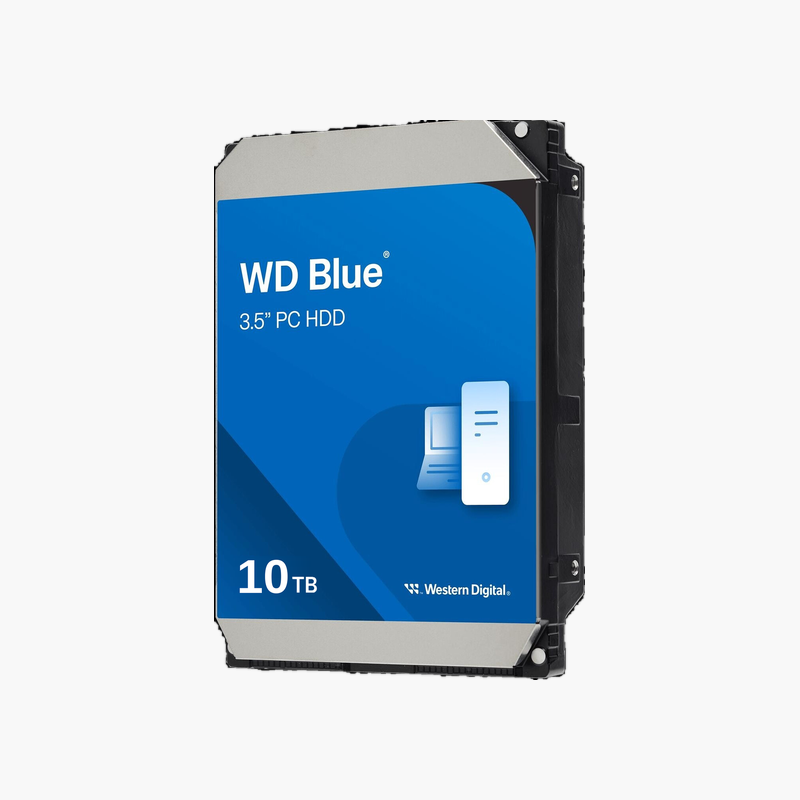
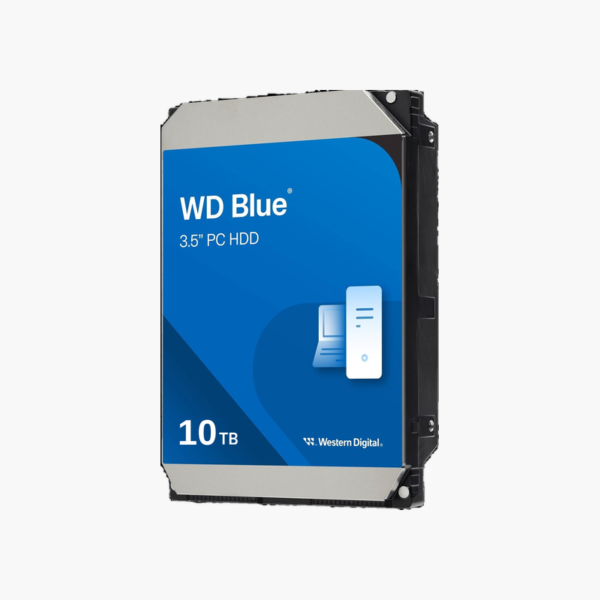
WD Blue 10TB Desktop Hard Drive (WD100EAGZ) – SATA 6Gb/s, 7200 RPM, 512MB Cache, CMR

SKU: WD100EAGZ
  • 30-Day Hassle Free Returns
  • Secure Payment Options

Price on RequestRequest a quote for volume pricing, availability and lead time.

Capacity: 10TB

Key Value Highlights

  • 10TB desktop storage – Room for games, photo and video libraries, and full-system backups.
  • 7200 RPM with 512MB cache – Responsive performance for everyday computing and media.
  • CMR recording – Consistent performance for large file copies.
  • SATA 6Gb/s interface – Plugs into any standard desktop SATA port.
  • Acronis True Image for WD – Free download for cloning and backing up your system.

Description

The WD Blue 10TB (WD100EAGZ) is a 3.5-inch internal desktop hard drive for PC builders, gamers and home users who need affordable bulk storage. With 7200 RPM operation, a 512MB cache and CMR recording, it handles game libraries, media collections and backups reliably.

Add terabytes to your desktop without slowing it down.

Why Your SSD Shouldn’t Store Everything

Most modern PCs boot from a fast SSD, but SSD capacity is expensive per terabyte. Games, photo libraries, video projects and backups fill it quickly, forcing constant deleting and juggling.

The WD Blue 10TB solves this by adding 10TB of affordable storage. Keep your OS and active apps on the SSD and move large libraries to the hard drive. Its 7200 RPM spindle keeps load times reasonable for games and media.

CMR Recording for Steady Transfers

CMR keeps write speeds consistent when copying large files, and the 512MB cache smooths everyday reads and writes.

Easy Upgrade for Any Desktop

The standard 3.5-inch form factor and SATA connection fit nearly every desktop case and motherboard, and Acronis True Image for Western Digital helps you clone or back up your system.

Setup Instructions

How to Install the WD Blue 10TB

  1. Shut down the PC, unplug it and open the case.
  2. Mount the drive in a free 3.5-inch bay with screws or tool-less clips.
  3. Connect a SATA data cable to the motherboard and a SATA power cable from the PSU.
  4. Boot into Windows Disk Management (or macOS Disk Utility), initialise and format the drive.

Overview

BrandWestern Digital
Model NumberWD100EAGZ
Product LineWD Blue
Capacity10TB
Drive TypeInternal Desktop Hard Disk Drive
Form Factor3.5-inch
InterfaceSATA 6Gb/s
Spindle Speed7200 RPM
Cache512MB
Recording TechnologyCMR (Conventional Magnetic Recording)
Optimized ForDesktop PCs, workstations and secondary storage
OperationDesktop / everyday PC use
SoftwareAcronis True Image for Western Digital (download)
ConditionBrand New
In the Box1x WD Blue 10TB drive (bare drive, no cables or mounting hardware)

Frequently Asked Questions

Find answers to common questions about this product.

Customer Reviews

Reviews

There are no reviews yet.

Be the first to review “WD Blue 10TB Desktop Hard Drive (WD100EAGZ) – SATA 6Gb/s, 7200 RPM, 512MB Cache, CMR”

Your email address will not be published. Required fields are marked *