Synology SNV5420 1.6TB NAS NVMe M.2 SSD (SYSNV5421600)
Synology SNV5420 1.6TB NAS NVMe M.2 SSD (SYSNV5421600) – PCIe 3.0 x4 NVMe, M.2 2280 Price on RequestRequest a quote for volume pricing, availability and lead time.
Back to products
Synology SNV5420 400GB NAS NVMe M.2 SSD (SNV5420-400G)
Synology SNV5420 400GB NAS NVMe M.2 SSD (SNV5420-400G) – PCIe 3.0 x4 NVMe, M.2 2280 Price on RequestRequest a quote for volume pricing, availability and lead time.

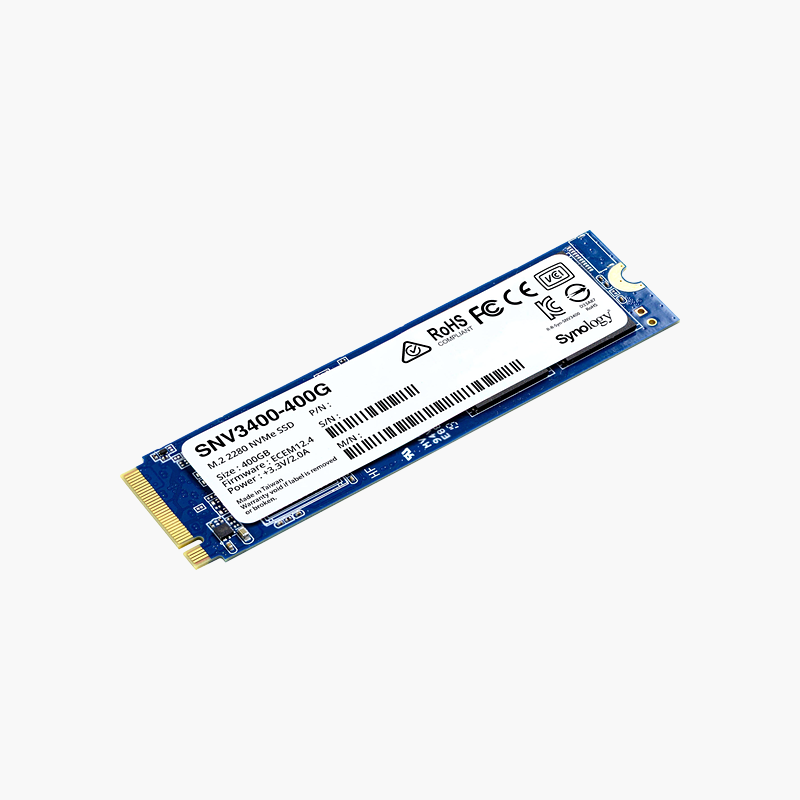
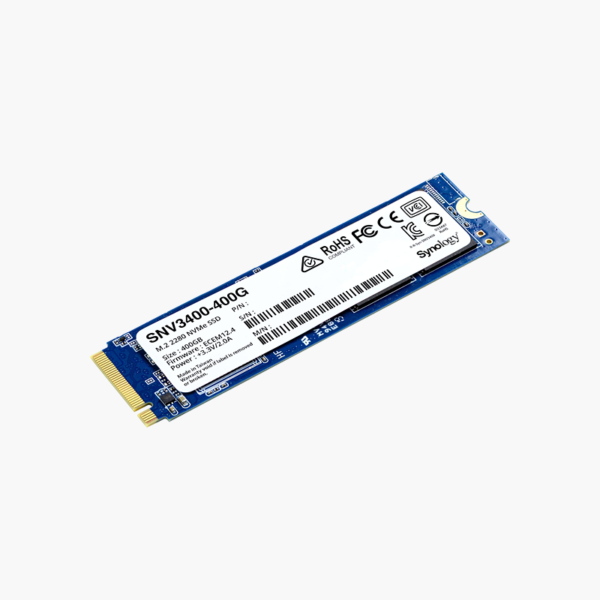
Synology SNV3410 400GB NAS NVMe M.2 SSD (SYSNV3410400) – PCIe 3.0 x4 NVMe, M.2 2280

SKU: SYSNV3410400
  • 30-Day Hassle Free Returns
  • Secure Payment Options

Price on RequestRequest a quote for volume pricing, availability and lead time.

Key Value Highlights

  • Synology-validated NAS SSD – Fully supported in Synology DSM for caching and all-flash volumes.
  • PCIe 3.0 x4 NVMe, M.2 2280 – Fast SSD cache for frequently accessed files and VMs.
  • NAS caching – Built for the constant writes of NAS caching.
  • 400GB capacity – Right-sized for read/write caching.
  • Firmware updates via DSM – Drive firmware is maintained by Synology.

Description

The Synology SNV3410 400GB (SYSNV3410400) is an M.2 2280 enterprise NVMe SSD with PCIe 3.0 x4 NVMe connectivity. It is built for Synology NAS caching and all-flash storage where consistent latency and data protection matter. It is a practical choice for both new builds and upgrades.

Reliable SSD performance for every day.

Speed Up Your Synology NAS With SSD Caching

Hard drives in a NAS are slow at random access, so many users working at once – or VMs and databases on the NAS – can feel sluggish.

The Synology SNV3410 400GB adds a fast NVMe SSD cache in Synology NAS units with M.2 slots, keeping frequently accessed data on flash. It is validated for DSM, so it avoids compatibility warnings and receives firmware updates through Synology.

Predictable Performance Under Load

PCIe 3.0 x4 NVMe connectivity and enterprise firmware keep latency steady for databases, VMs and file services.

Built for Data Protection

Enterprise firmware and monitoring support help you replace drives proactively.

Setup Instructions

How to Install the Synology SNV3410 400GB

  1. Check Synology’s compatibility list for your NAS model.
  2. Power down the NAS and install the SSD in an M.2 slot or adapter card.
  3. Open DSM Storage Manager and create an SSD cache or storage pool.
  4. Apply any available SSD firmware updates in DSM.

Overview

BrandSynology
Model NumberSYSNV3410400
Product LineSNV3410
Product TypeNAS NVMe M.2 SSD
Capacity400GB
Form FactorM.2 2280
InterfacePCIe 3.0 x4 NVMe
Endurance ClassNAS caching
Best ForSynology NAS SSD cache and all-flash pools
Moving PartsNone (solid-state)
MaintenanceNo routine maintenance; keep firmware updated
Operating SystemsWindows, macOS, Linux (platform dependent)
Shock ResistanceHigher than mechanical drives
ConditionBrand New
In the Box1x Synology SNV3410 400GB

Frequently Asked Questions

Find answers to common questions about this product.

Customer Reviews

Reviews

There are no reviews yet.

Be the first to review “Synology SNV3410 400GB NAS NVMe M.2 SSD (SYSNV3410400) – PCIe 3.0 x4 NVMe, M.2 2280”

Your email address will not be published. Required fields are marked *