TP-Link TL-SG1016DE 16-Port Gigabit Easy Smart Switch (TL-SG1016DE)
TP-Link TL-SG1016DE 16-Port Gigabit Easy Smart Switch (TL-SG1016DE) Price on RequestRequest a quote for volume pricing, availability and lead time.
Back to products
TP-Link TL-SG116 16-Port Gigabit Desktop Switch (TL-SG116) – Unmanaged
TP-Link TL-SG116 16-Port Gigabit Desktop Switch (TL-SG116) – Unmanaged Price on RequestRequest a quote for volume pricing, availability and lead time.

TP-Link TL-SG1016 16-Port Gigabit Rackmount Switch (TL-SG1016) – Unmanaged

SKU: TL-SG1016
  • 30-Day Hassle Free Returns
  • Secure Payment Options

Price on RequestRequest a quote for volume pricing, availability and lead time.

Key Value Highlights

  • 16x Gigabit RJ45 – Gigabit connections for PCs, printers, cameras and access points.
  • Plug-and-play setup – No configuration needed – connect devices and go.
  • 19-inch rackmount design – Installs cleanly in standard network racks and cabinets.
  • Energy-efficient operation – Reduces power use when ports are idle.

Description

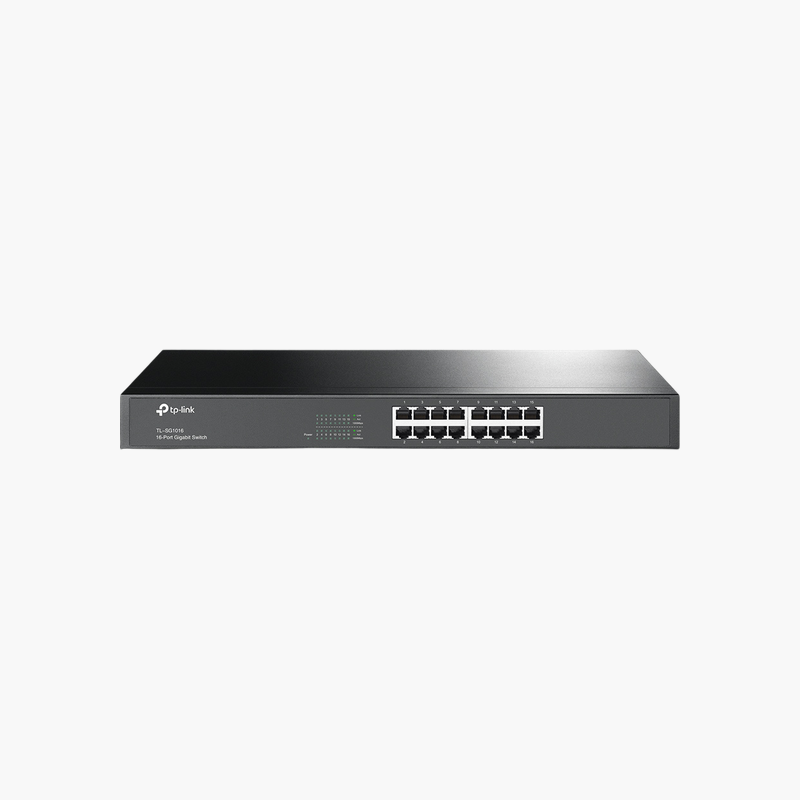
The TP-Link TL-SG1016 16-Port Gigabit Rackmount Switch is an unmanaged switch with 16x Gigabit RJ45. It is built for home offices, small businesses and quick network expansion. Setup is plug-and-play, with no configuration required. It installs in minutes. It is designed for continuous, always-on operation.

Fast, dependable switching for every port.

Plug-and-Play Network Expansion

Routers and modems rarely have enough Ethernet ports for every PC, console, printer and NAS, and Wi-Fi alone is not always fast or stable enough.

The TP-Link TL-SG1016 16-Port Gigabit Rackmount Switch adds 16x Gigabit RJ45 with no setup – plug it into your router and connect devices for fast, stable wired connections.

Ports and Performance

Ports: 16x Gigabit RJ45.

Management and Installation

No configuration needed – connect devices and go. Installs cleanly in standard network racks and cabinets.

Setup Instructions

How to Set Up the TP-Link TL-SG1016 16-Port Gigabit Rackmount Switch

  1. Place the switch on a desk, wall or rack and connect the power adapter or power cord.
  2. Connect one port to your router or main switch with an Ethernet cable.
  3. Plug in your computers, access points, cameras and other devices.
  4. Check the port LEDs to confirm each link is active.

Overview

BrandTP-Link
ModelTL-SG1016 16-Port Gigabit Rackmount Switch
Product TypeUnmanaged Switch
ManagementUnmanaged
Ports16x Gigabit RJ45
Port Speed10/100/1000 Mbps
Mounting19-inch rackmount
Use CaseHome offices, small businesses and quick network expansion
CategoryNetworking Switches
Plug and PlayYes
Network StandardIEEE 802.3 Ethernet
ComplianceCE / FCC (manufacturer listed)
Part NumberTL-SG1016
ConditionBrand New
In the BoxSwitch, power cord or adapter, rack-mount kit, quick installation guide

Frequently Asked Questions

Find answers to common questions about this product.

Customer Reviews

Reviews

There are no reviews yet.

Be the first to review “TP-Link TL-SG1016 16-Port Gigabit Rackmount Switch (TL-SG1016) – Unmanaged”

Your email address will not be published. Required fields are marked *