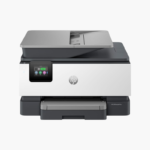
Epson Expression Photo XP-8800 Wireless Color Inkjet All-in-One Printer – 6-Color Claria Photo HD Ink, Borderless Photos

SKU: EPSON-EXPRESSION-PHOTO-XP-8800
  • 30-Day Hassle Free Returns
  • Secure Payment Options

Price on RequestRequest a quote for volume pricing, availability and lead time.

Key Value Highlights

  • 6-color Claria Photo HD ink – Adds light cyan and light magenta for smooth skin tones and gradients.
  • 4 x 6-inch photo in as fast as 10 seconds – Prints batches of snapshots quickly.
  • Separate plain paper and photo trays – Switches between documents and photos without reloading.
  • 4.3-inch color touchscreen – Simplifies copying, scanning, and photo selection.
  • Wi-Fi, Wi-Fi Direct, AirPrint, Mopria – Prints directly from phones, tablets, and laptops.

Description

The Epson Expression Photo XP-8800 is a wireless color inkjet all-in-one for photo enthusiasts, crafters, and families who want lab-quality prints at home. It uses six Claria Photo HD inks, prints borderless photos up to letter size, and also scans and copies.

Deep-Dive Story & Problem/Solution

Four-Color Printers Cannot Reproduce Subtle Photo Tones

Standard home printers use four inks. They render charts well, but photos show grain in skies and uneven skin tones because light shades are built from sparse dots of dark ink.

The XP-8800 adds light cyan and light magenta to the usual four colors. These lighter inks fill gradients smoothly, so portraits, sunsets, and pastel craft designs print with finer tonal transitions.

Individual Epson 340 cartridges are replaced one color at a time. Photo output is quick, with a borderless 4 x 6-inch print in as little as 10 seconds in draft mode on glossy paper.

Lab-Quality Borderless Photos

Borderless prints are supported up to 8.5 x 11 inches. A rear feed accepts specialty media such as cardstock for cards and craft projects.

Convenient Everyday All-in-One

Dedicated trays for plain and photo paper, a 4.3-inch touchscreen, and the Epson Smart Panel app make scanning, copying, and mobile printing straightforward.

Setup Instructions

How to Set Up the Epson Expression Photo XP-8800

  1. Remove protective tape and plug in the printer.
  2. Install the six Claria Photo HD cartridges and wait for ink charging to finish.
  3. Load plain paper in the main tray and photo paper in the photo tray.
  4. Use the Epson Smart Panel app to connect to Wi-Fi and print a test photo.

Overview

ModelEpson Expression Photo XP-8800
FunctionsPrint, scan, copy
Print TechnologyInkjet, 6-color Claria Photo HD
Ink ColorsBlack, cyan, magenta, yellow, light cyan, light magenta
Ink CartridgesEpson 340 / 340XL
Photo Print Speed4 x 6 inches in as fast as 10 seconds (draft mode)
Maximum Paper Size8.5 x 11 inches (letter)
Borderless PrintingUp to 8.5 x 11 inches
Paper HandlingSeparate plain paper and photo trays; rear specialty feed
ScannerFlatbed
ConnectivityWi-Fi, Wi-Fi Direct, USB
Mobile PrintingApple AirPrint, Mopria, Epson Smart Panel
Control Panel4.3-inch color touchscreen
In the BoxPrinter, power cord, six Claria Photo HD ink cartridges
MaintenanceReplace individual cartridges; run nozzle check and head cleaning as needed

Frequently Asked Questions

Find answers to common questions about this product.

Customer Reviews