WD Ultrastar DC HC570 22TB Enterprise Hard Drive (WUH722222ALE6L4) — SATA 6Gb/s, CMR
WD Ultrastar DC HC570 22TB Enterprise Hard Drive (WUH722222ALE6L4) — SATA 6Gb/s, CMR Price on RequestRequest a quote for volume pricing, availability and lead time.
Back to products
WD Elements 20TB Desktop External Hard Drive (WDBWLG0200HBK-NESN) — USB 3.2 Gen 1
WD Elements 20TB Desktop External Hard Drive (WDBWLG0200HBK-NESN) — USB 3.2 Gen 1 Price on RequestRequest a quote for volume pricing, availability and lead time.

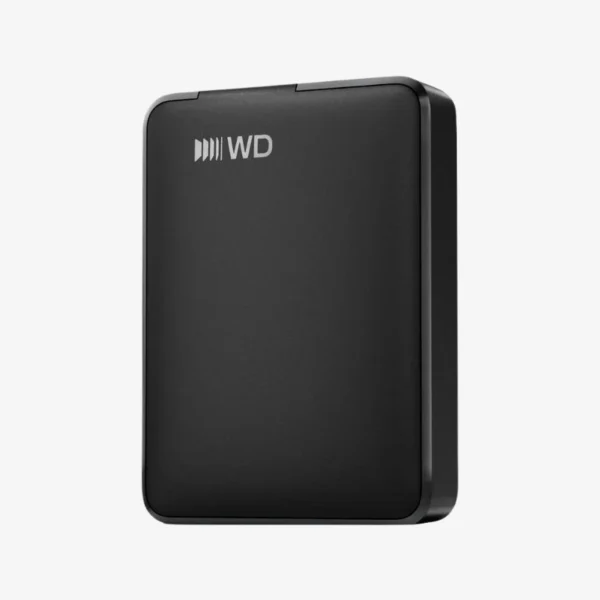
WD Elements 5TB Portable External Hard Drive (WDBA3A0050BBK-WESN) — USB 3.2 Gen 1, Black

SKU: WDBA3A0050BBK-WESN
  • 30-Day Hassle Free Returns
  • Secure Payment Options

Price on RequestRequest a quote for volume pricing, availability and lead time.

Key Value Highlights

  • 5TB portable capacity – Carry large photo, video, and document libraries in a drive that fits in a bag or jacket pocket.
  • USB 3.2 Gen 1 (USB 3.0) interface – Transfers up to 5Gb/s, backward compatible with USB 2.0 ports.
  • USB bus-powered – No power adapter needed; one cable handles both data and power.
  • Plug-and-play, formatted for Windows – Connect and start copying files immediately on Windows PCs.
  • Compact, simple design – Straightforward external storage for backups, file transfers, and expanding laptop space.

Description

Simple, high-capacity portable storage you can plug in and use right away.

The WD Elements Portable 5TB (WDBA3A0050BBK-WESN) is a USB 3.2 Gen 1 portable external hard drive for students, home users, and professionals who need extra space on the go. It is bus-powered, plug-and-play on Windows, and gives you 5TB for backups, media libraries, and moving large files between computers.

How the WD Elements Portable 5TB Solves the Running-Out-of-Space Problem

Laptops with small SSDs fill up fast, and cloud storage gets expensive or slow once your files reach the terabyte range. A portable hard drive gives you a one-time-cost way to offload photos, videos, and projects and keep a local backup you control.

The WD Elements Portable 5TB connects with a single USB cable that supplies both data and power, so there is no adapter to carry. Over USB 3.2 Gen 1 (USB 3.0), it moves large folders quickly, and it still works with older USB 2.0 ports at reduced speed.

It arrives formatted for Windows, so you can drag and drop files immediately. Mac users can reformat it with Disk Utility to use it with macOS or across both platforms.

5TB of Storage in a Pocket-Size Drive

Store years of photos, hours of HD video, or a complete backup of your laptop in a compact enclosure that travels easily between home, office, and campus.

Plug-and-Play Simplicity

No drivers, no power brick, and no setup wizard required on Windows. Connect the cable and the drive appears in File Explorer, ready for copying or for Windows File History backups.

How It Works / Setup Instructions

How to Set Up the WD Elements Portable 5TB

  1. Connect the drive to your computer’s USB port using the included cable.
  2. Wait for the drive to appear in File Explorer (Windows) or Finder (macOS).
  3. On a Mac, reformat the drive in Disk Utility if you need full read/write access in macOS.
  4. Drag and drop files, or set up scheduled backups so your copy stays current.

Overview

Weight2 lbs
Dimensions6 × 4 × 2 in
Model NumberWDBA3A0050BBK-WESN
Product LineWD Elements Portable
Capacity5TB
Drive TypePortable External Hard Drive (HDD)
Form FactorPortable (2.5-inch drive inside)
InterfaceUSB 3.2 Gen 1 (USB 3.0), up to 5Gb/s
Backward CompatibilityUSB 2.0
PowerUSB bus-powered
Default FormatNTFS (Windows)
OS CompatibilityWindows; macOS after reformatting
ColorBlack
Hardware EncryptionNot included
SetupPlug-and-play
ConditionBrand New
In the Box1x WD Elements Portable 5TB drive, 1x USB cable

Frequently Asked Questions

Find answers to common questions about this product.

Customer Reviews

Reviews

There are no reviews yet.

Be the first to review “WD Elements 5TB Portable External Hard Drive (WDBA3A0050BBK-WESN) — USB 3.2 Gen 1, Black”

Your email address will not be published. Required fields are marked *