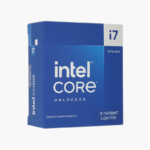
Intel Core i7-14700 14th Gen Desktop Processor - 20 Cores (8P+12E), Up to 5.4 GHz, LGA1700
Intel Core i7-14700 14th Gen Desktop Processor - 20 Cores (8P+12E), Up to 5.4 GHz, LGA1700 Price on RequestRequest a quote for volume pricing, availability and lead time.
Back to products
Intel Core Ultra 5 235 Core Ultra 200S Desktop Processor - 14 Cores (6P+8E), Up to 5.0 GHz, LGA1851
Intel Core Ultra 5 235 Core Ultra 200S Desktop Processor - 14 Cores (6P+8E), Up to 5.0 GHz, LGA1851 Price on RequestRequest a quote for volume pricing, availability and lead time.

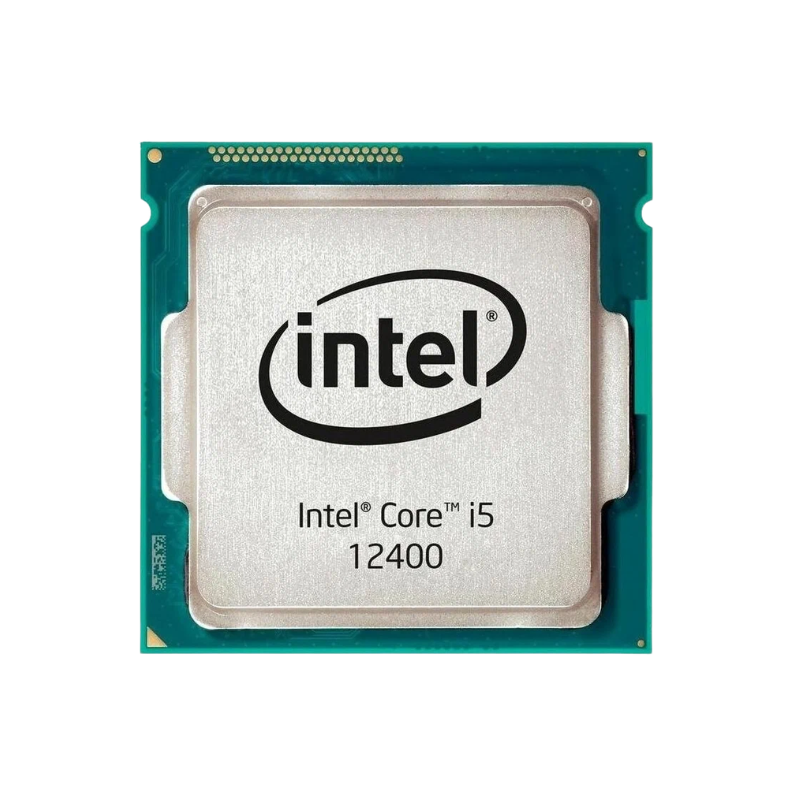
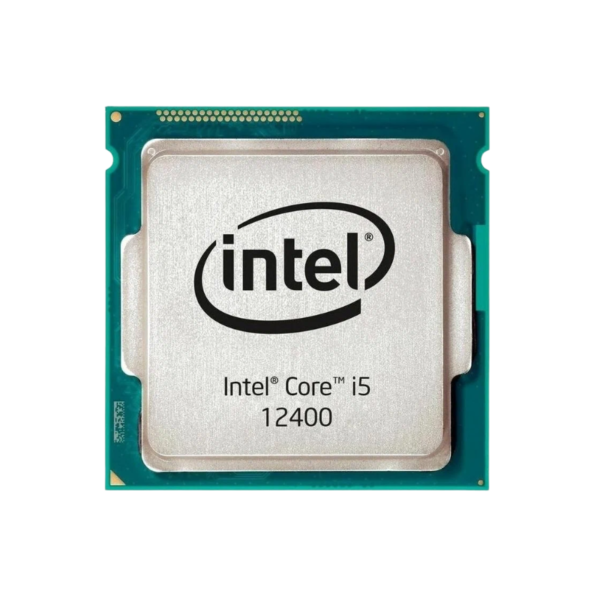
Intel Core i5-12400 12th Gen Desktop Processor – 6 Cores, Up to 4.4 GHz, LGA1700

SKU: INTEL-CORE-I5-12400
  • 30-Day Hassle Free Returns
  • Secure Payment Options

Price on RequestRequest a quote for volume pricing, availability and lead time.

Key Value Highlights

  • 6 performance cores / 12 threads – Every core is a full-speed P-core with Hyper-Threading, so everyday apps and games run at full speed with no core-type scheduling to manage.
  • Up to 4.4 GHz max turbo + 18MB cache – High single-core speed keeps game engines, browsers and office apps responsive, while the large shared cache cuts trips to system memory.
  • LGA1700 with DDR4 or DDR5 support – Reuse affordable DDR4 or step up to DDR5-4800 for more bandwidth, on either 600-series or 700-series motherboards.
  • 65W base power – Runs on affordable B- and H-series boards with a modest cooler, keeping total build cost and noise down.
  • Intel UHD Graphics 730 – Drive displays without a graphics card and use Quick Sync for fast, efficient video encoding and decoding.

Description

The Intel Core i5-12400 is a 12th Gen Intel Core desktop processor (Alder Lake) with 6 cores, 12 threads and a maximum turbo frequency of 4.4 GHz. It uses the LGA1700 socket, supports DDR5-4800 and DDR4-3200 memory, and is aimed at mainstream gaming builds, home and office PCs, and value-focused workstations.

The Mid-Range Dilemma: Enough Performance Without Overpaying – Intel Core i5-12400

Mid-range buyers usually face two bad options: overspend on an unlocked chip, a Z-series motherboard and a large cooler they will never fully use, or save money with a processor that runs out of threads as soon as they stream, multitask or play newer games.

The i5-12400 sits in the middle. Its 6 cores and 12 threads at up to 4.4 GHz handle modern games, office work, photo editing and multitasking comfortably, and its 65W base power means it runs on cost-effective B- and H-series motherboards with a modest air cooler.

Because every core is a performance core, there is no scheduling between core types to worry about. Older software, games and operating systems all see 6 identical full-speed cores.

6 Full-Speed Performance Cores With Hyper-Threading

The i5-12400 uses 6 Golden Cove performance cores, each with Hyper-Threading for 12 threads in total. With 18MB of shared cache and turbo speeds up to 4.4 GHz, it delivers strong per-core performance for games and everyday applications, and behaves the same on Windows 10, Windows 11 and Linux.

Intel UHD Graphics 730 for GPU-Free Builds

The integrated Intel UHD Graphics 730 can drive multiple displays on its own, which makes the i5-12400 a good fit for office, school and home PCs that do not need a graphics card. Intel Quick Sync Video accelerates encoding and decoding in apps like HandBrake, Plex and video editors, and the iGPU is also a useful backup if a graphics card ever fails.

Setup Instructions

How to Install the Intel Core i5-12400

  1. Confirm your motherboard uses the LGA1700 socket with an Intel 600-series or 700-series chipset. Updating to the latest BIOS is recommended for best stability and memory compatibility.
  2. Lift the socket load plate, align the triangle marker and the notches on the i5-12400 with the socket, and lower it straight down without pressure. Close the load plate and lever; the plastic socket cover will pop off.
  3. Apply a thin layer of thermal paste and mount an LGA1700-compatible cooler. Use at least a mid-range single-tower air cooler for this chip’s 65W base and 117W maximum turbo power.
  4. Connect your monitor to the graphics card or to the motherboard video output, power on, enter the BIOS to confirm the processor is detected and enable the XMP memory profile, then install Windows 11 and the latest chipset drivers.

Overview

Model NumberCore i5-12400
BrandIntel
Processor Series12th Gen Intel Core
ArchitectureAlder Lake
SocketLGA1700
Cores6
Threads12
Performance-Core Base Clock2.5 GHz
Max Turbo FrequencyUp to 4.4 GHz
Cache18MB Intel Smart Cache
Base / Max Turbo Power65W / 117W
Integrated GraphicsIntel UHD Graphics 730
Memory SupportDDR5-4800 / DDR4-3200 / up to 128GB
OverclockingLocked
Compatible ChipsetsIntel 600 / 700-series (Z790 / B760 / H770 / Z690 / B660 / H610)
In the Box1x processor (Intel Laminar cooler with retail box only)
ConditionBrand New

Frequently Asked Questions

Find answers to common questions about this product.

Customer Reviews

Reviews

There are no reviews yet.

Be the first to review “Intel Core i5-12400 12th Gen Desktop Processor – 6 Cores, Up to 4.4 GHz, LGA1700”

Your email address will not be published. Required fields are marked *