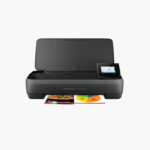
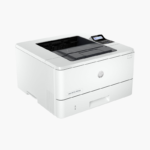
HP LaserJet M110w Wireless Monochrome Laser Printer – Compact, 21 ppm, Mobile-Ready

SKU: HP-LASERJET-M110W
  • 30-Day Hassle Free Returns
  • Secure Payment Options

Price on RequestRequest a quote for volume pricing, availability and lead time.

Key Value Highlights

  • Compact 8.4 lb laser printer – Fits on a shelf or small desk where larger lasers will not.
  • Up to 21 ppm – Prints text documents far faster than entry-level inkjets.
  • Wi-Fi and USB with HP Smart app – Sets up and prints from a phone in minutes.
  • 150-sheet input tray – Suits light to moderate home-office volumes.
  • Laser toner – Produces dry, smudge-resistant pages and does not dry out between uses.

Description

The HP LaserJet M110w is one of HP’s smallest monochrome laser printers, built for individuals and small teams with limited desk space. It prints up to 21 ppm, connects over Wi-Fi or USB, and works with the HP Smart app for mobile printing.

Deep-Dive Story & Problem/Solution

Occasional Printing Kills Inkjet Cartridges

Many home users print a few pages a week. Inkjet nozzles dry out at that pace, so the first job after a quiet month is a cleaning cycle, wasted ink, or a new cartridge.

A laser printer avoids the problem entirely. The M110w fuses dry toner to the page, so it prints cleanly whether it was last used yesterday or two months ago. The first page appears in about 8.3 seconds.

The body is small and light at 8.4 lbs, yet output reaches 21 ppm at 600 x 600 dpi, and the monthly duty cycle is up to 8,000 pages.

Small Footprint, Laser Quality

Crisp black text suits letters, forms, shipping labels, and coursework. The 150-sheet input tray and 100-sheet output bin are sized for personal use.

Quick Wireless Setup

Apple AirPrint, Mopria, Wi-Fi Direct, and the HP Smart app handle printing from phones and tablets. Simple LED indicators and buttons keep operation straightforward.

Setup Instructions

How to Set Up the HP LaserJet M110w

  1. Unpack the printer and remove tape and the cartridge sealing tab.
  2. Load paper in the input tray and plug in the power cord.
  3. Open the HP Smart app and follow the steps to connect the printer to Wi-Fi.
  4. Print a test page from your phone or computer.

Overview

ModelHP LaserJet M110w
FunctionsPrint
Print TechnologyMonochrome laser
Print SpeedUp to 21 ppm
First Page OutApprox. 8.3 seconds
Print Resolution600 x 600 dpi
Monthly Duty CycleUp to 8, 000 pages
Paper Input150 sheets
Output Capacity100 sheets
Duplex PrintingManual
ConnectivityWi-Fi, USB 2.0
Mobile PrintingApple AirPrint, HP Smart app, Mopria, Wi-Fi Direct
TonerHP 141A (W1410A), approx. 950 pages
Maximum Paper Size8.5 x 14 inches (legal)
Weight8.4 lbs
MaintenanceReplace toner cartridge when prompted

Frequently Asked Questions

Find answers to common questions about this product.

Customer Reviews

Reviews

There are no reviews yet.

Be the first to review “HP LaserJet M110w Wireless Monochrome Laser Printer – Compact, 21 ppm, Mobile-Ready”

Your email address will not be published. Required fields are marked *