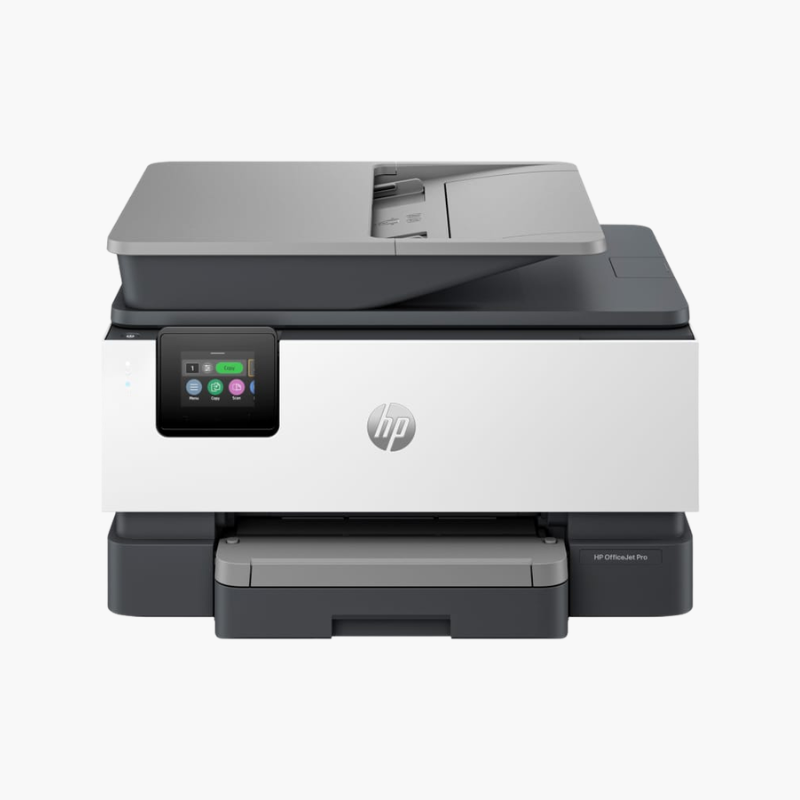
HP OfficeJet Pro 8139e Wireless Color Inkjet All-in-One Printer – Print, Scan, Copy, Fax, ADF, Auto Duplex

SKU: HP-OFFICEJET-PRO-8139E
  • 30-Day Hassle Free Returns
  • Secure Payment Options

Price on RequestRequest a quote for volume pricing, availability and lead time.

Key Value Highlights

  • 20 ppm black, 10 ppm color (ISO) – Delivers quick results for daily office tasks.
  • 35-sheet ADF – Feeds multi-page documents for scan, copy, and fax.
  • Automatic two-sided printing – Cuts paper costs.
  • 225-sheet input tray – Reduces refills.
  • Ethernet and dual-band Wi-Fi – Provides flexible, stable connectivity.

Description

The HP OfficeJet Pro 8139e is a wireless color inkjet all-in-one for home offices and small teams. It prints, scans, copies, and faxes, with a 35-sheet ADF, automatic duplex printing, a 225-sheet tray, a 2.7-inch touchscreen, and Ethernet plus dual-band Wi-Fi.

Deep-Dive Story & Problem/Solution

A Home Office Printer Must Be Ready for Business Paperwork Every Day

Running a business from home means printing, signing, scanning, and returning documents on short notice. Missing features cause delays that clients notice.

The OfficeJet Pro 8139e provides the complete set: print, scan, copy, and fax, a 35-sheet ADF, and automatic two-sided printing. Scan resolution reaches 1200 x 1200 dpi and scans can be saved as PDF, JPG, and other formats.

Print speeds are up to 20 ppm in black and 10 ppm in color (ISO). It is designed for up to 800 pages a month, with a duty cycle of up to 20,000 pages.

Everything a Small Office Needs

A 225-sheet tray and 60-sheet output tray handle daily volumes. Print on media up to 8.5 x 14 inches.

Flexible Connectivity

Ethernet, dual-band Wi-Fi, USB, and fax ports are fitted. AirPrint, Wi-Fi Direct, and Mopria support mobile devices, and the 2.7-inch touchscreen simplifies operation.

Setup Instructions

How to Set Up the HP OfficeJet Pro 8139e

  1. Remove packaging and install the four setup cartridges.
  2. Load paper and connect the phone line for fax.
  3. Connect via Ethernet or the HP Smart app.
  4. Run alignment and test each function.

Overview

ModelHP OfficeJet Pro 8139e
FunctionsPrint, copy, scan, fax
Print TechnologyHP Thermal Inkjet, 4 individual cartridges
Print SpeedUp to 20 ppm black, 10 ppm color (ISO)
Print ResolutionUp to 1200 x 1200 dpi black; up to 4800 x 1200 optimized dpi color
Monthly Duty CycleUp to 20, 000 pages
Paper Input225 sheets
Output Capacity60 sheets
Automatic Document Feeder35 sheets
Duplex PrintingAutomatic
Scan ResolutionUp to 1200 x 1200 dpi
ConnectivityEthernet, dual-band Wi-Fi, USB 2.0
Control Panel2.7-inch capacitive touchscreen
InkHP 923 series (black, cyan, magenta, yellow)
Dimensions and Weight18.12 x 13.29 x 9.17 inches; 17.6 lbs

Frequently Asked Questions

Find answers to common questions about this product.

Customer Reviews

Reviews

There are no reviews yet.

Be the first to review “HP OfficeJet Pro 8139e Wireless Color Inkjet All-in-One Printer – Print, Scan, Copy, Fax, ADF, Auto Duplex”

Your email address will not be published. Required fields are marked *