Epson EcoTank Pro ET-16600 Wireless Wide-Format Color All-in-One Supertank Printer – Print to 13 x 19, Scan, Copy, Fax

SKU: EPSON-ECOTANK-PRO-ET-16600
  • 30-Day Hassle Free Returns
  • Secure Payment Options

Price on RequestRequest a quote for volume pricing, availability and lead time.

Key Value Highlights

  • Prints up to 13 x 19 inches – Produces posters, plans, and large spreadsheets in-house.
  • Scans and copies up to 11 x 17 inches – Handles tabloid originals directly.
  • Cartridge-free EcoTank system – Cuts ink costs with high-capacity pigment ink bottles.
  • Print, copy, scan, and fax – Covers all office functions in one device.
  • High paper capacity – Reduces refills during large jobs.

Description

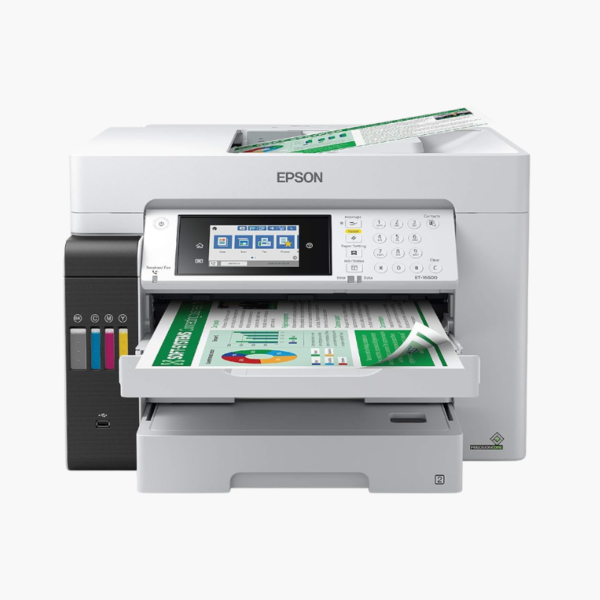
The Epson EcoTank Pro ET-16600 is a wide-format color supertank all-in-one for small businesses and design, engineering, and accounting teams. It prints up to 13 x 19 inches, scans up to 11 x 17 inches, and uses cartridge-free pigment ink for low running costs.

Deep-Dive Story & Problem/Solution

Wide-Format Printing With Cartridges Gets Expensive Fast

A 13 x 19-inch page uses several times the ink of a letter page. On a cartridge-based wide-format printer, a few posters or drawing sets can empty a cartridge, and costs climb quickly.

The ET-16600 replaces cartridges with refillable tanks fed by high-capacity bottles of DURABrite ET pigment ink. Each bottle set prints thousands of pages, so large-format output becomes affordable for routine use.

PrecisionCore Heat-Free printing delivers fast first pages with low power use, and pigment ink gives sharp, water-resistant text and lines.

Wide-Format Print, Scan, Copy, and Fax

Print up to 13 x 19 inches and scan or copy originals up to 11 x 17 inches. Automatic two-sided printing and an automatic document feeder streamline multi-page work.

Business-Level Capacity and Connectivity

Two front trays and a rear feed keep multiple paper sizes ready. Wireless and wired networking plus a color touchscreen support shared office use.

Setup Instructions

How to Set Up the Epson EcoTank Pro ET-16600

  1. Place the printer on a sturdy surface with space for wide paper output, then remove packing material.
  2. Fill each ink tank from its color-matched EcoFit bottle and start ink charging.
  3. Load letter paper in one tray and wide-format paper in the other.
  4. Connect by Wi-Fi or Ethernet and run a nozzle check.

Overview

ModelEpson EcoTank Pro ET-16600
FunctionsPrint, copy, scan, fax
Print TechnologyPrecisionCore Heat-Free inkjet, cartridge-free supertank
InkEpson 542 DURABrite ET pigment (black, cyan, magenta, yellow)
Maximum Print Size13 x 19 inches
Maximum Scan Size11 x 17 inches
Paper InputTwo front trays plus rear feed
Duplex PrintingAutomatic
Document FeederAutomatic document feeder
ConnectivityWi-Fi, Ethernet, USB
Mobile PrintingApple AirPrint, Mopria, Epson Smart Panel
Control PanelColor touchscreen
FormatWide-format (A3+ class)
In the BoxPrinter, ink bottles, power cord, setup guide
MaintenanceRefill tanks from bottles; replace maintenance box when prompted

Frequently Asked Questions

Find answers to common questions about this product.

Customer Reviews

Reviews

There are no reviews yet.

Be the first to review “Epson EcoTank Pro ET-16600 Wireless Wide-Format Color All-in-One Supertank Printer – Print to 13 x 19, Scan, Copy, Fax”

Your email address will not be published. Required fields are marked *