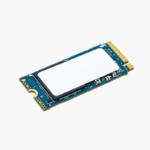
Lenovo ThinkPad 512GB M.2 2242 PCIe Gen4 x4 NVMe OPAL SSD (4XB1K26774) – Self-Encrypting
Lenovo ThinkPad 512GB M.2 2242 PCIe Gen4 x4 NVMe OPAL SSD (4XB1K26774) – Self-Encrypting Price on RequestRequest a quote for volume pricing, availability and lead time.
Back to products
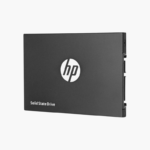
HP S700 500GB 2.5" SATA III SSD (2DP99AA#ABC) – Up to 560MB/s, 3D NAND
HP S700 500GB 2.5" SATA III SSD (2DP99AA#ABC) – Up to 560MB/s, 3D NAND Price on RequestRequest a quote for volume pricing, availability and lead time.

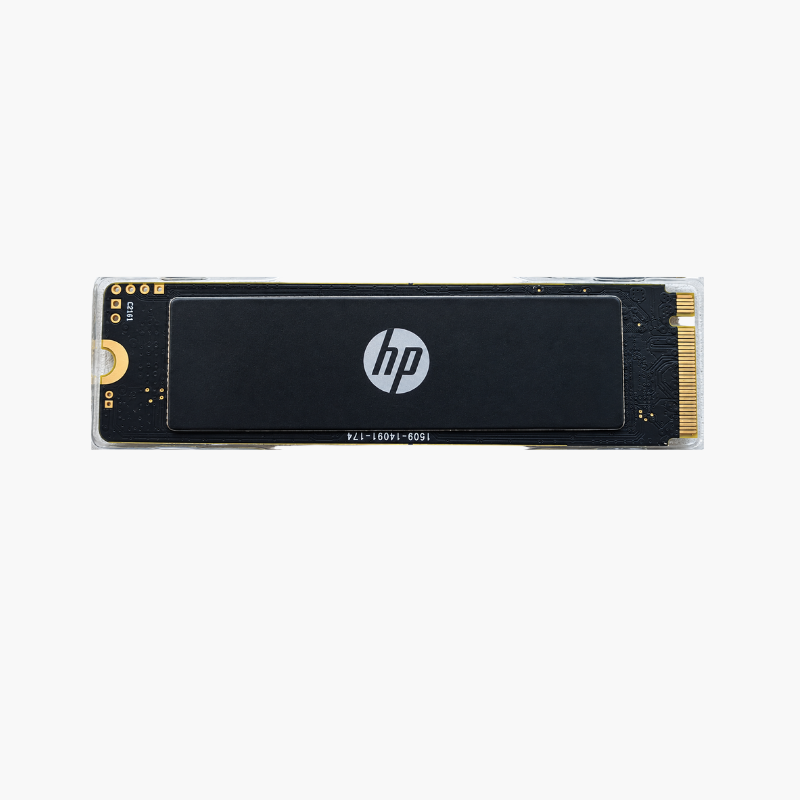
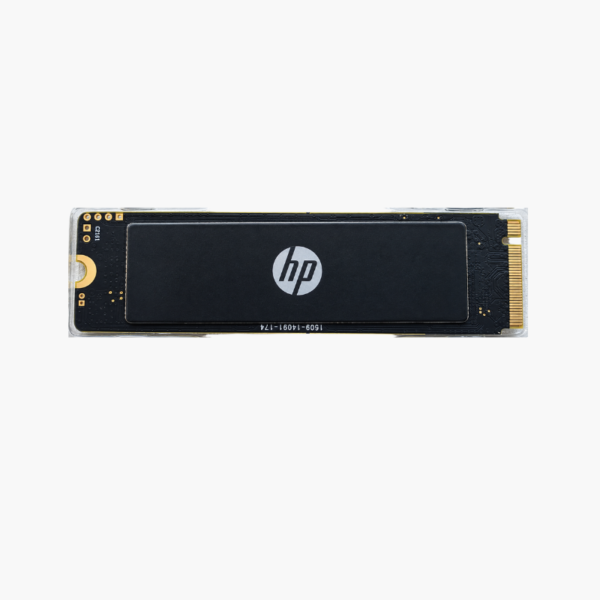
HP EX900 Plus 256GB NVMe M.2 2280 SSD – PCIe Gen3 x4, NVMe 1.4, Up to 2,000MB/s

SKU: HP-EX900-PLUS-256GB
  • 30-Day Hassle Free Returns
  • Secure Payment Options

Price on RequestRequest a quote for volume pricing, availability and lead time.

Key Value Highlights

  • Up to 2,000MB/s read, 1,300MB/s write – Several times faster than a hard drive or SATA SSD.
  • PCIe Gen3 x4, NVMe 1.4 – Modern NVMe protocol support for broad compatibility.
  • Slim single-sided M.2 2280 – 2.4mm profile, under 10g, fits thin laptops.
  • Shock and vibration resistant – Rated to 100G shock and 3.1 GRMS vibration.
  • Over 1M-hour MTBF – Reliable for everyday use.

Description

An affordable NVMe boot drive that brings everyday PCs up to speed.

The HP EX900 Plus 256GB is a single-sided M.2 2280 PCIe Gen3 x4 NVMe 1.4 SSD for desktops and laptops. Reading at up to 2,000MB/s and writing at up to 1,300MB/s with 3D NAND, it is an affordable boot-drive upgrade that cuts startup and app loading times compared with SATA and hard drives.

A Simple Upgrade That Fixes Slow Boots

Systems with hard drives or entry-level SATA storage waste time at every startup and app launch. Even a small NVMe boot drive makes the whole system feel faster.

The EX900 Plus 256GB is a low-cost way to move the OS and key apps onto NVMe. It installs in a standard M.2 slot and delivers a large responsiveness boost for everyday computing.

Everyday NVMe Speed

Up to 2,000MB/s reads bring quick boots, fast app launches and snappy file browsing. It is ideal as a dedicated OS drive paired with larger storage.

Durable, Slim Design

The single-sided 80 x 22 x 2.4mm design fits most laptops and desktops, and it is rated for 100G shock and 0–70°C operation.

Setup Instructions

How to Install the HP EX900 Plus 256GB

  1. Shut down and unplug the computer and ground yourself.
  2. Locate an M.2 2280 M-key slot that supports NVMe.
  3. Insert the SSD, press it flat and secure it with the screw.
  4. Install Windows or clone your OS, then set the SSD as the first boot device.

Overview

ModelHP EX900 Plus
Brand / SeriesHP EX900 Plus
Capacity256GB
Drive TypeInternal NVMe Solid State Drive
Form FactorM.2 2280, single-sided
InterfacePCIe Gen3 x4, NVMe 1.4
Sequential ReadUp to 2, 000 MB/s
Sequential WriteUp to 1, 300 MB/s
NAND Type3D NAND
MTBFOver 1, 000, 000 hours
Dimensions80 x 22 x 2.4 mm
WeightUp to 10 g
Operating Temperature0°C to 70°C
Shock / Vibration100G / 3.1 GRMS
CompatibilityDesktops and laptops with M.2 NVMe slots
ConditionBrand New

Frequently Asked Questions

Find answers to common questions about this product.

Customer Reviews

Reviews

There are no reviews yet.

Be the first to review “HP EX900 Plus 256GB NVMe M.2 2280 SSD – PCIe Gen3 x4, NVMe 1.4, Up to 2,000MB/s”

Your email address will not be published. Required fields are marked *