HP EX900 Plus 256GB NVMe M.2 2280 SSD – PCIe Gen3 x4, NVMe 1.4, Up to 2,000MB/s
HP EX900 Plus 256GB NVMe M.2 2280 SSD – PCIe Gen3 x4, NVMe 1.4, Up to 2,000MB/s Price on RequestRequest a quote for volume pricing, availability and lead time.
Back to products
HP EX950 2TB NVMe M.2 2280 SSD (5MS24AA#ABC) – PCIe 3.1 x4, Up to 3,500MB/s, 3D TLC
HP EX950 2TB NVMe M.2 2280 SSD (5MS24AA#ABC) – PCIe 3.1 x4, Up to 3,500MB/s, 3D TLC Price on RequestRequest a quote for volume pricing, availability and lead time.

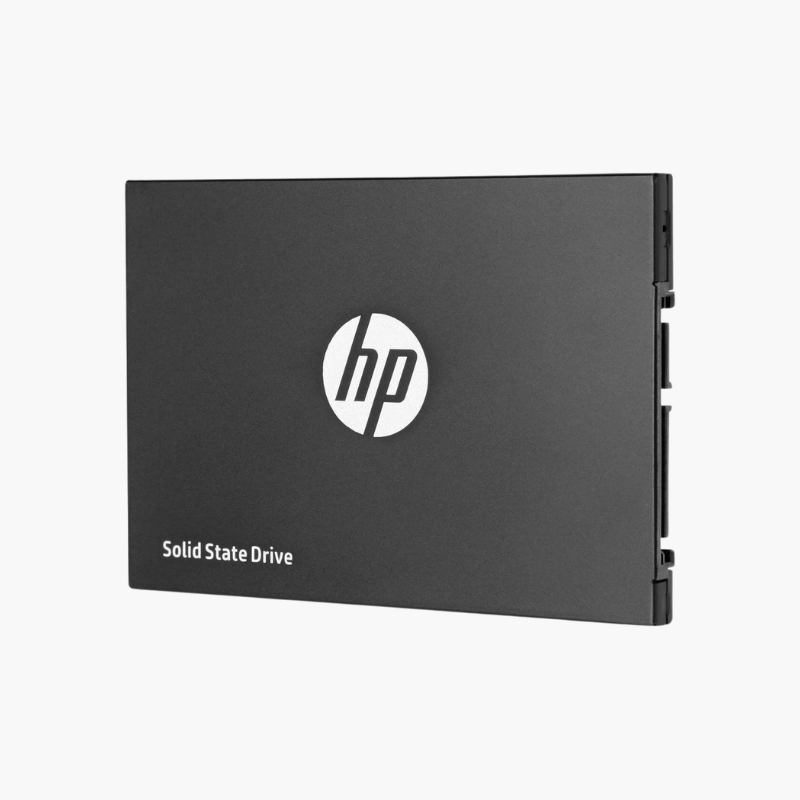
HP S700 500GB 2.5″ SATA III SSD (2DP99AA#ABC) – Up to 560MB/s, 3D NAND

SKU: 2DP99AA#ABC
  • 30-Day Hassle Free Returns
  • Secure Payment Options

Price on RequestRequest a quote for volume pricing, availability and lead time.

Key Value Highlights

  • Up to 560MB/s read, 515MB/s write – Full SATA speed for fast boots and app loading.
  • 3D NAND flash – Efficient, reliable storage technology.
  • Shock and vibration resistant – No moving parts to fail in laptops on the move.
  • Low power consumption – Runs cooler than a hard drive and helps battery life.
  • 2.5-inch 7mm SATA – Fits nearly every laptop and desktop bay.

Description

A straightforward SATA upgrade that makes older PCs boot and load faster.

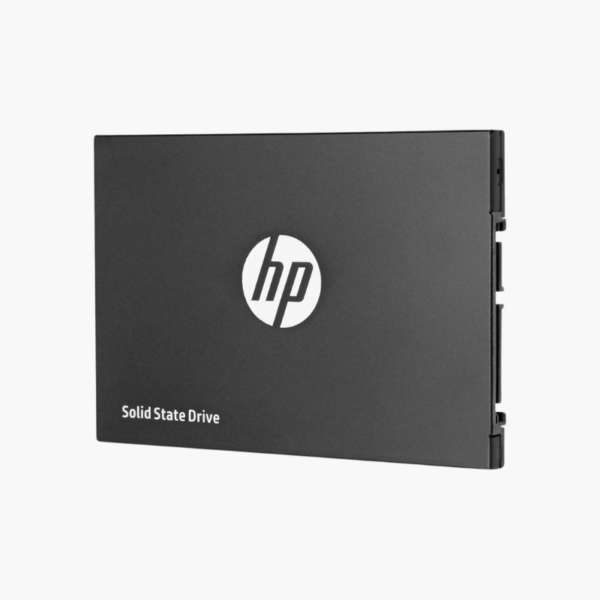
The HP S700 500GB is a 2.5-inch SATA III SSD built with 3D NAND for laptops and desktops. Reading at up to 560MB/s and writing at up to 515MB/s, it replaces a hard drive to cut boot and loading times, and its solid-state design resists shock and vibration in everyday use.

Why Replacing a Hard Drive Is the Best PC Upgrade

Hard drives are the slowest component in most older PCs. Every boot, update and app launch waits on mechanical seeks, making capable systems feel outdated.

The HP S700 replaces that hard drive with 3D NAND flash in the same 2.5-inch SATA form factor. The result is a dramatic jump in responsiveness for a modest cost.

Faster Everyday Computing

With up to 560MB/s reads and near-instant access times, the S700 makes Windows boot in seconds and opens apps and files quickly.

Reliable and Efficient

Solid-state construction resists bumps and vibration, and low power draw helps laptops run longer and cooler.

Setup Instructions

How to Install the HP S700 500GB

  1. Back up your files, shut down and unplug the computer.
  2. Mount the SSD in the 2.5-inch bay, laptop caddy or a desktop adapter.
  3. Connect SATA data and power cables or the laptop SATA connector.
  4. Clone your old drive or install Windows, then confirm boot order in BIOS.

Overview

Model Number2DP99AA#ABC
Brand / SeriesHP S700
Capacity500GB
Drive TypeInternal SATA Solid State Drive
Form Factor2.5-inch, 7mm
InterfaceSATA III 6Gb/s
Sequential ReadUp to 560 MB/s
Sequential WriteUp to 515 MB/s
NAND Type3D NAND
DurabilityShock and vibration resistant
PowerLow-power design
NoiseSilent (no moving parts)
Operating Temperature0°C to 70°C
CompatibilityLaptops, desktops, PS4 upgrades
Use CaseHDD replacement, everyday computing
ConditionBrand New

Frequently Asked Questions

Find answers to common questions about this product.

Customer Reviews

Reviews

There are no reviews yet.

Be the first to review “HP S700 500GB 2.5″ SATA III SSD (2DP99AA#ABC) – Up to 560MB/s, 3D NAND”

Your email address will not be published. Required fields are marked *