Cisco Catalyst C9300-48T-E 48-Port Gigabit Data Switch – Modular Uplinks, Network Essentials
Cisco Catalyst C9300-48T-E 48-Port Gigabit Data Switch – Modular Uplinks, Network Essentials Price on RequestRequest a quote for volume pricing, availability and lead time.
Back to products
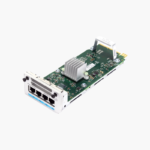
Cisco C9300-NM-4M Catalyst 9300 Network Module – 4 x Multigigabit (up to 10G) RJ-45 Uplink Ports
Cisco C9300-NM-4M Catalyst 9300 Network Module – 4 x Multigigabit (up to 10G) RJ-45 Uplink Ports Price on RequestRequest a quote for volume pricing, availability and lead time.

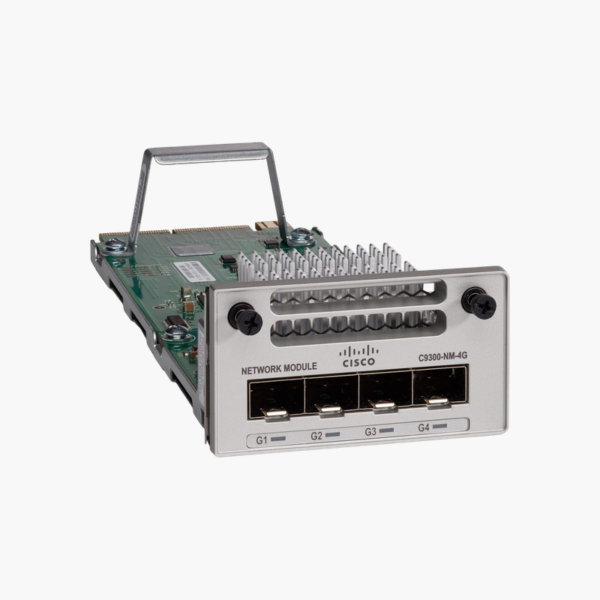
Cisco C9300-NM-4G Catalyst 9300 Network Module – 4 x 1G SFP Uplink Ports, Hot-Swappable

SKU: C9300-NM-4G
  • 30-Day Hassle Free Returns
  • Secure Payment Options

Price on RequestRequest a quote for volume pricing, availability and lead time.

Key Value Highlights

  • 4 x 1G SFP – Adds 1 Gbps of uplink capacity to a Catalyst 9300 switch.
  • Field-replaceable, hot-swappable design – Install or swap the module in the switch’s uplink slot without replacing the switch itself.
  • Supports standard SFP media – Use short-reach or long-reach optics, or DAC cables, to match each link distance.
  • Genuine Cisco part for Catalyst 9300 – Recognized natively by Cisco IOS XE, with no adapters or workarounds.

Description

Upgrade Catalyst 9300 uplinks without replacing the switch.

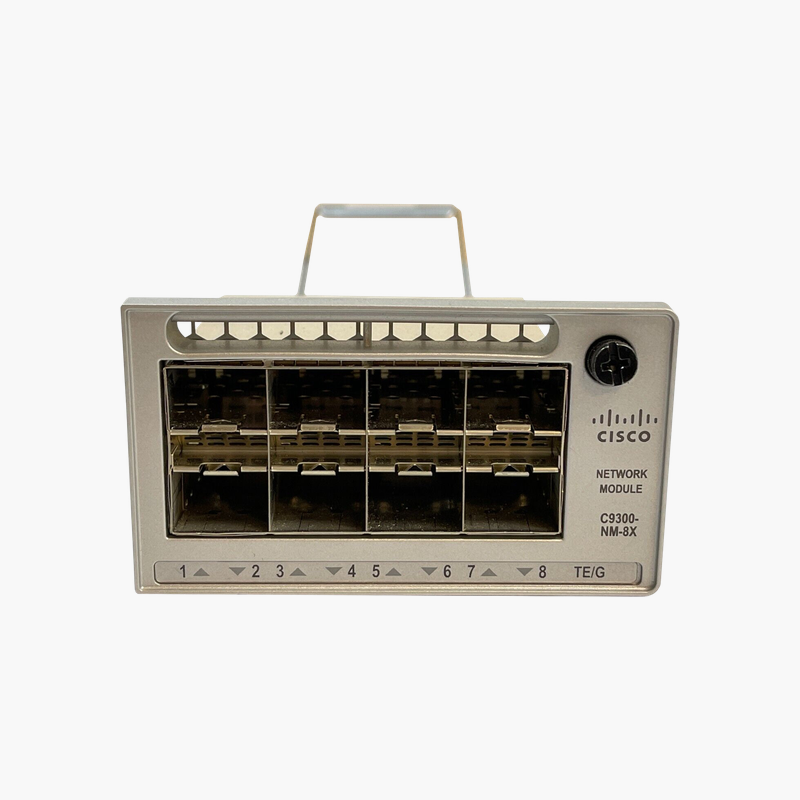
The Cisco C9300-NM-4G is a field-replaceable uplink network module for Catalyst 9300 switches, providing 4 x 1G SFP. It is used to connect a Catalyst 9300 to a 1G distribution layer or another building over fiber, giving network teams a simple way to change uplink speed and media as the network grows.

Why Modular Uplinks Protect Your Switch Investment

Fixed-uplink switches lock you into one uplink speed. When the core moves from 1G to 10G, or a new building needs a fiber link, the only option is often to replace the entire switch, along with its cabling and configuration work.

The C9300-NM-4G solves this by placing the uplink ports on a removable module. You choose the uplink type that fits today, then swap or upgrade the module later, while the access ports, PoE and configuration of the Catalyst 9300 stay in place.

Because the module is a genuine Cisco part designed for the Catalyst 9300 uplink slot, it is detected automatically and managed from the same CLI and management tools as the rest of the switch.

4 x 1G SFP

The C9300-NM-4G provides 4 x 1G SFP. Each port runs at 1G with standard SFP modules such as 1000BASE-SX, LX or copper 1000BASE-T.

Simple Installation and Upgrades

The module slides into the uplink slot at the front of the switch and can be inserted or removed while the switch is running. This keeps maintenance windows short and lets you stock a spare module instead of a spare switch.

How to Install the Cisco C9300-NM-4G

  1. Confirm your switch model and software release support the C9300-NM-4G (check the Cisco compatibility matrix).
  2. Remove the blank cover or existing module from the uplink slot and insert the C9300-NM-4G until it seats firmly, then tighten the captive screws.
  3. Insert the required SFP modules or cables and connect them to the upstream switch.
  4. Verify the module with “show inventory” and “show interfaces status”, then configure the uplinks as trunks or EtherChannel members.

Overview

Model NumberC9300-NM-4G
Product TypeSwitch Uplink Network Module
Compatible SwitchesCatalyst 9300 (modular uplink models)
Ports4 x 1G SFP
Port MediaSFP
Maximum Speed per Port1 Gbps
Hot-SwappableYes (OIR supported)
Supported Optics1G SFP (SX, LX, 1000BASE-T)
Transceivers IncludedNo
InstallationFront-panel uplink slot
ManagementCisco IOS XE CLI, WebUI, SNMP

Frequently Asked Questions

Find answers to common questions about this product.

Customer Reviews

Reviews

There are no reviews yet.

Be the first to review “Cisco C9300-NM-4G Catalyst 9300 Network Module – 4 x 1G SFP Uplink Ports, Hot-Swappable”

Your email address will not be published. Required fields are marked *