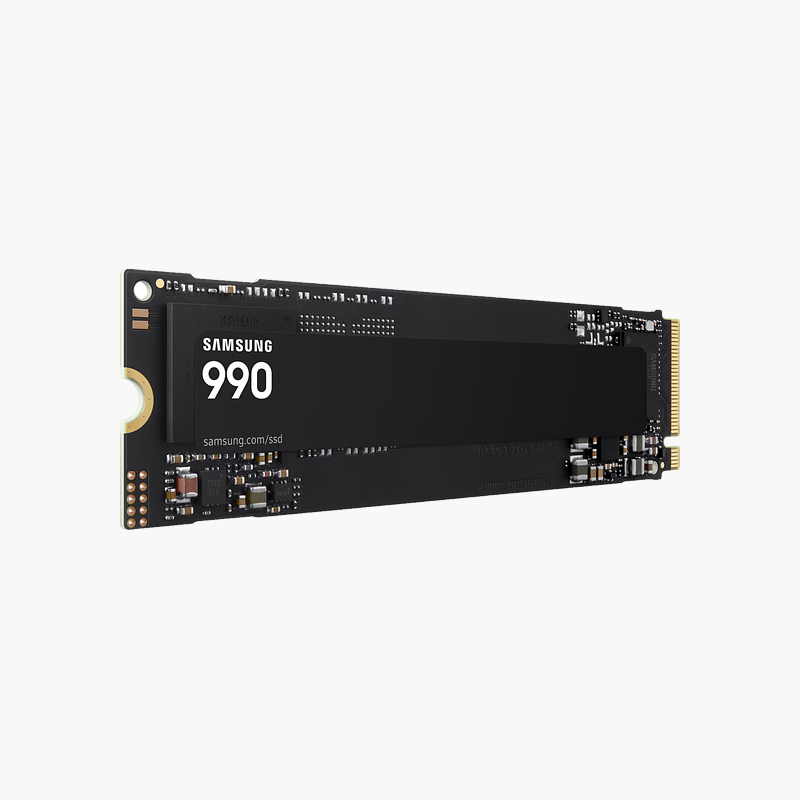
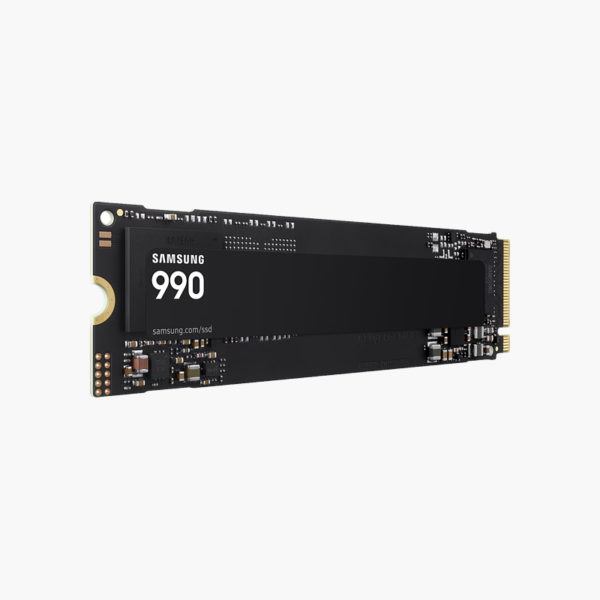
Samsung 990 2TB PCIe 4.0 NVMe M.2 SSD (MZ-V9V2T0B/AM) – PCIe 4.0 x4 NVMe, M.2 2280

SKU: MZ-V9V2T0B/AM
  • 30-Day Hassle Free Returns
  • Secure Payment Options

Price on RequestRequest a quote for volume pricing, availability and lead time.

Key Value Highlights

  • PCIe 4.0 NVMe interface – Far faster than SATA SSDs and hard drives for boot, app launches and game loads.
  • 2TB capacity – Room for the OS, apps and a large game or project library.
  • M.2 2280 – Standard size for desktop and laptop M.2 slots.
  • V-NAND – Reliable flash storage with no moving parts.

Description

The Samsung 990 2TB (MZ-V9V2T0B/AM) is a PCIe 4.0 NVMe M.2 solid state drive. Built for PC builders, laptop upgraders and everyday users, it cuts boot, load and file-transfer times compared with SATA SSDs and hard drives. It is a practical choice for both new builds and upgrades.

Faster storage you notice from the first boot.

Why NVMe Makes Your PC Feel Faster

Hard drives and SATA SSDs are limited by older interfaces. Hard drives wait on spinning platters, and SATA caps SSDs at about 560 MB/s, so large games, project files and OS updates still take time to load.

The Samsung 990 2TB connects directly to the CPU or chipset over PCIe 4.0 lanes using the NVMe protocol, which handles many parallel requests at once. It loads games, opens large files and copies data far faster than SATA storage.

Speed Where You Notice It

Shorter boot times, faster level loads and quicker exports come from both sequential speed and low random-access latency. It handles everyday multitasking without the stalls of a hard drive.

Simple M.2 Installation

The drive screws into an M.2 slot with no cables; many motherboards include an M.2 heatsink cover that can be used for extra cooling.

Setup Instructions

How to Install the Samsung 990 2TB

  1. Confirm your motherboard or laptop has a free M.2 2280 slot that supports NVMe.
  2. Power down, unplug and ground yourself, then remove any M.2 slot cover.
  3. Insert the SSD at an angle into the slot, press it flat and secure it with the screw or latch.
  4. Boot into BIOS to confirm detection, then initialise the drive in Disk Management or install your OS.

Overview

BrandSamsung
Model NumberMZ-V9V2T0B/AM
Product Line990
Product TypePCIe 4.0 NVMe M.2 SSD
Capacity2TB
Form FactorM.2 2280
InterfacePCIe 4.0 x4 NVMe
NAND TypeV-NAND
Best ForGaming PCs, content creation, upgrades
Moving PartsNone (solid-state)
MaintenanceNo routine maintenance; keep firmware updated
Operating SystemsWindows, macOS, Linux (platform dependent)
Shock ResistanceHigher than mechanical drives
ConditionBrand New
In the Box1x Samsung 990 2TB

Frequently Asked Questions

Find answers to common questions about this product.

Customer Reviews

Reviews

There are no reviews yet.

Be the first to review “Samsung 990 2TB PCIe 4.0 NVMe M.2 SSD (MZ-V9V2T0B/AM) – PCIe 4.0 x4 NVMe, M.2 2280”

Your email address will not be published. Required fields are marked *