Dell Pro KB525C Collaboration Keyboard
Dell Pro KB525C Collaboration Keyboard – Wired, Numeric Keypad Price on RequestRequest a quote for volume pricing, availability and lead time.
Back to products
Dell Premier KB900 Wireless Collaboration Keyboard (KB900-GR)
Dell Premier KB900 Wireless Collaboration Keyboard (KB900-GR) – Wireless, Numeric Keypad Price on RequestRequest a quote for volume pricing, availability and lead time.

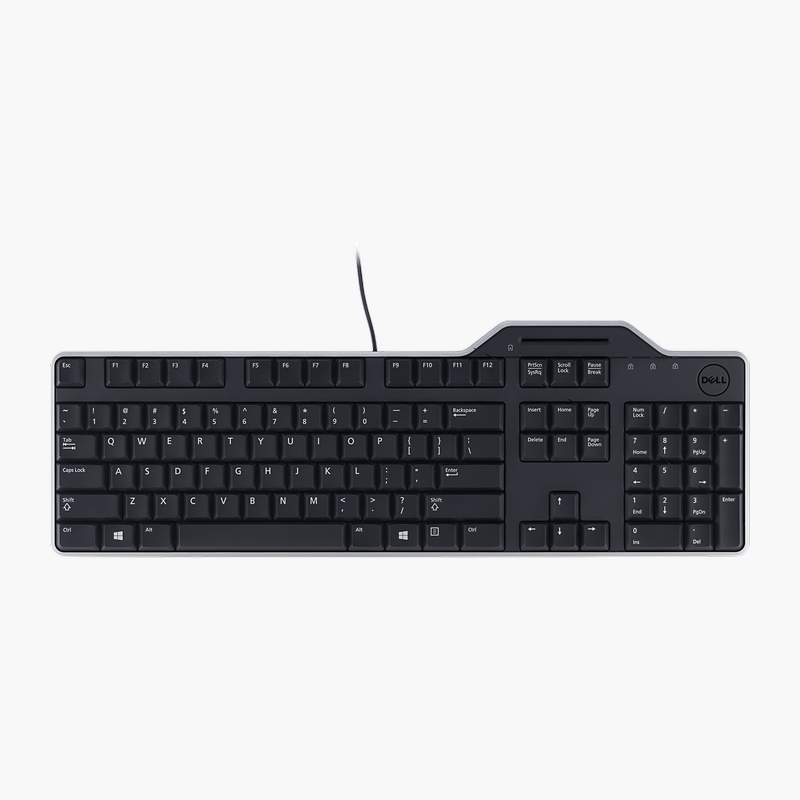
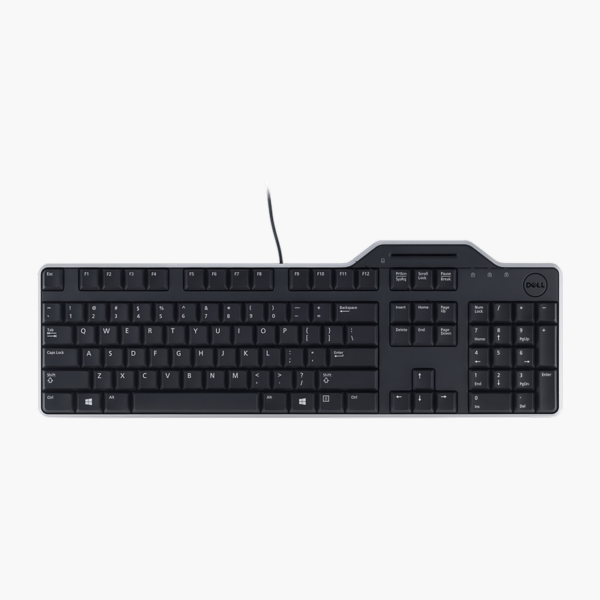
Dell KB813 Wired Smart Card Keyboard (KB813-BK) – Wired, Smart Card Reader, Numeric Keypad

SKU: KB813-BK
  • 30-Day Hassle Free Returns
  • Secure Payment Options

Price on RequestRequest a quote for volume pricing, availability and lead time.

Key Value Highlights

  • Wired USB – Plug-and-play USB connection – no batteries or pairing.
  • Full-size with numeric keypad – Dedicated numeric keypad speeds up data entry and spreadsheets.
  • Integrated smart card (CAC/PIV) reader – Built-in reader for CAC/PIV and secure sign-in.
  • Multimedia keys – Quick access to volume and media controls.
  • No batteries needed – Always ready as soon as it is plugged in.

Description

The Dell KB813 Wired Smart Card Keyboard is a wired keyboard with a full-size layout with a numeric keypad, plus integrated smart card (CAC/PIV) reader and multimedia keys. It is built for secure government, healthcare and enterprise desks, delivering comfortable, accurate typing with a dependable plug-and-play connection. It works with Windows and Linux.

Dependable keys for daily work.

Secure Sign-In Built Into Your Keyboard

Worn or cramped keyboards cause typing errors and fatigue, and switching between separate devices for calls, sign-in or data entry slows the working day.

The Dell KB813 Wired Smart Card Keyboard offers a full-size layout with a numeric keypad, plus integrated smart card (CAC/PIV) reader and multimedia keys, and connects via wired USB.

Layout and Features

The full-size layout with a numeric keypad gives every key a familiar position. Built-in reader for CAC/PIV and secure sign-in. Quick access to volume and media controls.

Connection and Power

Connects via wired USB. It draws power from the USB port and is compatible with Windows and Linux.

Setup Instructions

How to Set Up the Dell KB813 Wired Smart Card Keyboard

  1. Unpack the keyboard and plug its cable into a free USB port on your computer.
  2. Wait a few seconds while the operating system installs the standard driver.
  3. Insert your smart card into the reader slot and install any middleware required by your organisation.
  4. Test the keys and adjust keyboard settings in your operating system.

Overview

BrandDell
ModelKB813 Wired Smart Card Keyboard
Product TypeKeyboard
Interface TypeWired
ConnectionWired USB
LayoutFull-size with numeric keypad
Numeric KeypadYes
Key FeaturesIntegrated smart card (CAC/PIV) reader; Multimedia keys
Power SourceUSB powered
OS CompatibilityWindows, Linux
Multi-DeviceNo
Smart Card ReaderYes
Part NumberKB813-BK
ConditionBrand New
In the BoxKeyboard, quick start guide

Frequently Asked Questions

Find answers to common questions about this product.

Customer Reviews

Reviews

There are no reviews yet.

Be the first to review “Dell KB813 Wired Smart Card Keyboard (KB813-BK) – Wired, Smart Card Reader, Numeric Keypad”

Your email address will not be published. Required fields are marked *