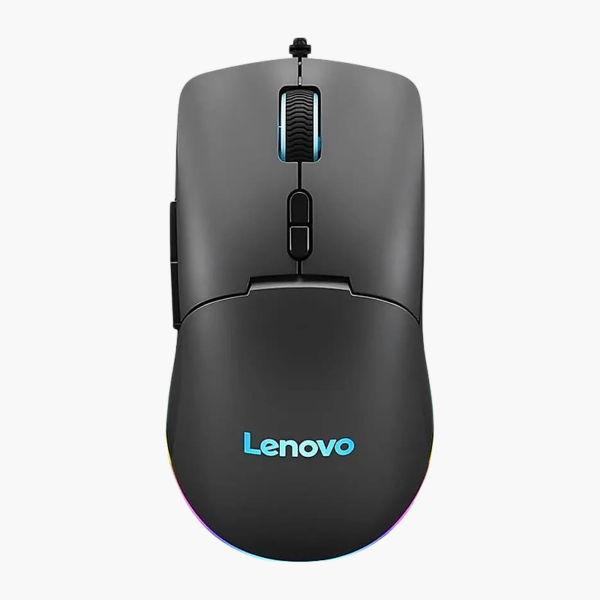
Lenovo Legion M600 Wireless Gaming Mouse (GY50X79385)
Lenovo Legion M600 Wireless Gaming Mouse (GY50X79385) – Tri-Mode Wireless, 16,000 DPI, Rechargeable Price on RequestRequest a quote for volume pricing, availability and lead time.
Back to products
Lenovo Multi-Device Mouse, X9 Edition (4Y51R29290)
Lenovo Multi-Device Mouse, X9 Edition (4Y51R29290) – Dual-Mode Wireless Price on RequestRequest a quote for volume pricing, availability and lead time.

Lenovo M210 RGB USB-A Gaming Mouse (GY51N60457) – Wired

SKU: GY51N60457
  • 30-Day Hassle Free Returns
  • Secure Payment Options

Price on RequestRequest a quote for volume pricing, availability and lead time.

Key Value Highlights

  • Wired USB-A – Lag-free, plug-and-play connection with no batteries to charge.
  • Adjustable DPI – Switch cursor speed to suit detailed work or large screens.
  • RGB lighting – Customisable lighting to match your gaming setup.
  • Right-handed design – Fits the hand naturally for everyday comfort.
  • No batteries required – Draws power from the USB port, so it is always ready.

Description

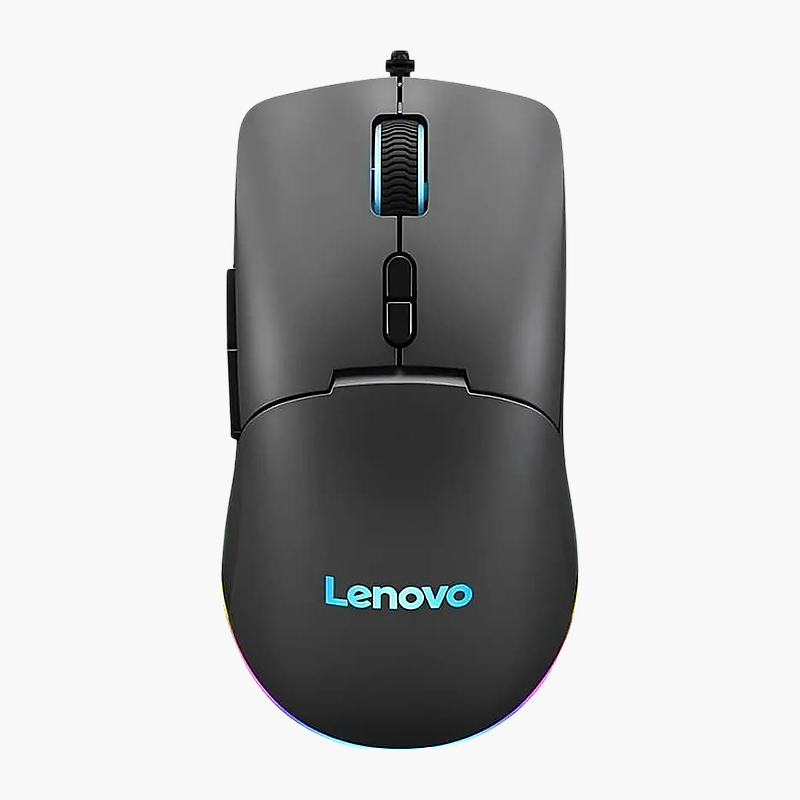
The Lenovo M210 RGB USB-A Gaming Mouse is a wired gaming mouse for right-handed users with adjustable DPI that draws power from the USB port. It is designed for gamers who want fast, accurate tracking, with RGB lighting. It works with Windows.

Point, click and get more done.

Precise Tracking for Competitive Play

Basic office mice add input lag and inconsistent tracking, which costs accuracy in fast games and makes flick shots unpredictable.

The Lenovo M210 RGB USB-A Gaming Mouse uses adjustable DPI for smooth, accurate cursor movement and connects via wired USB-A. Its right-handed shape keeps the hand relaxed, and 6 buttons give quick access to common actions.

Connection and Power

Connects via wired USB-A. It draws power from the USB port, so there are no batteries to replace.

Built for Gaming

The right-handed design with 6 buttons suits gamers who want fast, accurate tracking. Customisable lighting to match your gaming setup.

Setup Instructions

How to Set Up the Lenovo M210 RGB USB-A Gaming Mouse

  1. Plug the mouse cable into a free USB port on your computer.
  2. Wait a few seconds while your operating system installs the standard driver automatically.
  3. Adjust pointer speed and button settings in your operating system or Lenovo’s software.

Overview

BrandLenovo
ModelM210 RGB USB-A Gaming Mouse
Product TypeGaming Mouse
Interface TypeWired
ConnectionWired USB-A
Sensor / ResolutionAdjustable
Buttons6
Form Factor / HandRight-handed
Power SourceUSB powered
Key FeaturesRGB lighting
OS CompatibilityWindows
Use CaseGamers who want fast, accurate tracking
Part NumberGY51N60457
ConditionBrand New
In the BoxMouse, quick start guide

Frequently Asked Questions

Find answers to common questions about this product.

Customer Reviews

Reviews

There are no reviews yet.

Be the first to review “Lenovo M210 RGB USB-A Gaming Mouse (GY51N60457) – Wired”

Your email address will not be published. Required fields are marked *