HPE Networking Instant On 10G SFP+ LC LR 10km SMF Transceiver (S0G21A) – Single-mode fiber, LC duplex
HPE Networking Instant On 10G SFP+ LC LR 10km SMF Transceiver (S0G21A) – Single-mode fiber, LC duplex Price on RequestRequest a quote for volume pricing, availability and lead time.
Back to products
TP-Link Omada OJB-100 Wall Plate Access Point Junction Box (OJB-100) – Mounting Accessory
TP-Link Omada OJB-100 Wall Plate Access Point Junction Box (OJB-100) – Mounting Accessory Price on RequestRequest a quote for volume pricing, availability and lead time.

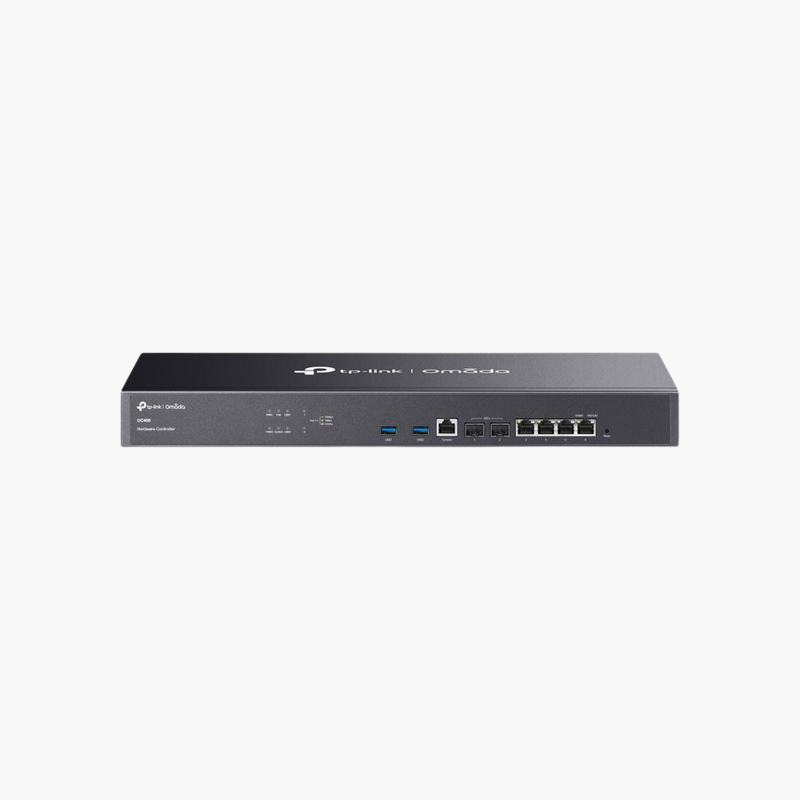
TP-Link Omada OC400 Hardware Controller (OC400) – Network Controller

SKU: OC400
  • 30-Day Hassle Free Returns
  • Secure Payment Options

Price on RequestRequest a quote for volume pricing, availability and lead time.

Key Value Highlights

  • Dedicated Omada controller – Manage Omada switches, gateways and APs without a PC running controller software.
  • 2x 10G SFP+ ports – High-speed connection to the core network.
  • 4x Gigabit RJ45 ports – Flexible wired connections for management and LAN.
  • Cloud access – Manage sites locally or remotely through Omada cloud access.

Description

The TP-Link Omada OC400 Hardware Controller is a dedicated appliance that runs the Omada SDN controller to centrally configure and monitor Omada gateways, switches and access points, with 2x 10G SFP+ and 4x Gigabit RJ45 ports for fast, always-on connection to business networks.

Built for the job, simple to install.

Centralised Control for Omada Networks

Running controller software on a PC means management stops whenever that computer is off, updated or replaced.

The TP-Link Omada OC400 Hardware Controller runs the controller on dedicated hardware so management stays online around the clock.

Key Specifications

Controller Type: Omada hardware controller. Ports: 4x Gigabit RJ45, 2x 10G SFP+. Management: Centralised management of Omada gateways, switches and access points. Form Factor: Rackmount.

Getting the Most From It

High-speed connection to the core network. Flexible wired connections for management and LAN.

Setup Instructions

How to Set Up the TP-Link Omada OC400 Hardware Controller

  1. Unpack the device and check the contents.
  2. Install it in the intended location following the guide.
  3. Connect cables and power (if required).
  4. Confirm operation through status LEDs or the management interface.

Overview

BrandTP-Link
ModelOmada OC400 Hardware Controller
Product TypeNetwork Controller
Controller TypeOmada hardware controller
Ports4x Gigabit RJ45, 2x 10G SFP+
ManagementCentralised management of Omada gateways, switches and access points
Form FactorRackmount
SoftwareOmada SDN controller (pre-installed)
CategoryNetwork Accessories
Use CaseNetwork Controller
DeliveryPhysical product
Compatibility CheckRecommended before ordering
Part NumberOC400
ConditionBrand New
In the BoxProduct and documentation

Frequently Asked Questions

Find answers to common questions about this product.

Customer Reviews

Reviews

There are no reviews yet.

Be the first to review “TP-Link Omada OC400 Hardware Controller (OC400) – Network Controller”

Your email address will not be published. Required fields are marked *