TP-Link Omada OC400 Hardware Controller (OC400) – Network Controller
TP-Link Omada OC400 Hardware Controller (OC400) – Network Controller Price on RequestRequest a quote for volume pricing, availability and lead time.
Back to products
Dell Intel I350-T4 Quad Port 1GbE RJ45 Network Adapter, Full Height (540-BBDS) – PCIe full-height adapter
Dell Intel I350-T4 Quad Port 1GbE RJ45 Network Adapter, Full Height (540-BBDS) – PCIe full-height adapter Price on RequestRequest a quote for volume pricing, availability and lead time.

TP-Link Omada OJB-100 Wall Plate Access Point Junction Box (OJB-100) – Mounting Accessory

SKU: OJB-100
  • 30-Day Hassle Free Returns
  • Secure Payment Options

Price on RequestRequest a quote for volume pricing, availability and lead time.

Key Value Highlights

  • Wall plate AP mounting – Mounts Omada wall plate access points on walls without an in-wall box.
  • Clean installation – Hides cabling behind the access point.
  • White finish – Blends with typical interior walls.
  • Simple install – Screw-mounted housing for quick deployment.

Description

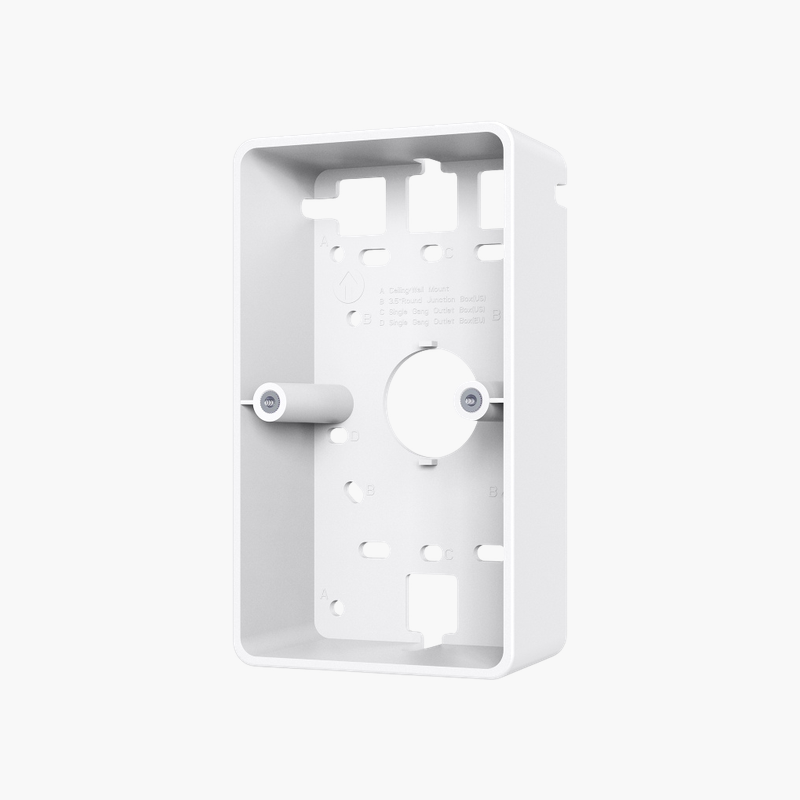
The TP-Link Omada OJB-100 is a surface-mount junction box for Omada wall plate access points, letting installers mount wall plate APs in hotels, dorms and offices where no standard in-wall electrical box is available while keeping the Ethernet cable neatly hidden.

Built for the job, simple to install.

Cleaner, Simpler Network Installations

Improvised mounting and cabling make installations look untidy and harder to maintain.

The TP-Link Omada OJB-100 Wall Plate Access Point Junction Box provides a purpose-built solution for the job.

Key Specifications

Accessory Type: Junction box / wall mount. Compatible Devices: Omada wall plate access points. Mounting: Wall mount. Colour: White.

Getting the Most From It

Hides cabling behind the access point. Blends with typical interior walls.

Setup Instructions

How to Set Up the TP-Link Omada OJB-100 Wall Plate Access Point Junction Box

  1. Unpack the device and check the contents.
  2. Install it in the intended location following the guide.
  3. Connect cables and power (if required).
  4. Confirm operation through status LEDs or the management interface.

Overview

BrandTP-Link
ModelOmada OJB-100 Wall Plate Access Point Junction Box
Product TypeMounting Accessory
Accessory TypeJunction box / wall mount
Compatible DevicesOmada wall plate access points
MountingWall mount
ColourWhite
UseSurface mounting where no in-wall box exists
CategoryNetwork Accessories
Use CaseMounting Accessory
DeliveryPhysical product
Compatibility CheckRecommended before ordering
Part NumberOJB-100
ConditionBrand New
In the BoxProduct and documentation

Frequently Asked Questions

Find answers to common questions about this product.

Customer Reviews

Reviews

There are no reviews yet.

Be the first to review “TP-Link Omada OJB-100 Wall Plate Access Point Junction Box (OJB-100) – Mounting Accessory”

Your email address will not be published. Required fields are marked *