Synology WRX560 Dual-Band Wi-Fi 6 Router (WRX560) – 2.5G WAN/LAN
Synology WRX560 Dual-Band Wi-Fi 6 Router (WRX560) – 2.5G WAN/LAN Price on RequestRequest a quote for volume pricing, availability and lead time.
Back to products
TP-Link Deco X55 Pro AX3000 Whole-Home Mesh Wi-Fi 6 System (DECO X55 PRO) – 2.5G WAN/LAN
TP-Link Deco X55 Pro AX3000 Whole-Home Mesh Wi-Fi 6 System (DECO X55 PRO) – 2.5G WAN/LAN Price on RequestRequest a quote for volume pricing, availability and lead time.

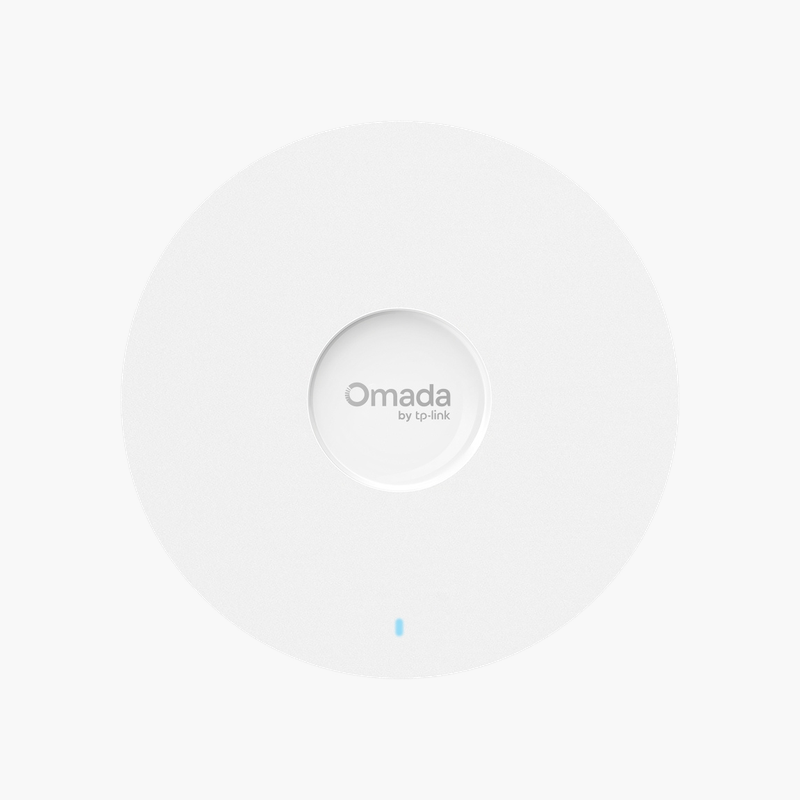
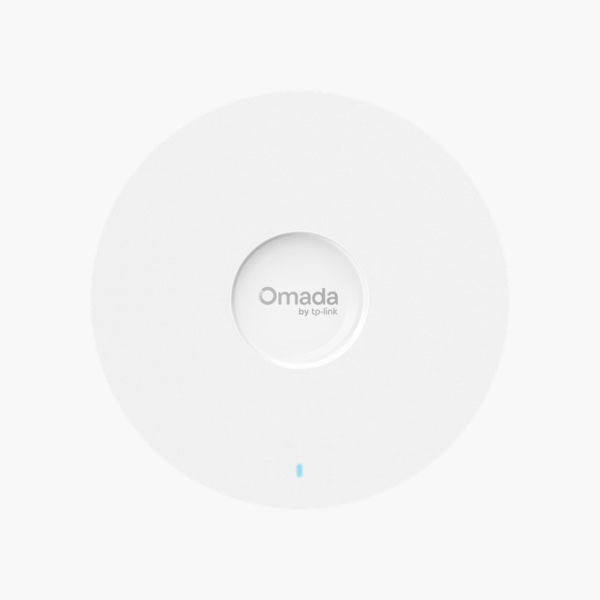
TP-Link Omada EAP660 HD AX3600 Ceiling Mount Wi-Fi 6 Access Point (EAP660HD) – 2.5G RJ45, 802.3at PoE+

SKU: EAP660HD
  • 30-Day Hassle Free Returns
  • Secure Payment Options

Price on RequestRequest a quote for volume pricing, availability and lead time.

Key Value Highlights

  • Wi-Fi 6 AX3600 dual-band – Fast, reliable Wi-Fi for many simultaneous users.
  • 2.5G RJ45 uplink – Wired backhaul that keeps up with the wireless speed.
  • 802.3at PoE+ power – Install on ceilings or masts without a nearby outlet.
  • High-density deployments – Simplifies deployment and management.
  • Omada SDN management – Keeps performance steady as more users connect.

Description

The TP-Link Omada EAP660 HD AX3600 Ceiling Mount Wi-Fi 6 Access Point is a wireless access point with Wi-Fi 6 AX3600 dual-band and a 2.5G RJ45 uplink, powered by 802.3at PoE+. It is built for offices, hotels, schools and homes that need dependable Wi-Fi coverage. High-density deployments and omada SDN management simplify deployment.

Strong, reliable wireless where you need it.

Dependable Wi-Fi Coverage for Busy Spaces

Router-only Wi-Fi struggles to cover large spaces and many users, leaving weak signal and slow connections at the edges.

The TP-Link Omada EAP660 HD AX3600 Ceiling Mount Wi-Fi 6 Access Point uses Wi-Fi 6 AX3600 dual-band with a 2.5G RJ45 wired uplink to deliver high-capacity links wherever access points are mounted.

Wireless Performance

Wi-Fi 6 AX3600 dual-band delivers high throughput and better efficiency with modern clients.

Installation and Management

Powered by 802.3at PoE+ through the network cable. High-density deployments and Omada SDN management.

Setup Instructions

How to Install the TP-Link Omada EAP660 HD AX3600 Ceiling Mount Wi-Fi 6 Access Point

  1. Mount the unit on the ceiling, wall or mast using the included bracket.
  2. Connect it to a PoE switch or injector with an Ethernet cable.
  3. Adopt it in the vendor’s controller, app or cloud platform.
  4. Set the network name, security and channel settings, then test coverage.

Overview

BrandTP-Link
ModelOmada EAP660 HD AX3600 Ceiling Mount Wi-Fi 6 Access Point
Product TypeWireless Access Point
Wi-FiWi-Fi 6 AX3600 dual-band
Power802.3at PoE+
FeaturesHigh-density deployments; Omada SDN management
MountingCeiling or wall mount
ManagementVendor controller, app or cloud
SecurityWPA2/WPA3 (model dependent)
Use CaseBusiness and home Wi-Fi coverage
CategoryWireless Networking
Part NumberEAP660HD
ConditionBrand New
In the BoxUnit, mounting bracket, quick start guide

Frequently Asked Questions

Find answers to common questions about this product.

Customer Reviews

Reviews

There are no reviews yet.

Be the first to review “TP-Link Omada EAP660 HD AX3600 Ceiling Mount Wi-Fi 6 Access Point (EAP660HD) – 2.5G RJ45, 802.3at PoE+”

Your email address will not be published. Required fields are marked *