TP-Link SM5110-LR 10GBase-LR SFP+ Single-Mode Module (SM5110-LR) – 10km, Single-mode fiber, LC duplex
TP-Link SM5110-LR 10GBase-LR SFP+ Single-Mode Module (SM5110-LR) – 10km, Single-mode fiber, LC duplex Price on RequestRequest a quote for volume pricing, availability and lead time.
Back to products
TP-Link SM5110LSA-10 10G BiDi SFP+ Module (A-End) (SM5110LSA-10) – 10km, Single-mode fiber, LC simplex
TP-Link SM5110LSA-10 10G BiDi SFP+ Module (A-End) (SM5110LSA-10) – 10km, Single-mode fiber, LC simplex Price on RequestRequest a quote for volume pricing, availability and lead time.

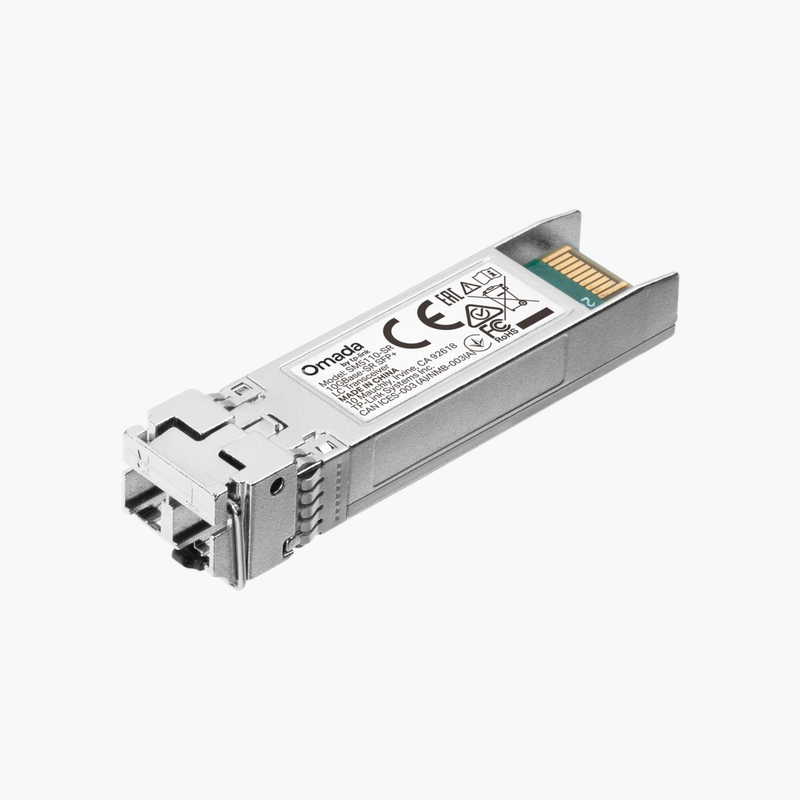
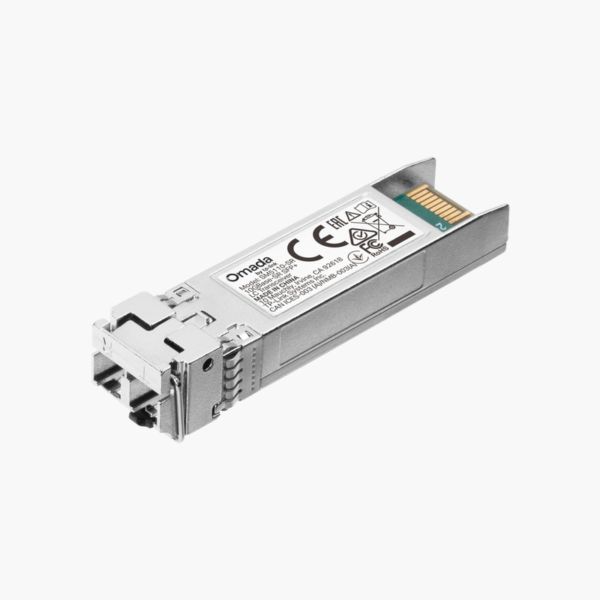
TP-Link SM5110-SR 10GBase-SR SFP+ Multimode Module (SM5110-SR) – 300m, Multimode fiber, LC duplex

SKU: SM5110-SR
  • 30-Day Hassle Free Returns
  • Secure Payment Options

Price on RequestRequest a quote for volume pricing, availability and lead time.

Key Value Highlights

  • 10GBASE-SR SFP+ – Plugs into compatible SFP/SFP+/SFP28 ports.
  • Multimode fiber, up to 300m – Choose copper for short runs and fiber for longer distances.
  • 850nm wavelength – Match the module type on both ends of the link.
  • LC duplex connector – Standard connector for patch cables and panels.
  • Part number SM5110-SR – Quote this part number to be sure you receive this exact version.

Description

The TP-Link SM5110-SR 10GBase-SR SFP+ Multimode Module is a 10GBASE-SR SFP+ module for multimode fiber links up to 300m. It connects switches, servers and storage over fiber, extending links well beyond copper distance limits. It uses an LC duplex connector at 850nm.

Plug in, link up.

Longer, Faster Links Over Fiber

Copper Ethernet is limited to around 100 meters, which is not enough between floors, buildings or data centre rows.

The TP-Link SM5110-SR 10GBase-SR SFP+ Multimode Module provides 10G over multimode fiber up to 300m, plugging straight into a compatible port.

Optical and Electrical Specifications

Form factor: SFP+. Speed: 10G. Media: Multimode fiber. Wavelength: 850nm. Reach: 300m. Connector: LC duplex.

Installation and Compatibility

Insert the module into a matching port until it clicks, then connect the cable. Use matching module types on both ends of the link.

Setup Instructions

How to Install the TP-Link SM5110-SR 10GBase-SR SFP+ Multimode Module

  1. Check that the host port supports this module type and speed.
  2. Remove the dust cap and insert the module until it latches.
  3. Connect the fiber or copper cable.
  4. Confirm the link LED and port status in the switch or device interface.

Overview

BrandTP-Link
ModelSM5110-SR 10GBase-SR SFP+ Multimode Module
Product TypeTransceiver / Module
Form FactorSFP+
Standard10GBASE-SR
Data Rate10G
MediaMultimode fiber
Wavelength850nm
Maximum Reach300m
ConnectorLC duplex
Quantity1 module
Hot-SwappableYes
Part NumberSM5110-SR
ConditionBrand New
In the BoxModule

Frequently Asked Questions

Find answers to common questions about this product.

Customer Reviews

Reviews

There are no reviews yet.

Be the first to review “TP-Link SM5110-SR 10GBase-SR SFP+ Multimode Module (SM5110-SR) – 300m, Multimode fiber, LC duplex”

Your email address will not be published. Required fields are marked *