Acer Predator Cestus 327 Gaming Mouse, PMW300 (GP.MCE11.035)
Acer Predator Cestus 327 Gaming Mouse, PMW300 (GP.MCE11.035) – Wired, 8,000 DPI Price on RequestRequest a quote for volume pricing, availability and lead time.
Back to products
Dell MS3220 Wired Laser Mouse (MS3220-BLK)
Dell MS3220 Wired Laser Mouse (MS3220-BLK) – Wired, 3,200 DPI Price on RequestRequest a quote for volume pricing, availability and lead time.

Acer Predator Cestus 530 Gaming Mouse (GP.MCE11.04H)

SKU: GP.MCE11.04H
  • 30-Day Hassle Free Returns
  • Secure Payment Options

Price on RequestRequest a quote for volume pricing, availability and lead time.

Key Value Highlights

  • Gaming mouse – No cable drag on your desk, and the connection stays steady.
  • High-DPI gaming sensor – Fast, accurate tracking for competitive games.
  • RGB lighting – Customisable lighting to match your gaming setup.
  • Programmable buttons – Assign shortcuts to the actions you use most.
  • Right-handed design – Fits the hand naturally for everyday comfort.

Description

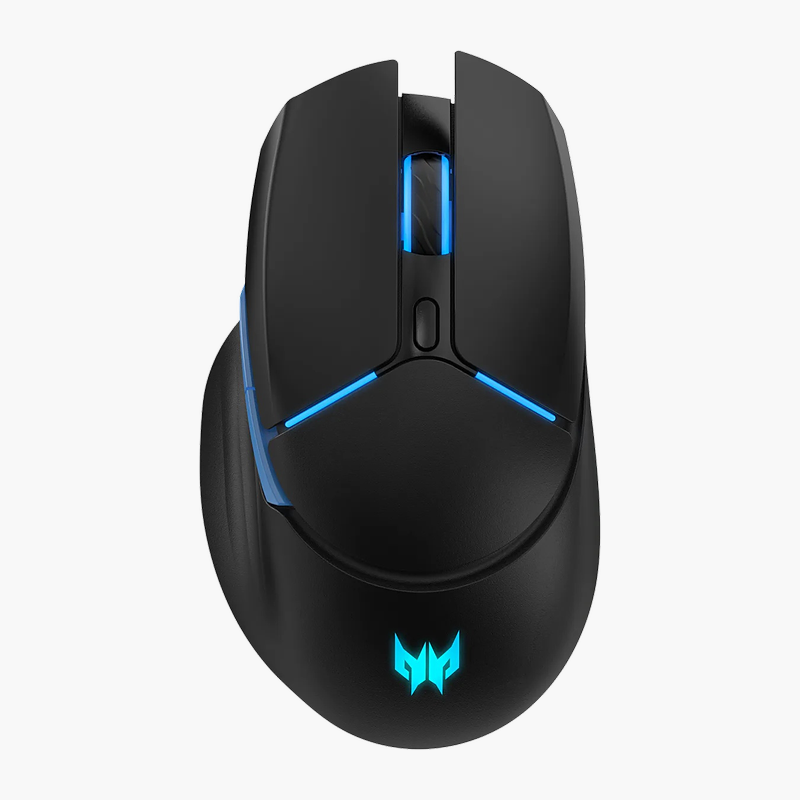
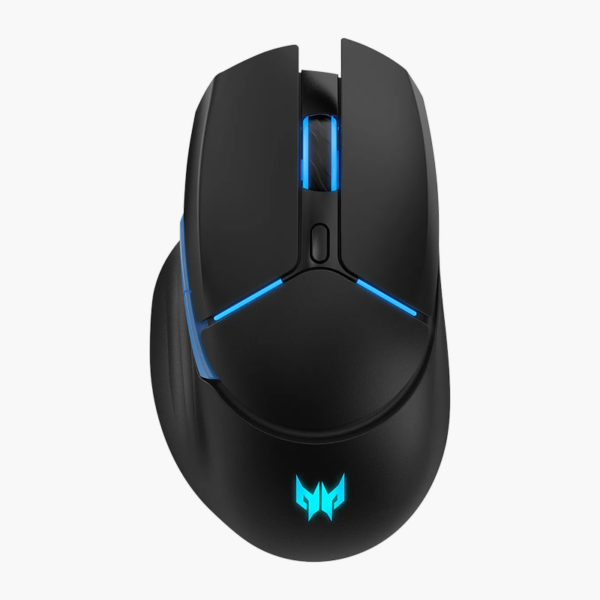
The Acer Predator Cestus 530 Gaming Mouse is an ergonomic Kensington Pro Fit mouse with a contoured shape that supports the hand during long working days. It is designed for gamers who want fast, accurate tracking, with RGB lighting and programmable buttons. It works with Windows.

Smooth control, all day long.

Precise Tracking for Competitive Play

Basic office mice add input lag and inconsistent tracking, which costs accuracy in fast games and makes flick shots unpredictable.

The Acer Predator Cestus 530 Gaming Mouse uses High-DPI gaming sensor tracking for smooth, accurate cursor movement and connects via Gaming mouse. Its right-handed shape keeps the hand relaxed and the controls fall naturally under the fingers.

Connection and Power

Connects via Gaming mouse (see listing for connection).

Built for Gaming

The right-handed design with programmable buttons suits gamers who want fast, accurate tracking. Customisable lighting to match your gaming setup. Assign shortcuts to the actions you use most.

Setup Instructions

How to Set Up the Acer Predator Cestus 530 Gaming Mouse

  1. Adjust pointer speed and button settings in your operating system or Acer’s software.
  2. Move the mouse to confirm the cursor responds smoothly.

Overview

BrandAcer
ModelPredator Cestus 530 Gaming Mouse
Product TypeGaming Mouse
Interface TypeWireless
ConnectionGaming mouse (see listing for connection)
Sensor / ResolutionHigh-DPI gaming sensor
ButtonsProgrammable
Form Factor / HandRight-handed
Key FeaturesRGB lighting; Programmable buttons
OS CompatibilityWindows
Use CaseGamers who want fast, accurate tracking
CategoryMice
Part NumberGP.MCE11.04H
ConditionBrand New
In the BoxMouse, quick start guide

Frequently Asked Questions

Find answers to common questions about this product.

Customer Reviews

Reviews

There are no reviews yet.

Be the first to review “Acer Predator Cestus 530 Gaming Mouse (GP.MCE11.04H)”

Your email address will not be published. Required fields are marked *