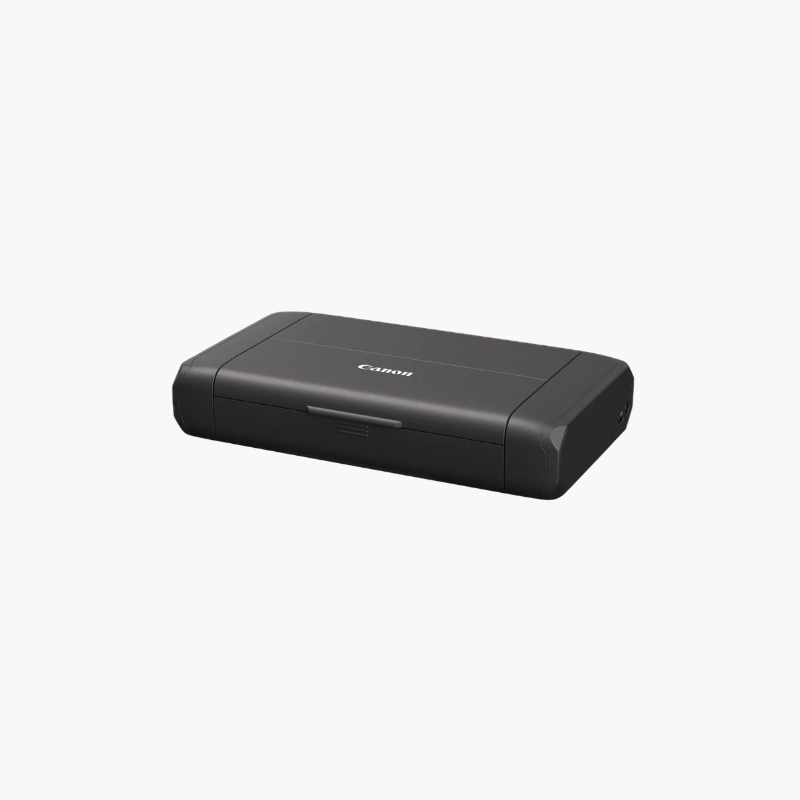
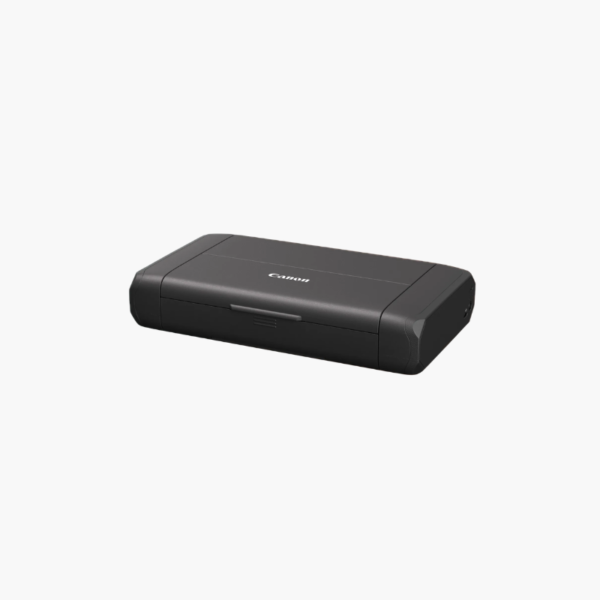
Canon PIXMA TR160 Wireless Portable Printer – 50-Sheet Tray, 1.44-Inch OLED Display, USB-C

SKU: CANON-PIXMA-TR160
  • 30-Day Hassle Free Returns
  • Secure Payment Options

Price on RequestRequest a quote for volume pricing, availability and lead time.

Key Value Highlights

  • 4.5 lb compact body – Fits in a laptop bag or car for printing at client sites and on the road.
  • 9 ipm black, 5.5 ipm color – Prints contracts, quotes, and photos quickly for a mobile printer.
  • Wi-Fi and USB-C with AirPrint and Mopria – Prints from laptops, phones, and tablets without extra drivers.
  • 50-sheet rear tray, up to legal size – Handles multi-page documents and 8.5 x 14-inch forms.
  • Optional LK-72 battery – Adds cordless printing where no outlet is available.

Description

The Canon PIXMA TR160 is a wireless portable inkjet printer for mobile professionals, field sales teams, and travellers. It weighs 4.5 lbs, prints up to 9 images per minute in black at 4800 x 1200 dpi, and connects through Wi-Fi or USB-C, with an optional battery for cordless use.

Deep-Dive Story & Problem/Solution

Mobile Workers Still Need Paper Where There Is No Office Printer

Estimates, delivery notes, signed agreements, and boarding documents often have to be printed on the spot. Hotel business centres and client printers are unreliable options, and a desktop printer is too large to travel with.

The PIXMA TR160 folds down to about 12.7 x 7.3 x 2.6 inches and weighs 4.5 lbs. A hybrid ink system with a PGI-35 pigment black cartridge and a CLI-36 dye color cartridge produces crisp text and color graphics at up to 4800 x 1200 dpi.

Wi-Fi and USB-C connections work with laptops and mobile devices, and the optional LK-72 battery pack removes the need for a wall outlet in vehicles or on site.

Document-Quality Printing Anywhere

Speeds of 9 ipm in black and 5.5 ipm in color keep pace with real work. The 50-sheet tray accepts paper up to 8.5 x 14 inches, and borderless photo printing is supported.

Simple Controls and Wireless Setup

A 1.44-inch OLED display shows status and settings. Apple AirPrint, Mopria, and the Canon PRINT app make printing from phones and tablets straightforward.

Setup Instructions

How to Set Up the Canon PIXMA TR160

  1. Open the paper support and connect the AC adapter or attach a charged optional battery.
  2. Install the PGI-35 black and CLI-36 color ink cartridges.
  3. Load paper in the rear tray and connect over Wi-Fi with the Canon PRINT app, or by USB-C.
  4. Print the alignment sheet and a test document.

Overview

ModelCanon PIXMA TR160
Printer TypeWireless portable inkjet printer
FunctionsPrint
Print SpeedApprox. 9 ipm black, 5.5 ipm color
Print ResolutionUp to 4800 x 1200 dpi
Ink SystemPGI-35 pigment black, CLI-36 dye color
Paper Capacity50 sheets
Maximum Paper Size8.5 x 14 inches (legal)
ConnectivityWi-Fi, USB-C
Mobile PrintingApple AirPrint, Mopria, Canon PRINT app
Display1.44-inch monochrome OLED
BatteryOptional LK-72 battery pack (not included)
Dimensions (closed)12.7 x 7.3 x 2.6 inches
Weight4.5 lbs
MaintenanceReplace cartridges as needed; run nozzle cleaning if required

Frequently Asked Questions

Find answers to common questions about this product.

Customer Reviews

Reviews

There are no reviews yet.

Be the first to review “Canon PIXMA TR160 Wireless Portable Printer – 50-Sheet Tray, 1.44-Inch OLED Display, USB-C”

Your email address will not be published. Required fields are marked *