















Dell-native 10K SAS storage that keeps PowerEdge RAID arrays fast, consistent and fully recognized.
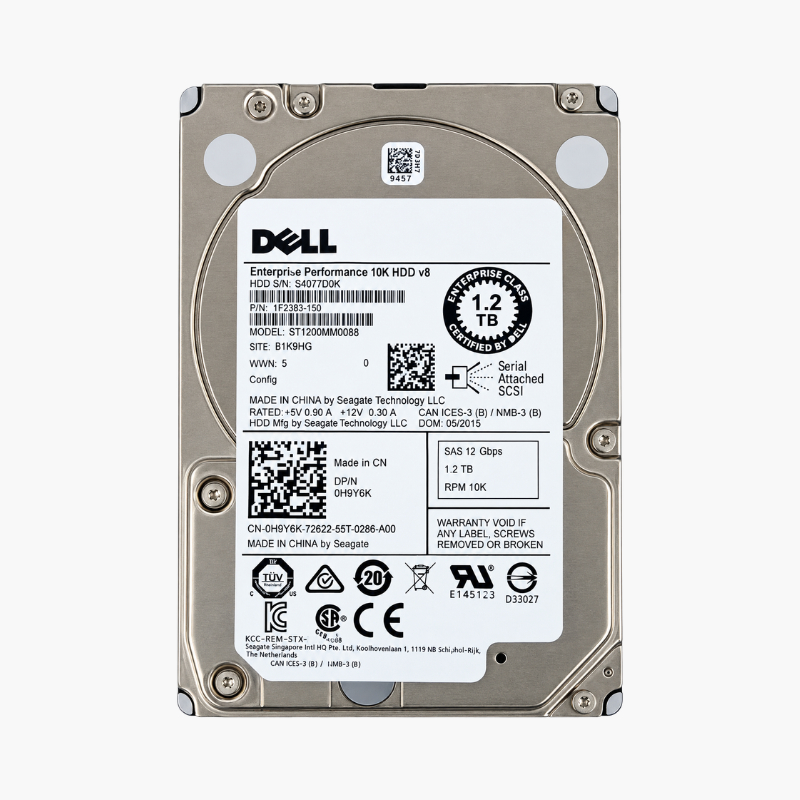
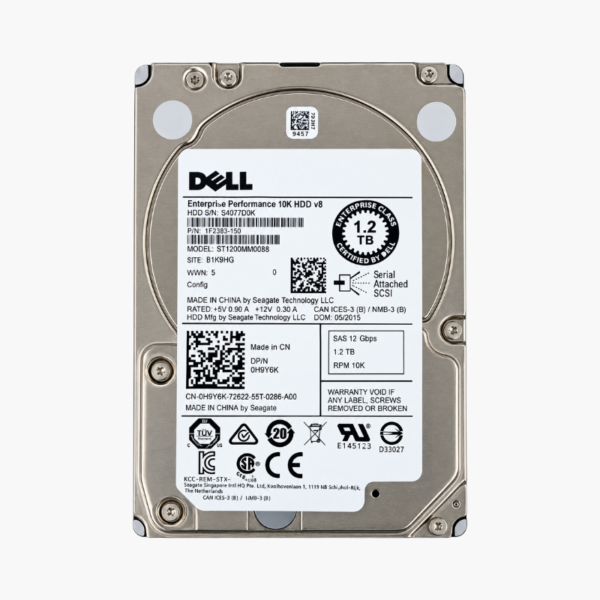
The Dell WXPCX is a 1.2TB, 10,000 RPM, 2.5-inch SAS 12Gb/s enterprise hard drive built on the Seagate Enterprise Performance 10K platform (ST1200MM0088). It is designed for Dell PowerEdge 13th-generation servers such as the R630, R730 and R730xd, giving IT teams a direct-match replacement or expansion drive for production RAID arrays.
Why 10K SAS Still Matters in a PowerEdge Server
Most server slowdowns are not caused by the CPU. They come from storage that cannot keep up with random reads and writes. A 7,200 RPM nearline SATA drive is built for capacity, not for the scattered access patterns of databases, virtual machines and mail servers. At 10,000 RPM, the WXPCX cuts rotational latency and delivers roughly twice the random I/O of a nearline drive, which shows up as shorter query times and smoother VM performance.
The SAS interface adds what SATA drives lack in a server. SAS drives are built for enterprise controllers, support full-duplex communication and are designed for continuous multi-drive operation. Paired with a Dell PERC controller, the WXPCX behaves exactly like the drives Dell shipped in the server originally.
Part-number matching matters too. A drive carrying a Dell part number runs Dell-qualified firmware, so the PERC controller and iDRAC recognize it as a supported device instead of flagging it as a non-certified disk. That keeps health monitoring, predictive-failure alerts and firmware updates working the way your team expects.
10K RPM Random Performance Without SSD Pricing
The WXPCX sits between nearline hard drives and enterprise SSDs. It offers far better random performance than a 7,200 RPM drive at a much lower cost per terabyte than solid-state storage. For OLTP databases, file servers and virtualization hosts where capacity still matters, a RAID 10 or RAID 5 array of 10K SAS drives is a proven, budget-conscious configuration.
Dell Firmware for Clean, Predictable RAID Arrays
Because the drive matches Dell’s own part number, it slots into existing arrays alongside other Dell 1.2TB 10K drives without mixed-firmware surprises. Rebuilds after a drive replacement run on matched hardware, and iDRAC and OpenManage report the drive’s status accurately, so you can spot problems before a failure takes an array offline.
How It Works / Setup Instructions
How to Install the Dell WXPCX in a PowerEdge Server
- Confirm your server has a 2.5-inch SAS backplane and a SAS-capable controller, such as a Dell PERC H330, H730 or H730P.
- Mount the drive in a Dell 2.5-inch hot-plug drive tray using the tray’s four screws, keeping the connector flush with the tray edge.
- Insert the tray into an empty bay and push until the latch clicks. PowerEdge servers support hot insertion, so the server can stay powered on.
- Open the PERC configuration utility, iDRAC or OpenManage, then add the drive to a new virtual disk, assign it as a hot spare, or let it rebuild a degraded array automatically.




Reviews
There are no reviews yet.