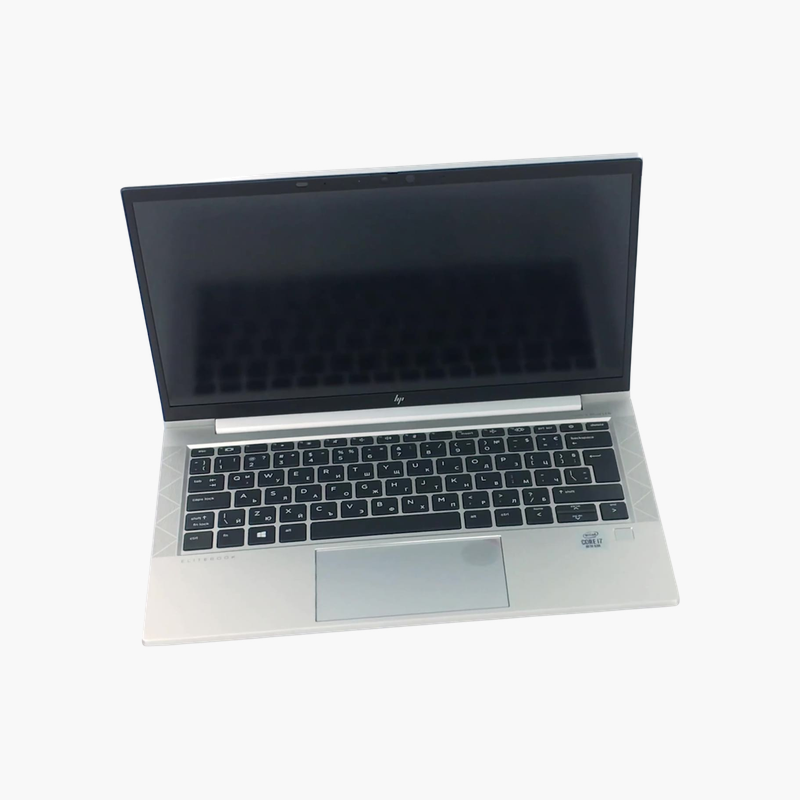
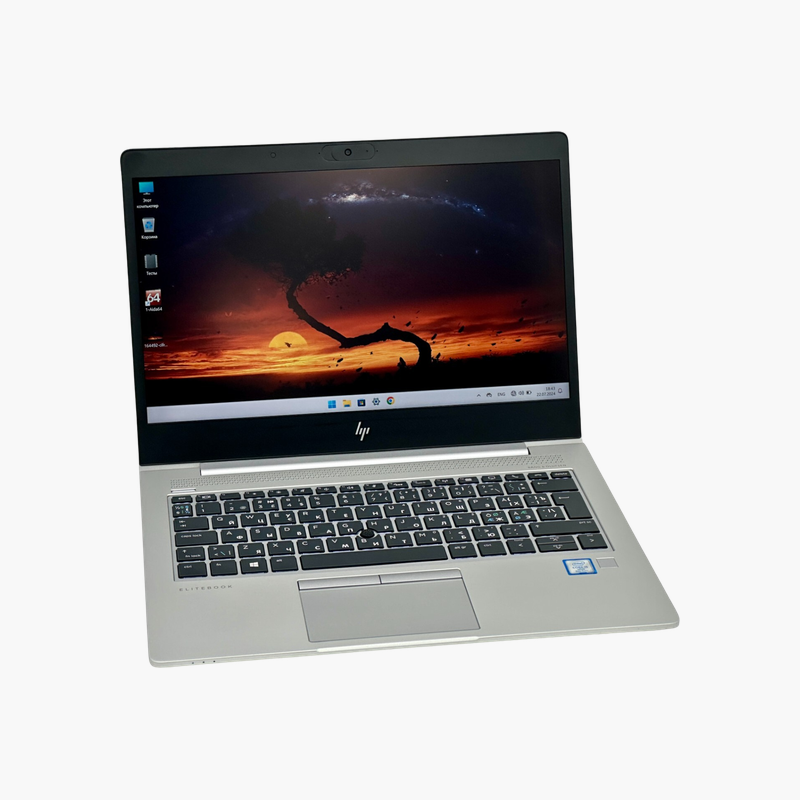
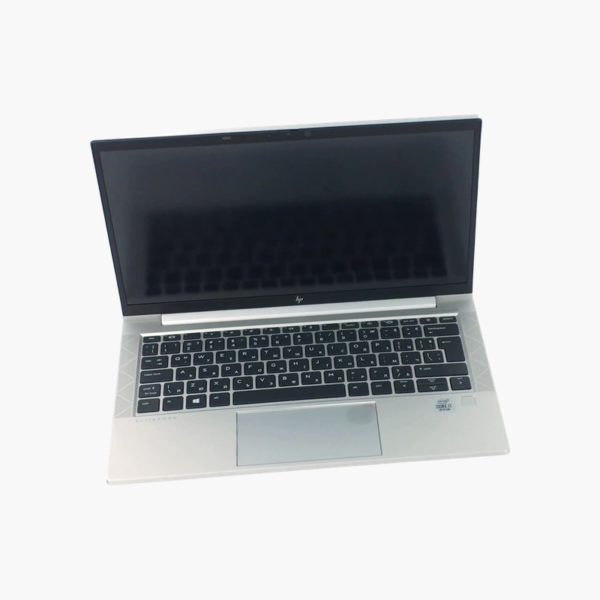
HP EliteBook 830 G7 13.3″ Laptop – Intel Core i5-10310U, 16GB DDR4, 1TB NVMe SSD, Windows 11 Pro (Refurbished)

SKU: HP-ELITEBOOK-830-G7-I5-10310U-16G-1T
  • 30-Day Hassle Free Returns
  • Secure Payment Options

Price on RequestRequest a quote for volume pricing, availability and lead time.

Key Value Highlights

  • Intel Core i5-10310U (10th Gen, vPro) – 4 cores / 8 threads for smooth multitasking in office apps, browsers, and video calls.
  • 16GB DDR4 memory – Enough headroom to keep many apps and browser tabs open without slowdowns.
  • 1TB NVMe SSD (PCIe Gen4 drive, runs at the laptop’s PCIe Gen3 speed) – Fast solid state storage for quick boot, app launches, and file access.
  • 13.3-inch FHD (1920 x 1080) – Clear, sharp workspace for documents, spreadsheets, and video meetings.
  • Fingerprint reader, vPro, Wi-Fi 6 – Secure sign-in, remote manageability, and faster wireless.

Description

1TB of storage and Windows 11 Pro in a compact 13.3-inch EliteBook.

The refurbished HP EliteBook 830 G7 combines a 10th Gen Intel Core i5-10310U vPro, 16GB of DDR4 memory, and a 1TB NVMe SSD in a compact 13.3-inch laptop. With a fingerprint reader, Wi-Fi 6, and Windows 11 Pro, it suits mobile professionals who want large storage in a small, secure business laptop.

Large Storage in a Small Laptop

Compact laptops often come with small SSDs that fill up quickly. This EliteBook 830 G7 includes a 1TB NVMe SSD, giving room for large project files, offline data, and media.

The drive is a PCIe Gen4 model, which runs at the laptop’s PCIe Gen3 x4 interface speed, still several times faster than SATA SSDs.

A 10th Gen Core i5-10310U vPro, 16GB of memory, and Windows 11 Pro round out a capable business configuration.

Fingerprint and Wi-Fi 6

A fingerprint reader enables quick Windows Hello sign-in, and Wi-Fi 6 improves performance on modern networks.

Windows 11 Pro Preinstalled

Windows 11 Pro provides current security updates and business features like BitLocker.

How to Set Up Your HP EliteBook 830 G7

  1. Unbox the laptop, connect the charger, and power it on.
  2. Complete the Windows 11 Pro setup: choose your region, connect to Wi-Fi, and sign in or create a local account.
  3. Run Windows Update and HP Support Assistant to install the latest drivers, firmware, and security patches.
  4. Set up sign-in security (PIN, fingerprint, or Windows Hello where available), turn on device encryption, and configure backups.

Overview

BrandHP
ModelHP EliteBook 830 G7
ProcessorIntel Core i5-10310U (10th Gen, vPro)
CPU Details4 cores / 8 threads, 1.7GHz base, up to 4.4GHz, 6MB cache
Memory16GB DDR4
Storage1TB NVMe SSD (PCIe Gen4 drive, runs at the laptop’s PCIe Gen3 speed)
Display13.3-inch FHD (1920 x 1080)
GraphicsIntel UHD Graphics
Operating SystemWindows 11 Pro
WirelessWi-Fi 6, Bluetooth 5.1
KeyboardUS QWERTY
Security FeaturesTPM 2.0, HP Sure Start BIOS protection, fingerprint reader on many configurations
Approx. WeightAbout 1.3 kg (2.8 lb)
Ideal ForMobile professionals, consultants
ConditionRefurbished

Frequently Asked Questions

Find answers to common questions about this product.

Customer Reviews

Reviews

There are no reviews yet.

Be the first to review “HP EliteBook 830 G7 13.3″ Laptop – Intel Core i5-10310U, 16GB DDR4, 1TB NVMe SSD, Windows 11 Pro (Refurbished)”

Your email address will not be published. Required fields are marked *