BenQ MW855UST+ WXGA Ultra Short Throw Interactive-Ready Projector (MW855UST+-001)
BenQ MW855UST+ WXGA Ultra Short Throw Interactive-Ready Projector (MW855UST+-001) – 3,500 Lumens, 0.35:1 Throw Price on RequestRequest a quote for volume pricing, availability and lead time.
Back to products
Rackmount.IT RM-UB-T1 Rack Mount Kit for UniFi Switch 8 / 8-60W
Rackmount.IT RM-UB-T1 Rack Mount Kit for UniFi Switch 8 / 8-60W Price on RequestRequest a quote for volume pricing, availability and lead time.

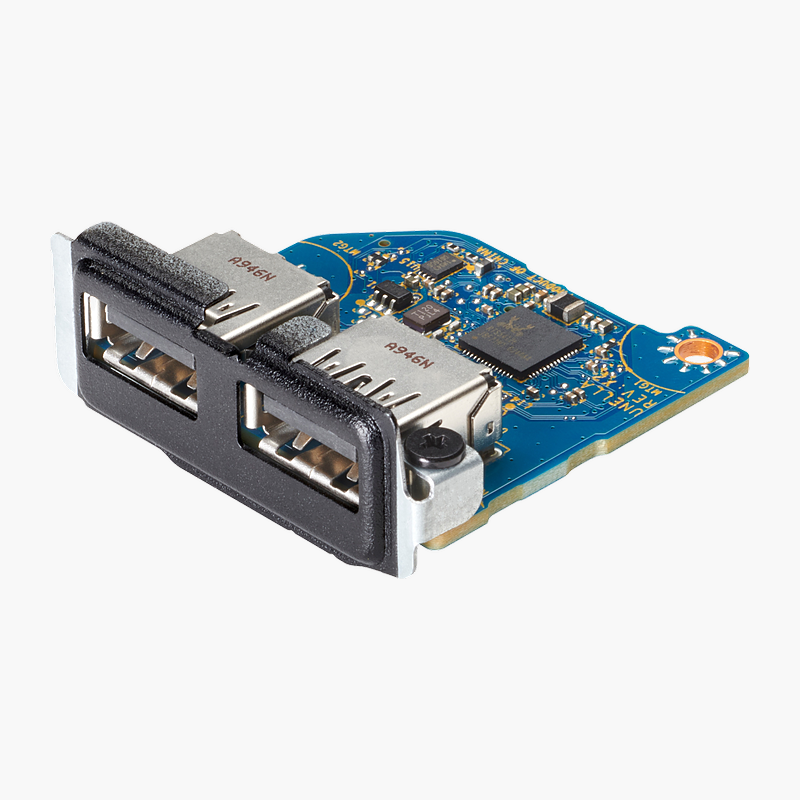
HP USB 3.1 Gen 1 x2 Module, Flex IO v2 (13L58AA)

SKU: 13L58AA
  • 30-Day Hassle Free Returns
  • Secure Payment Options

Price on RequestRequest a quote for volume pricing, availability and lead time.

Key Value Highlights

  • 2x USB-A 3.1 Gen 1 ports – Adds two 5Gbps USB ports for drives, keyboards and peripherals.
  • HP Flex IO v2 module – Installs in the Flex IO bay of compatible HP Elite and Pro desktops.
  • Internal installation – Ports mount flush with the chassis – no external hub on the desk.
  • Factory-style finish – Matches the original HP port layout.

Description

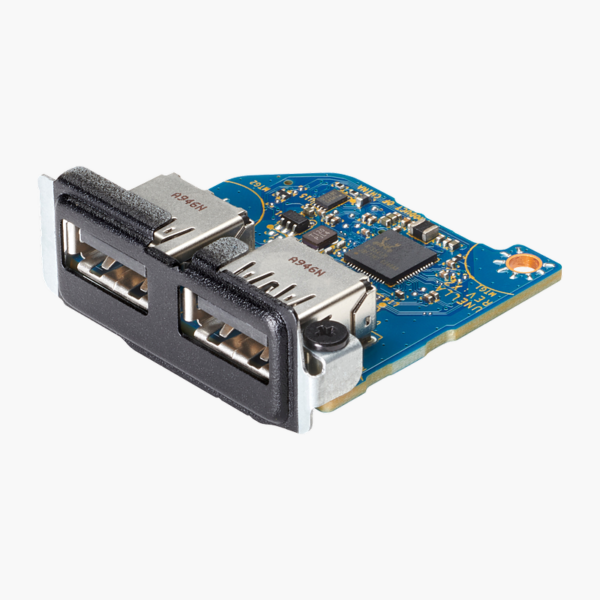
The HP USB 3.1 Gen 1 x2 Module (Flex IO v2) is an internal Flex IO v2 module that adds two 5Gbps USB-A ports to compatible HP business desktops. It installs in the chassis Flex IO slot, so the new ports sit flush with the case and desks stay free of external hubs.

Add USB ports inside the PC, not on the desk.

Add USB Ports to Your HP Business Desktop

Desktops in offices and labs often run out of USB ports, and external hubs add clutter that is easy to knock loose.

The HP USB 3.1 Gen 1 x2 Module (Flex IO v2) installs inside compatible HP Elite and Pro desktops through the Flex IO v2 bay and adds two 5Gbps USB-A ports to the chassis.

Fast 5Gbps USB

Both ports run at USB 3.1 Gen 1 speed for quick file transfers to flash drives and external storage.

Clean Internal Fit

Because the module mounts in the Flex IO bay, the ports are fixed to the case and look like factory-installed ports.

Setup Instructions

How to Install the HP USB 3.1 Gen 1 x2 Module (Flex IO v2)

  1. Shut down the PC, unplug the power cable and remove the side or top access panel.
  2. Remove the Flex IO bay cover from the chassis.
  3. Insert the module and connect its cable to the matching header on the motherboard.
  4. Secure the module, replace the access panel and power on the PC.
  5. Confirm the new USB ports in Device Manager.

Overview

BrandHP
ModelUSB 3.1 Gen 1 x2 Module
Product TypeFlex IO v2 Expansion Module
InterfaceHP Flex IO v2
Ports2x USB-A 3.1 Gen 1
Data Rate5Gbps
InstallationInternal (Flex IO bay)
Compatible SystemsHP Elite / Pro desktops with Flex IO v2 bay
DriversStandard OS USB drivers
OS CompatibilityWindows
PowerPowered by the PC
CategoryPC expansion module
Part Number13L58AA
ConditionBrand New
In the BoxFlex IO v2 USB module, cable

Frequently Asked Questions

Find answers to common questions about this product.

Customer Reviews

Reviews

There are no reviews yet.

Be the first to review “HP USB 3.1 Gen 1 x2 Module, Flex IO v2 (13L58AA)”

Your email address will not be published. Required fields are marked *