















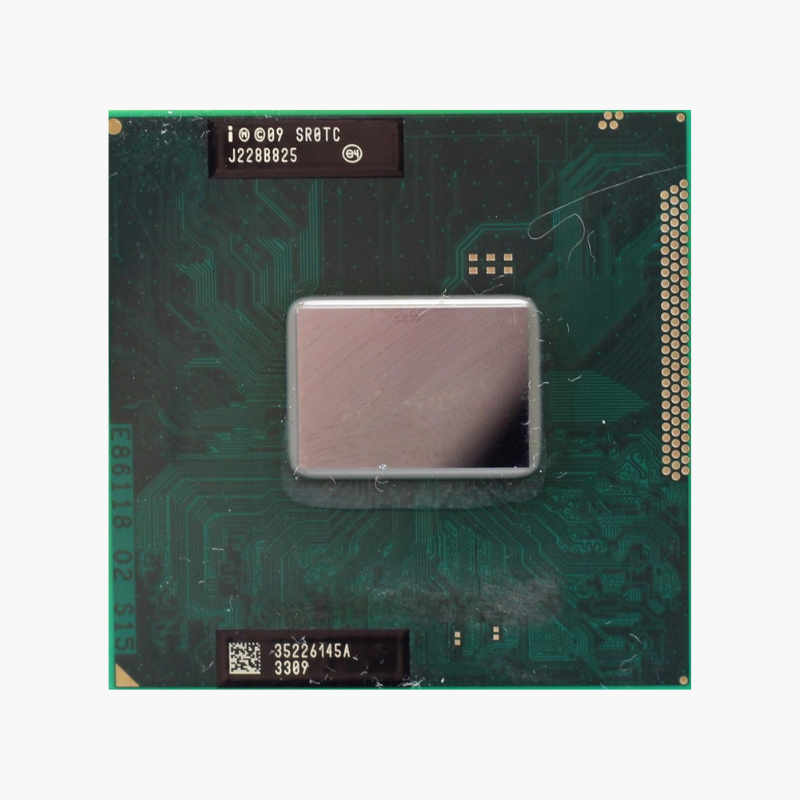
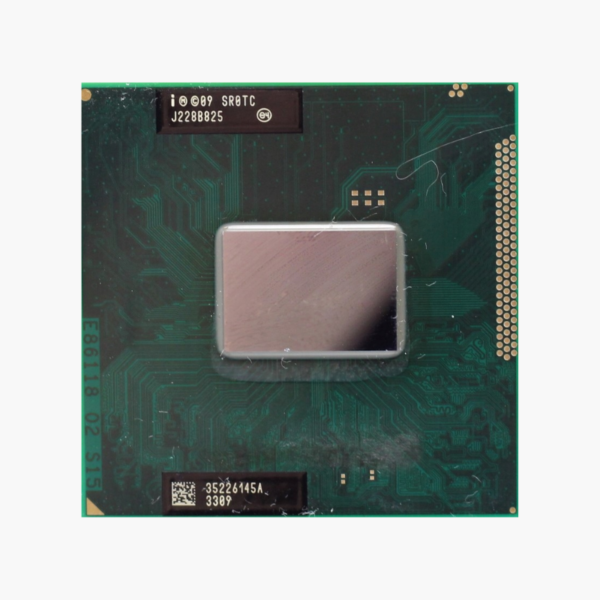
The Intel Core i3-2328M (SR0TC) is a 2-core, 4-thread Intel mobile processor built on Sandy Bridge (32nm), running at 2.20 GHz with 3MB Intel Smart Cache and a 35W TDP. It uses Socket G2 (rPGA988B) and is intended for repairing, refurbishing and upgrading compatible laptops.
Why Replacing the Processor Can Save an Older Laptop – Intel Core i3-2328M (SR0TC)
When an older laptop fails or slows to a crawl, the usual advice is to replace it. But many business and industrial users depend on specific machines, docking setups or legacy software, and replacing the whole system costs far more than repairing it.
The Core i3-2328M is a socketed processor, which means it can be removed and replaced. Whether you are repairing a laptop with a failed CPU, refurbishing units for resale or upgrading a lower-end model in the same family, it restores or improves performance without changing the motherboard.
With 2 cores, 4 threads and 3MB Intel Smart Cache, it remains capable for office work, browsing, terminal and point-of-sale applications, and legacy software that requires older hardware.
Sandy Bridge Architecture With Hyper-Threading
Built on Intel’s 32nm Sandy Bridge architecture, the Core i3-2328M adds Hyper-Threading for 4 threads and integrates Intel HD Graphics 3000 on the same die, improving graphics and power efficiency over earlier generations.
Direct Replacement for Compatible Laptops
The Core i3-2328M uses Socket G2 (rPGA988B) and works in laptops built on Intel HM65 / HM67 / HM76 / QM67 chipsets, provided the laptop’s BIOS supports this model. Check your laptop’s service manual or support page for the list of supported processors before ordering.
Setup Instructions
How to Install the Intel Core i3-2328M (SR0TC)
- Check your laptop’s service manual to confirm it supports the Core i3-2328M and install the latest BIOS; BIOS support is required for the processor to be recognized.
- Power off, unplug the charger and remove the battery, then open the bottom panel and remove the heatsink and fan assembly following the manufacturer’s service guide.
- Turn the socket lock screw to the unlocked position, remove the old processor, align the corner marker on the Core i3-2328M with the socket, seat it without pressure and turn the screw to lock it.
- Clean off the old thermal paste, apply a fresh thin layer, reinstall the heatsink and fan, reassemble the laptop and power on to confirm the new processor is detected in the BIOS.






Reviews
There are no reviews yet.