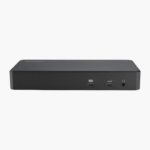
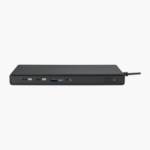
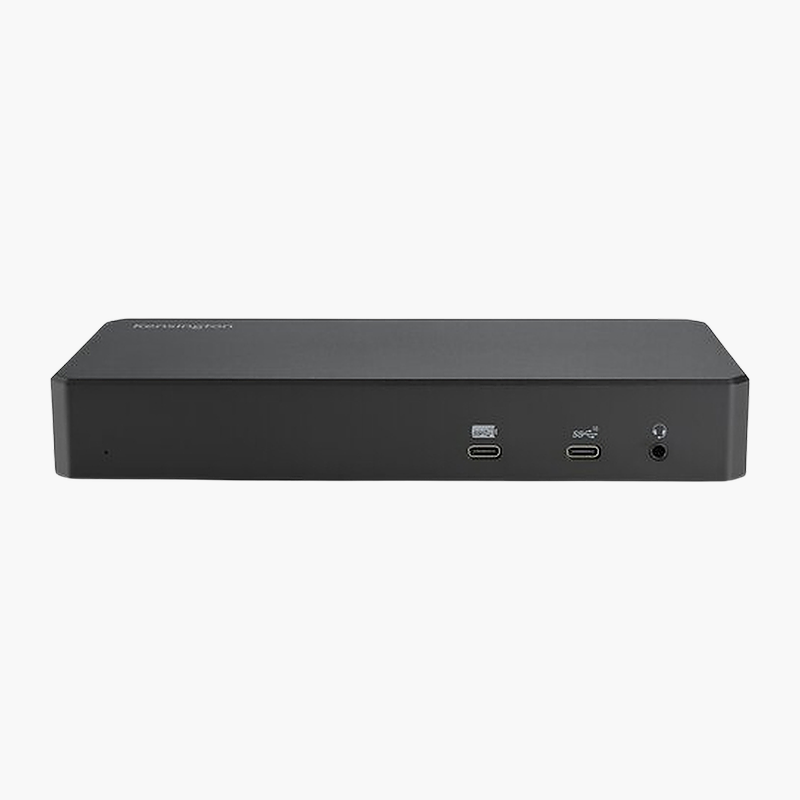
Kensington SD4790P USB-C & USB-A Quad 4K Hybrid Docking Station (K33610NA) – 100W, 4 Displays, DisplayLink

SKU: K33610NA
  • 30-Day Hassle Free Returns
  • Secure Payment Options

Price on RequestRequest a quote for volume pricing, availability and lead time.

Key Value Highlights

  • Up to 100W laptop charging – Keeps your laptop powered through the same connection that carries data and video.
  • Up to 4 external displays – Drives up to 4 displays at 4K 60Hz for more screen space across spreadsheets, timelines and side-by-side apps.
  • USB-C 3.2 Gen 2 host connection – One connection carries data, video and power to your laptop.
  • USB-A and USB-C ports – 4x USB-A 5Gbps, 2x USB-C 10Gbps for keyboards, mice, drives and phones.
  • Gigabit Ethernet port – Wired networking for stable video calls and faster file transfers than Wi-Fi.

Description

The Kensington SD4790P USB-C & USB-A Quad 4K Hybrid Docking Station connects to your laptop over USB-C 3.2 Gen 2 and adds HDMI, DisplayPort, USB-A, USB-C, Gigabit Ethernet and audio ports. It charges your laptop at up to 100W and drives up to 4 displays at 4K 60Hz. It is built for hot desks that mix Windows laptops and Macs.

Fewer cables, more connections.

Connect Monitors, Network and Peripherals With a Single Cable

Plugging a charger, monitor cables, a network cable and several USB devices into a laptop every time you sit down wastes time and wears out its ports.

The Kensington SD4790P USB-C & USB-A Quad 4K Hybrid Docking Station connects through USB-C 3.2 Gen 2, charges your laptop at up to 100W, drives up to 4 displays at 4K 60Hz and adds HDMI, DisplayPort, USB-A, USB-C, Gigabit Ethernet and audio ports. Unplug one cable and the laptop is ready to go.

Multi-Display Support

Display support: Up to 4 displays at 4K 60Hz. Video outputs: 3x HDMI 2.0, 3x DisplayPort. It uses DisplayLink technology, so the free DisplayLink driver is required for the extra displays.

Ports for Every Peripheral

USB connectivity: 4x USB-A 5Gbps; 2x USB-C 10Gbps. It also includes Gigabit Ethernet for wired networking and 3.5mm combo jack audio.

Setup Instructions

How to Set Up the Kensington SD4790P USB-C & USB-A Quad 4K Hybrid Docking Station

  1. Connect the 150W power adapter to the dock and a wall outlet.
  2. Connect your monitors to the dock’s video outputs (3x HDMI 2.0, 3x DisplayPort).
  3. Plug in your keyboard, mouse, Ethernet cable and other USB devices.
  4. Connect the dock to your laptop’s USB-C port with the included cable.
  5. Install the free DisplayLink driver (Windows/macOS) so all displays are detected, then arrange them in display settings.

Overview

BrandKensington
ModelSD4790P USB-C & USB-A Quad 4K Hybrid Docking Station
Product TypeUSB-C Docking Station
Host ConnectionUSB-C 3.2 Gen 2 (Thunderbolt 4 / USB4 / USB-A compatible)
Laptop Charging (Power Delivery)Up to 100W
Display SupportUp to 4 displays at 4K 60Hz
Video Outputs3x HDMI 2.0, 3x DisplayPort
Video TechnologyDisplayLink
USB-A Ports4x USB-A 5Gbps
USB-C / Thunderbolt Ports2x USB-C 10Gbps
EthernetGigabit Ethernet
Audio3.5mm combo jack
Part NumberK33610NA
ConditionBrand New
In the BoxDock, host cable, power adapter, quick start guide

Frequently Asked Questions

Find answers to common questions about this product.

Customer Reviews

Reviews

There are no reviews yet.

Be the first to review “Kensington SD4790P USB-C & USB-A Quad 4K Hybrid Docking Station (K33610NA) – 100W, 4 Displays, DisplayLink”

Your email address will not be published. Required fields are marked *