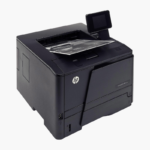
HP LaserJet Pro MFP 4101fdw Wireless Monochrome Laser All-in-One – Print, Scan, Copy, Fax, 42 ppm
HP LaserJet Pro MFP 4101fdw Wireless Monochrome Laser All-in-One – Print, Scan, Copy, Fax, 42 ppm Price on RequestRequest a quote for volume pricing, availability and lead time.
Back to products
HP LaserJet Pro 4001dn Monochrome Laser Printer – 42 ppm, Auto Duplex, Ethernet for Small Teams
HP LaserJet Pro 4001dn Monochrome Laser Printer – 42 ppm, Auto Duplex, Ethernet for Small Teams Price on RequestRequest a quote for volume pricing, availability and lead time.

HP Color LaserJet Pro MFP 4301fdw Wireless Color Laser All-in-One – Print, Scan, Copy, Fax, 35 ppm

SKU: HP-COLOR-LASERJET-PRO-MFP-4301FDW
  • 30-Day Hassle Free Returns
  • Secure Payment Options

Price on RequestRequest a quote for volume pricing, availability and lead time.

Key Value Highlights

  • 35 ppm in black and color – Keeps busy workgroups moving on color-heavy jobs.
  • 50-page ADF with duplex scanning – Converts two-sided paperwork to digital files quickly.
  • 300-sheet input (250 + 50) – Supports mixed media with a multipurpose tray.
  • 4.3-inch color touchscreen – Simplifies scan, copy, and fax workflows.
  • Wi-Fi, Ethernet, and USB – Serves networked and mobile users.

Description

The HP Color LaserJet Pro MFP 4301fdw is a wireless color laser all-in-one for small and medium businesses. It prints at 35 ppm in black and color, scans two-sided pages through a 50-page ADF, and includes copy and fax with a 4.3-inch touchscreen.

Deep-Dive Story & Problem/Solution

Growing Teams Outgrow Entry-Level Color Printers Quickly

A color printer that suited three people struggles with ten. Jobs queue, the tray empties several times a day, and color consistency drifts on long runs. Buying a second small printer doubles the supplies and maintenance.

The 4301fdw is built for that next stage. Its laser engine delivers 35 ppm for both black and color, with the first page out in roughly 9 to 10 seconds, and a recommended monthly volume ceiling far above entry models.

Paper handling includes a 250-sheet main tray, a 50-sheet multipurpose tray, and a 150-sheet output bin. Automatic duplex printing and a 50-page duplex-scanning ADF are standard.

Workgroup-Speed Color Laser Printing

Toner-based color resists smudging and prints consistently, making it suitable for client documents and internal reports alike. HP 210A and 210X cartridges offer standard and high-yield options.

Scanning, Copying, and Fax From One Touchscreen

Scan to email, network folders, or cloud from the 4.3-inch panel. Apple AirPrint and Mopria support mobile devices, and Ethernet integrates the device with managed networks.

Setup Instructions

How to Set Up the HP Color LaserJet Pro MFP 4301fdw

  1. With two people, lift the 45 lb printer from the box and remove all packing material.
  2. Load paper in the 250-sheet tray and connect power, Ethernet, and a phone line for fax if required.
  3. Follow the touchscreen prompts to set language, network, and date.
  4. Install drivers on each computer and print a test page.

Overview

ModelHP Color LaserJet Pro MFP 4301fdw
FunctionsPrint, scan, copy, fax
Print TechnologyColor laser
Print SpeedUp to 35 ppm black and color
First Page OutApprox. 9.1 seconds black, 10 seconds color
Paper Input250-sheet tray + 50-sheet multipurpose tray
Output Capacity150 sheets
Automatic Document Feeder50 pages with duplex scanning
Duplex PrintingAutomatic
Scan Resolution600 dpi optical
ConnectivityWi-Fi, Ethernet, USB 2.0
Control Panel4.3-inch color touchscreen
TonerHP 210A / 210X (black, cyan, magenta, yellow)
Maximum Paper Size8.5 x 14 inches (legal)
Dimensions and Weight16.6 x 17.1 x 15.1 inches; 45 lbs
MaintenanceReplace toner cartridges individually; clean scanner glass periodically

Frequently Asked Questions

Find answers to common questions about this product.

Customer Reviews

Reviews

There are no reviews yet.

Be the first to review “HP Color LaserJet Pro MFP 4301fdw Wireless Color Laser All-in-One – Print, Scan, Copy, Fax, 35 ppm”

Your email address will not be published. Required fields are marked *