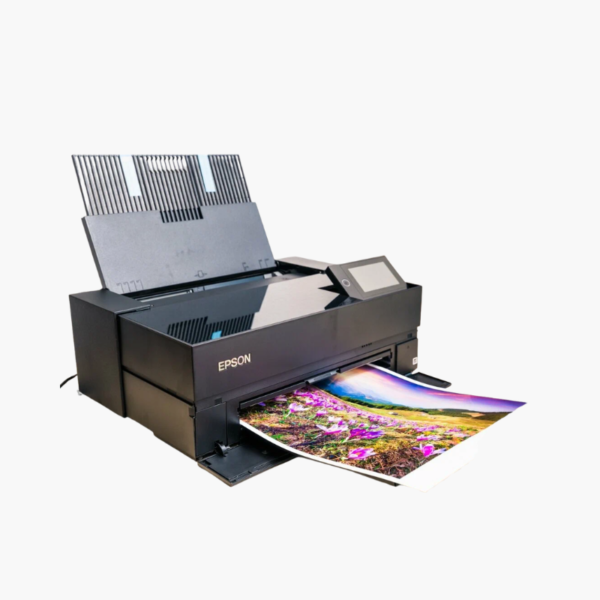
Epson SureColor P700 13-Inch Professional Photo Printer – UltraChrome PRO10 10-Color Pigment Ink

SKU: EPSON-SURECOLOR-P700
  • 30-Day Hassle Free Returns
  • Secure Payment Options

Price on RequestRequest a quote for volume pricing, availability and lead time.

Key Value Highlights

  • UltraChrome PRO10 10-color pigment ink – Includes violet for a wider color gamut and deep blues.
  • Dedicated photo black and matte black channels – Switches paper types with no ink-swap delay or waste.
  • 5760 x 1440 dpi with 1.5-picoliter droplets – Resolves fine detail and smooth tonal transitions.
  • Borderless printing up to 13 x 19 inches – Produces exhibition-ready prints.
  • 4.3-inch touchscreen with Wi-Fi, Ethernet, USB – Offers flexible studio connectivity.

Description

The Epson SureColor P700 is a 13-inch professional photo printer for photographers, artists, and designers who sell or exhibit their work. It uses ten UltraChrome PRO10 pigment inks to produce archival-grade color and black-and-white prints up to 13 x 19 inches.

Deep-Dive Story & Problem/Solution

Sending Prints to a Lab Means Giving Up Control

Photographers who outsource printing wait days for results and often find the color differs from their screen. Reprints add cost, and paper choices are limited to what the lab stocks.

The SureColor P700 brings that process in-house. Its 10-channel MicroPiezo AMC printhead and UltraChrome PRO10 pigment ink set, including violet, light gray, and gray, reproduce a wide gamut and neutral black-and-white tones.

Photo black and matte black have their own channels, so switching between glossy and fine-art matte paper needs no ink change. Resolution reaches 5760 x 1440 dpi with droplets as small as 1.5 picoliters.

Gallery-Quality Color and Monochrome

Pigment inks provide excellent print permanence. Borderless output is available up to 13 x 19 inches, and an optional roll adapter supports panoramas.

Compact Professional Workflow

The printer weighs 35.3 lbs and fits on a desk. A 4.3-inch touchscreen, Epson Print Layout software, and USB, Ethernet, and Wi-Fi connections integrate with studio workflows.

Setup Instructions

How to Set Up the Epson SureColor P700

  1. Unpack the printer, remove protective materials, and install the ten starter ink cartridges.
  2. Allow initial ink charging to complete; it takes several minutes.
  3. Install the driver and Epson Print Layout, then connect by USB, Ethernet, or Wi-Fi.
  4. Load paper, select the matching media type or ICC profile, and print a nozzle check.

Overview

ModelEpson SureColor P700
Printer Type13-inch professional photo printer
Ink SetUltraChrome PRO10 pigment, 10 colors
Printhead10-channel MicroPiezo AMC, 180 nozzles x 10
Maximum Resolution5760 x 1440 dpi
Minimum Droplet Size1.5 picoliters
Maximum Print Width13 inches
Borderless PrintingUp to 13 x 19 inches
Roll MediaSupported with optional adapter
ConnectivityUSB 3.0, Ethernet, Wi-Fi
Display4.3-inch touchscreen
SoftwareEpson Print Layout
Dimensions20.3 x 30.3 x 16.5 inches (printing)
Weight35.3 lbs
In the BoxPrinter, starter ink cartridges, power cable, user guide, CD/DVD tray

Frequently Asked Questions

Find answers to common questions about this product.

Customer Reviews

Reviews

There are no reviews yet.

Be the first to review “Epson SureColor P700 13-Inch Professional Photo Printer – UltraChrome PRO10 10-Color Pigment Ink”

Your email address will not be published. Required fields are marked *