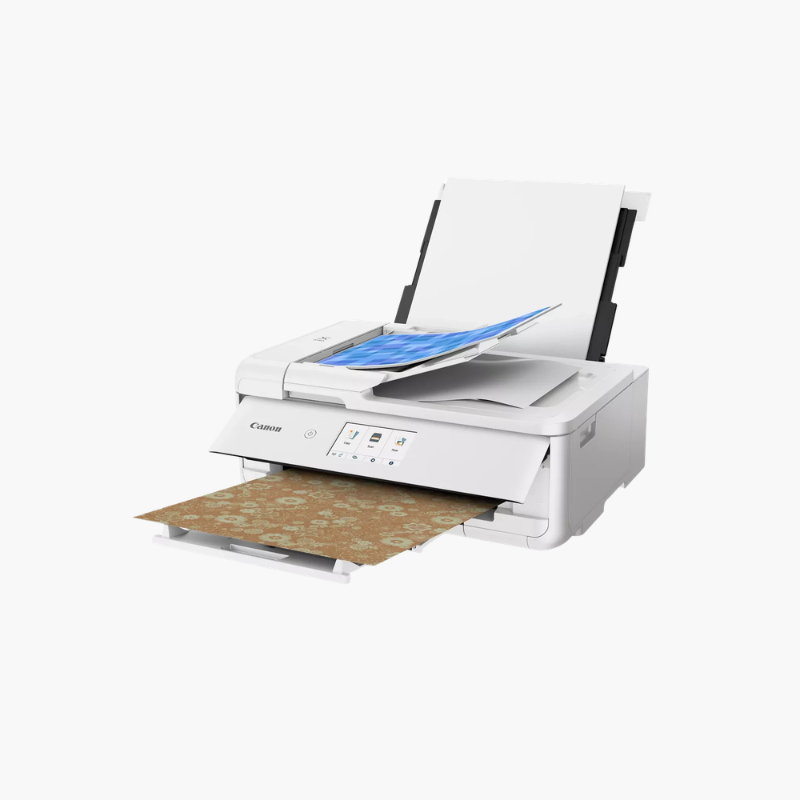
Canon PIXMA TS9521Ca Wireless Crafting All-in-One Printer – 12 x 12 Borderless, 11 x 17 Printing, ADF

SKU: CANON-PIXMA-TS9521CA
  • 30-Day Hassle Free Returns
  • Secure Payment Options

Price on RequestRequest a quote for volume pricing, availability and lead time.

Key Value Highlights

  • Borderless 12 x 12-inch printing – Prints full scrapbook pages without trimming.
  • Paper support up to 11 x 17 inches – Handles posters, banners, and large templates.
  • Five individual inks – Replaces only the color that runs out.
  • ADF with flatbed scanner – Copies multi-page documents and oversized originals.
  • 4.3-inch touchscreen – Gives access to built-in patterns and settings.

Description

The Canon PIXMA TS9521Ca is a wireless crafting all-in-one inkjet printer for scrapbookers, card makers, and home offices. It prints borderless pages up to 12 x 12 inches and documents up to 11 x 17 inches, and adds an automatic document feeder, automatic two-sided printing, and a 4.3-inch touchscreen.

Deep-Dive Story & Problem/Solution

Craft Projects Need Paper Sizes That Ordinary Printers Cannot Feed

Scrapbook layouts are built on 12 x 12-inch pages, and cards, stickers, and cutting-machine designs need accurate color on specialty media. Letter-size printers force crafters to tile pages or pay for outside printing.

The TS9521Ca feeds 12 x 12-inch and 11 x 17-inch paper through its rear tray and prints edge to edge. Five individual inks deliver sharp text and color photos at up to 4800 x 1200 dpi.

Built-in pattern papers can be printed from the touchscreen, and booklet layout copy helps produce folded handouts without a computer.

Everyday Office Functions

A front cassette holds letter paper for daily printing, while the document feeder and flatbed handle copies and scans. Automatic duplex printing saves paper.

Wireless and Direct Printing

Wi-Fi, Bluetooth, and USB connect computers and phones. An SD card slot, AirPrint, and Mopria support direct printing of photos and designs.

Setup Instructions

How to Set Up the Canon PIXMA TS9521Ca

  1. Remove packing tape and power on the printer.
  2. Install the five ink tanks and wait for initialization.
  3. Load paper and follow the touchscreen steps to join Wi-Fi.
  4. Install the Canon driver or Canon PRINT app and print a test page.

Overview

ModelCanon PIXMA TS9521Ca
Printer TypeWireless crafting inkjet all-in-one
FunctionsPrint, copy, scan
Maximum Print Size11 x 17 inches; 12 x 12 inches borderless
Print ResolutionUp to 4800 x 1200 dpi
Photo Speed4 x 6 photo in approx. 21 seconds
Ink System5 individual inks (PGI-280, CLI-281)
Paper SourcesFront cassette and rear tray
Document FeederAutomatic document feeder
Duplex PrintingAutomatic
Display4.3-inch touchscreen
ConnectivityWi-Fi, Bluetooth, USB, SD card slot
Mobile PrintingApple AirPrint, Mopria, Canon PRINT app
ColorWhite
MaintenanceReplace individual ink tanks as prompted

Frequently Asked Questions

Find answers to common questions about this product.

Customer Reviews

Reviews

There are no reviews yet.

Be the first to review “Canon PIXMA TS9521Ca Wireless Crafting All-in-One Printer – 12 x 12 Borderless, 11 x 17 Printing, ADF”

Your email address will not be published. Required fields are marked *