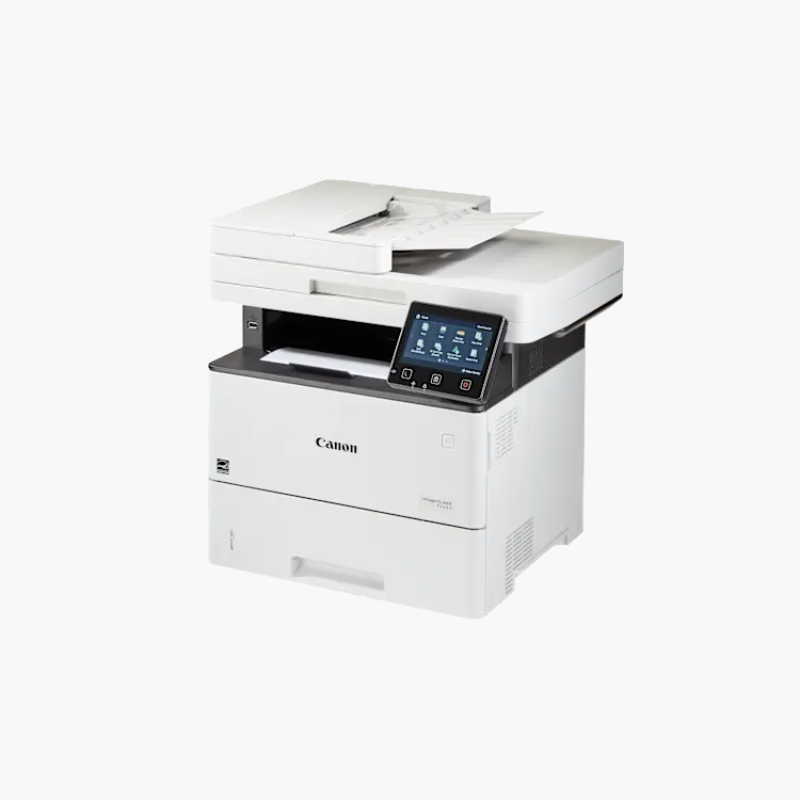
Canon imageCLASS D1620 Monochrome Laser Multifunction Printer – 45 ppm, Print, Copy, Scan, Duplex ADF

SKU: CANON-IMAGECLASS-D1620
  • 30-Day Hassle Free Returns
  • Secure Payment Options

Price on RequestRequest a quote for volume pricing, availability and lead time.

Key Value Highlights

  • 45 ppm monochrome printing – Clears large jobs for busy workgroups.
  • First print in about 6.2 seconds – Short documents arrive almost immediately.
  • 650-sheet standard capacity – Expands to 2,300 sheets with optional cassettes.
  • 50-sheet duplex ADF – Copies and scans two-sided originals automatically.
  • Gigabit Ethernet, Wi-Fi, and USB – Fits wired or wireless office networks.

Description

The Canon imageCLASS D1620 is a monochrome laser multifunction printer for busy offices and workgroups. It prints at up to 45 pages per minute, copies and scans through a 50-sheet duplex document feeder, and holds 650 sheets as standard, expandable to 2,300 sheets with optional paper cassettes.

Deep-Dive Story & Problem/Solution

High-Volume Offices Outgrow Entry-Level Laser Printers

A printer rated for a few hundred pages a month slows down a team that prints thousands. Small paper trays need constant refilling, and slow engines create queues at the device.

The D1620 is built for a recommended volume of 2,000 to 7,500 pages a month. A 550-sheet cassette and 100-sheet multipurpose tray are standard, and up to three optional cassettes raise capacity to 2,300 sheets.

The duplex ADF and automatic two-sided printing handle double-sided contracts and reports without manual page flipping.

Simple Control Panel

A 5-inch color touchscreen can be customized with frequently used functions, and scan-to-email or network folder workflows are set up once and reused.

Office Connectivity

Gigabit Ethernet, Wi-Fi, and USB are included, along with AirPrint, Mopria, and Canon PRINT support for mobile devices.

Setup Instructions

How to Set Up the Canon imageCLASS D1620

  1. Unpack the unit with two people and remove all packing materials.
  2. Install the toner cartridge and load paper in the cassette.
  3. Power on and complete the touchscreen setup for date, network, and security.
  4. Install drivers on user computers and configure scan destinations.

Overview

ModelCanon imageCLASS D1620
Printer TypeMonochrome laser multifunction
FunctionsPrint, copy, scan
Print SpeedUp to 45 ppm (letter)
First Print OutApprox. 6.2 seconds
Print Resolution600 x 600 dpi
Duplex PrintingAutomatic
Document Feeder50-sheet duplex ADF
Standard Paper Capacity550-sheet cassette + 100-sheet multipurpose tray
Maximum Paper Capacity2, 300 sheets with optional cassettes
Display5-inch color touchscreen
ConnectivityGigabit Ethernet, Wi-Fi, USB
WeightApprox. 19 kg
MaintenanceReplace toner as prompted; clean ADF periodically

Frequently Asked Questions

Find answers to common questions about this product.

Customer Reviews

Reviews

There are no reviews yet.

Be the first to review “Canon imageCLASS D1620 Monochrome Laser Multifunction Printer – 45 ppm, Print, Copy, Scan, Duplex ADF”

Your email address will not be published. Required fields are marked *