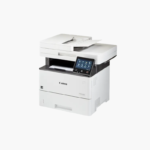
Canon imageCLASS D1620 Monochrome Laser Multifunction Printer – 45 ppm, Print, Copy, Scan, Duplex ADF
Canon imageCLASS D1620 Monochrome Laser Multifunction Printer – 45 ppm, Print, Copy, Scan, Duplex ADF Price on RequestRequest a quote for volume pricing, availability and lead time.
Back to products
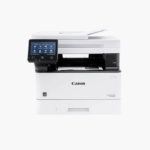
Canon imageCLASS MF465dw Wireless Monochrome Laser All-in-One Printer – 42 ppm, Print, Scan, Copy, Fax
Canon imageCLASS MF465dw Wireless Monochrome Laser All-in-One Printer – 42 ppm, Print, Scan, Copy, Fax Price on RequestRequest a quote for volume pricing, availability and lead time.

Canon Color imageCLASS MF653Cdw Wireless Color Laser Multifunction Printer – Print, Copy, Scan, Auto Duplex

SKU: CANON-COLOR-IMAGECLASS-MF653CDW
  • 30-Day Hassle Free Returns
  • Secure Payment Options

Price on RequestRequest a quote for volume pricing, availability and lead time.

Key Value Highlights

  • 22 ppm in color and black – Handles day-to-day office printing at a steady pace.
  • Print, copy, and scan – Covers core document tasks without a fax line.
  • 50-sheet automatic document feeder – Scans and copies multi-page originals.
  • Automatic two-sided printing – Saves paper on longer documents.
  • Wi-Fi, Gigabit Ethernet, and USB – Works in wired and wireless offices.

Description

The Canon Color imageCLASS MF653Cdw is a wireless color laser multifunction printer for small offices and home offices. It prints, copies, and scans at up to 22 pages per minute in color and black, with a 50-sheet document feeder, automatic two-sided printing, and a 5-inch color touchscreen.

Deep-Dive Story & Problem/Solution

Inkjet All-in-Ones Struggle With Office Text and Idle Time

Offices that print in bursts often find inkjet nozzles dried out after a quiet week, and color text can look soft on plain paper. Separate scanners add clutter to already small desks.

The MF653Cdw uses laser toner, which stays ready between jobs and prints sharp text and color charts at up to 1200 x 1200 dpi. Copy and scan functions sit in the same compact body.

For offices that do not need fax or two-sided scanning, it offers the same print engine as the MF656Cdw at a lower cost.

Paper and Toner

A 250-sheet cassette and one-sheet manual slot handle plain paper, envelopes, and labels. Canon 067 toner is offered in standard and high-capacity versions.

Touchscreen and Mobile Workflows

The 5-inch touchscreen stores frequent scan and copy jobs. AirPrint, Mopria, and the Canon PRINT app support phones and tablets.

Setup Instructions

How to Set Up the Canon MF653Cdw

  1. Remove packing materials and confirm the toner cartridges are seated.
  2. Load paper in the cassette and power on the printer.
  3. Follow the touchscreen guide to connect to Wi-Fi or Ethernet.
  4. Install the Canon driver and scan utility on each computer.

Overview

ModelCanon Color imageCLASS MF653Cdw
Printer TypeColor laser multifunction
FunctionsPrint, copy, scan
Print SpeedUp to 22 ppm color and black
Print ResolutionUp to 1200 x 1200 dpi
Duplex PrintingAutomatic
Document Feeder50-sheet ADF (single-sided scanning)
Paper Capacity250-sheet cassette + 1-sheet manual slot
Display5-inch color touchscreen
ConnectivityWi-Fi, Gigabit Ethernet, USB 2.0
Mobile PrintingApple AirPrint, Mopria, Canon PRINT app
TonerCanon 067 / 067 High Capacity
Maximum Paper Size8.5 x 14 inches (legal)
FaxNot included
MaintenanceReplace toner as prompted; clean scanner glass

Frequently Asked Questions

Find answers to common questions about this product.

Customer Reviews

Reviews

There are no reviews yet.

Be the first to review “Canon Color imageCLASS MF653Cdw Wireless Color Laser Multifunction Printer – Print, Copy, Scan, Auto Duplex”

Your email address will not be published. Required fields are marked *