Dell OptiPlex 5050 SFF Desktop
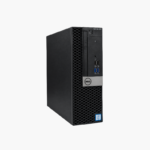
Dell OptiPlex 5050 SFF Desktop – Intel Core i5-7500, 16GB RAM, 256GB SSD, Windows 10 Pro (Refurbished) Price on RequestRequest a quote for volume pricing, availability and lead time.
Back to products
Micron 96GB DDR5
Micron 96GB DDR5-5600 ECC RDIMM (MTC40F204WS1RC56BB1) – 2Rx4, CL46 Server Memory Price on RequestRequest a quote for volume pricing, availability and lead time.

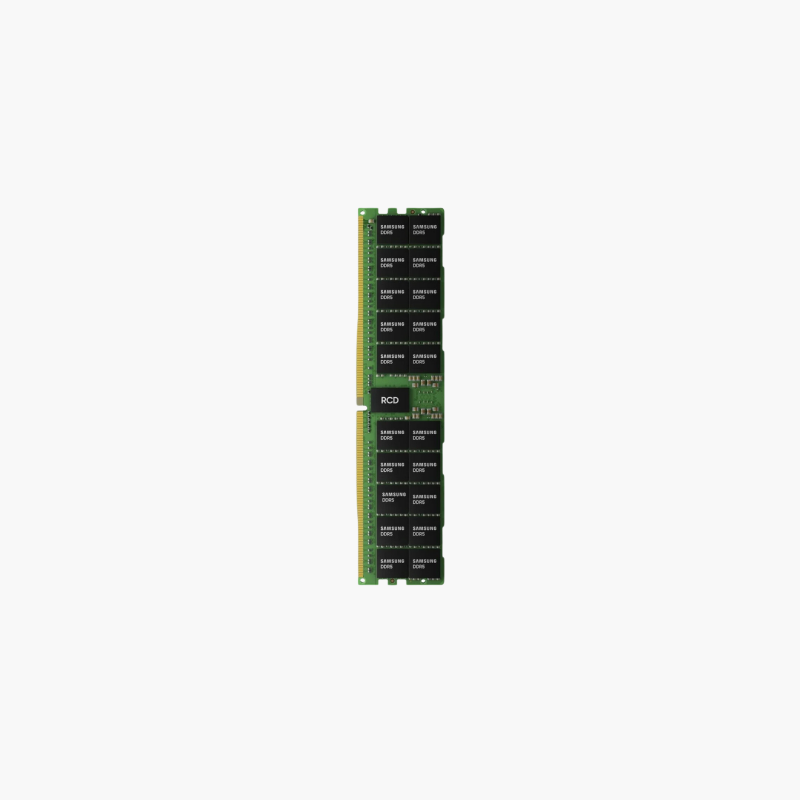
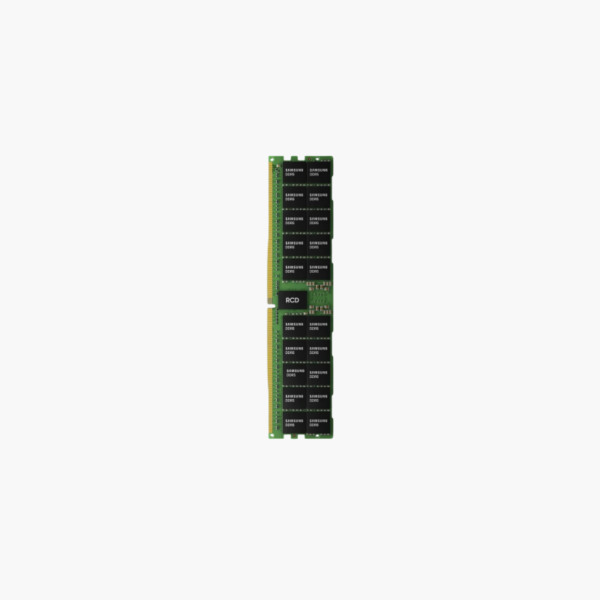
Samsung 96GB DDR5-4800 ECC RDIMM (M321RYGA0BB0-CQK) – 2Rx4, 1.1V Server Memory, Used

SKU: M321RYGA0BB0-CQK
  • 30-Day Hassle Free Returns
  • Secure Payment Options

Price on RequestRequest a quote for volume pricing, availability and lead time.

Key Value Highlights

  • 96GB DDR5-4800 RDIMM – Balanced capacity for modern Xeon and EPYC servers.
  • 24Gb DRAM, 2Rx4 – Non-3DS high density with chipkill-capable x4 chips.
  • On-module PMIC, 1.1V – DDR5 power regulation on the stick.
  • Used Samsung module – Lower-cost path to populate every channel.

Description

96GB DDR5 RDIMMs for balanced capacity on modern servers.

The Samsung M321RYGA0BB0-CQK is a 96GB DDR5-4800 ECC Registered DIMM built on 24Gb DRAM. These used modules give data center and lab teams a cost-effective way to reach 768GB per socket on eight-channel Intel Xeon Scalable or 1.1TB on twelve-channel AMD EPYC servers.

Why DDR5 RDIMMs Matter for High-Core-Count Servers

Current-generation servers have more cores per socket than ever, and each core needs memory bandwidth. DDR5 RDIMMs answer that with higher transfer rates and two independent 40-bit subchannels per module, which keep more requests in flight at once.

DDR5 also moves power regulation onto the module with a dedicated PMIC and adds on-die ECC inside each DRAM chip, in addition to the standard side-band ECC handled by the memory controller. The result is cleaner power delivery and stronger error protection at higher speeds.

96GB modules use 24Gb DRAM chips, a capacity point between 64GB and 128GB that fits many workloads without the latency and cost of 3DS memory. This module runs at 4800 MT/s and 1.1V.

A Cost-Efficient Capacity Point

96GB per DIMM lets you fill every channel for full bandwidth while landing on capacities that match common VM and database sizing.

Used Modules for Lab and Expansion

Used DDR5 RDIMMs reduce the cost of populating all channels, which DDR5 platforms need for maximum bandwidth.

How to Install the Samsung 96GB Server Memory

  1. Shut down the server, disconnect all power cords, and wear an anti-static wrist strap.
  2. Open the chassis and follow the vendor’s DIMM population guide so channels are balanced across each processor.
  3. Align the module notch with the slot key and press evenly until both ejector latches lock.
  4. Power on, allow memory training to finish, and confirm capacity, speed, and ECC status in BIOS or the management controller (iDRAC, iLO, XClarity, IPMI).

Overview

BrandSamsung
Model NumberM321RYGA0BB0-CQK
Capacity96GB (1 x 96GB)
Memory TypeDDR5 SDRAM
Speed4800 MT/s (PC5-38400)
CAS LatencyCL40
Voltage1.1V
Module TypeRDIMM (Registered)
Error CheckingECC (side-band EC8 plus on-die ECC)
Pin Count288-pin
RankDual rank x4 (2Rx4)
Power ManagementOn-module PMIC
CompatibilityIntel Xeon 4th/5th Gen Scalable and AMD EPYC 9004/9005 servers with DDR5 RDIMM support
ConditionUsed
In the Box1 x 96GB DDR5 RDIMM module

Frequently Asked Questions

Find answers to common questions about this product.

Customer Reviews