Dell OptiPlex 7010 Desktop
Dell OptiPlex 7010 Desktop – Intel Core i5 3rd Gen, 16GB RAM, 256GB SSD (Refurbished) Price on RequestRequest a quote for volume pricing, availability and lead time.
Back to products
Samsung 96GB DDR5
Samsung 96GB DDR5-4800 ECC RDIMM (M321RYGA0BB0-CQK) – 2Rx4, 1.1V Server Memory, Used Price on RequestRequest a quote for volume pricing, availability and lead time.

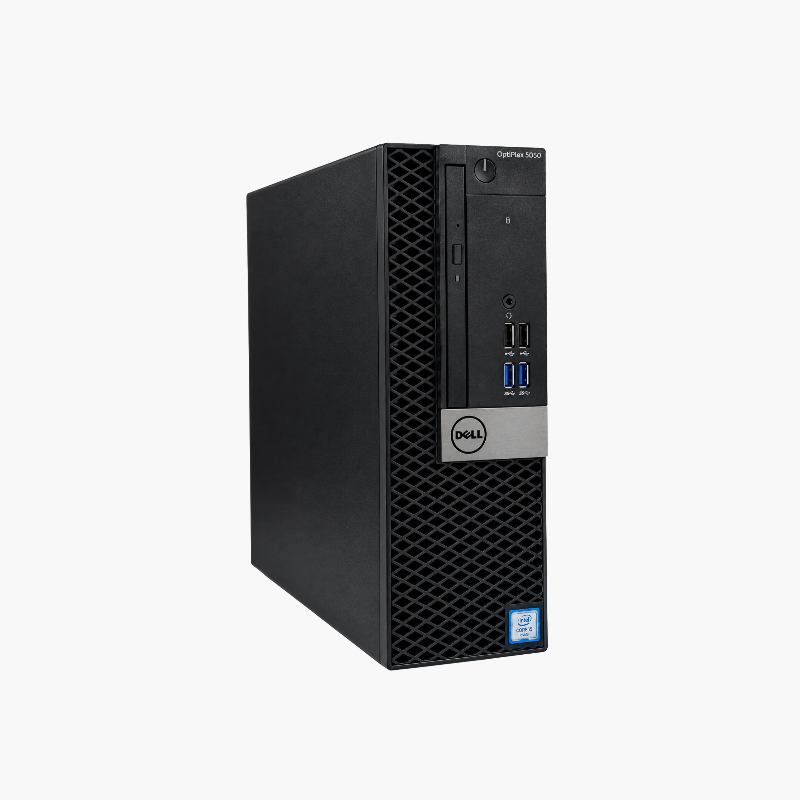
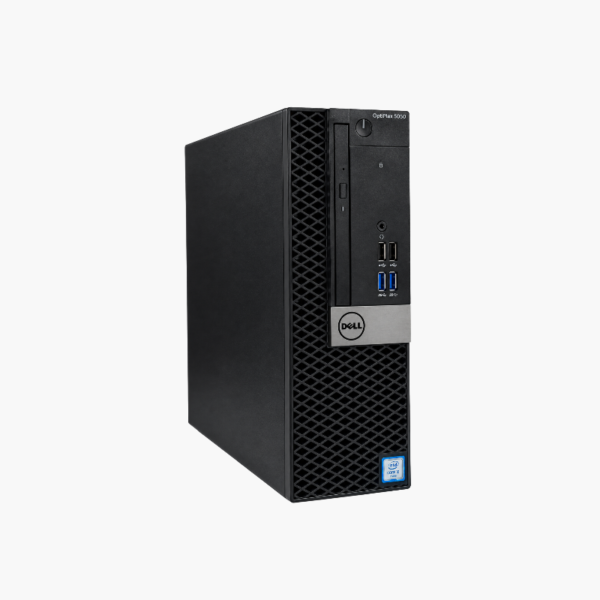
Dell OptiPlex 5050 SFF Desktop – Intel Core i5-7500, 16GB RAM, 256GB SSD, Windows 10 Pro (Refurbished)

SKU: DELL-OPTIPLEX-5050-SFF-I5-7500-16G-256G
  • 30-Day Hassle Free Returns
  • Secure Payment Options

Price on RequestRequest a quote for volume pricing, availability and lead time.

Key Value Highlights

  • Intel Core i5-7500 (7th Gen) – 4 cores / 4 threads for office apps, browsers, and business software.
  • 16GB DDR4 memory, upgradable to 64GB DDR4 – Room for multitasking today and more capacity when needs grow.
  • 256GB SSD – Fast boot and app launch times compared with hard drives.
  • Small form factor (SFF) chassis – Compact desktop that fits on or under a desk while keeping internal expansion options.

Description

A reliable mid-tier OptiPlex for office and lab work.

The refurbished Dell OptiPlex 5050 SFF features an Intel Core i5-7500, 16GB of DDR4 memory, a 256GB SSD, and Windows 10 Pro. It suits offices, schools, and home users who need an affordable, compact desktop for productivity, dedicated tasks, or Linux-based projects.

A Dependable Desktop for Everyday and Dedicated Use

The OptiPlex 5050 is Dell’s mid-tier business desktop, combining solid build quality with expansion options.

Its quad-core Core i5-7500 runs at up to 3.8GHz, and 16GB of memory plus an SSD keep the system responsive.

Windows 10 has reached end of support, and 7th Gen processors are not on the Windows 11 supported list, so consider offline roles or Linux for long-term use.

Flexible Display Options

DisplayPort and HDMI outputs support dual monitors for productivity.

Upgrade Headroom

Support for up to 64GB of memory leaves room to grow.

How to Set Up Your Dell OptiPlex 5050 SFF

  1. Unbox the desktop and connect your monitor, keyboard, mouse, Ethernet cable, and power cord.
  2. Power on and complete the Windows 10 Pro setup, connecting to your network and signing in.
  3. Run Windows Update and Dell SupportAssist or Dell Command | Update to install the latest drivers, BIOS, and security patches.
  4. Set a BIOS password if required, enable BitLocker on Pro editions, and configure backups for important files.

Overview

BrandDell
ModelDell OptiPlex 5050 SFF
Form FactorSmall form factor (SFF)
ProcessorIntel Core i5-7500 (7th Gen)
CPU Details4 cores / 4 threads, 3.4GHz base, up to 3.8GHz
Memory16GB DDR4
Max Memory64GB DDR4
Storage256GB SSD
GraphicsIntel HD Graphics 630
Operating SystemWindows 10 Pro
Video OutputsDisplayPort and HDMI
NetworkingGigabit Ethernet (Wi-Fi via optional card or USB adapter)
SecurityTPM 2.0, Kensington lock slot, chassis padlock loop
Ideal ForOffice, schools, Linux, dedicated roles
ConditionRefurbished

Frequently Asked Questions

Find answers to common questions about this product.

Customer Reviews

Reviews

There are no reviews yet.

Be the first to review “Dell OptiPlex 5050 SFF Desktop – Intel Core i5-7500, 16GB RAM, 256GB SSD, Windows 10 Pro (Refurbished)”

Your email address will not be published. Required fields are marked *