















Silent, simple Gigabit Cisco switching for small offices and branches.
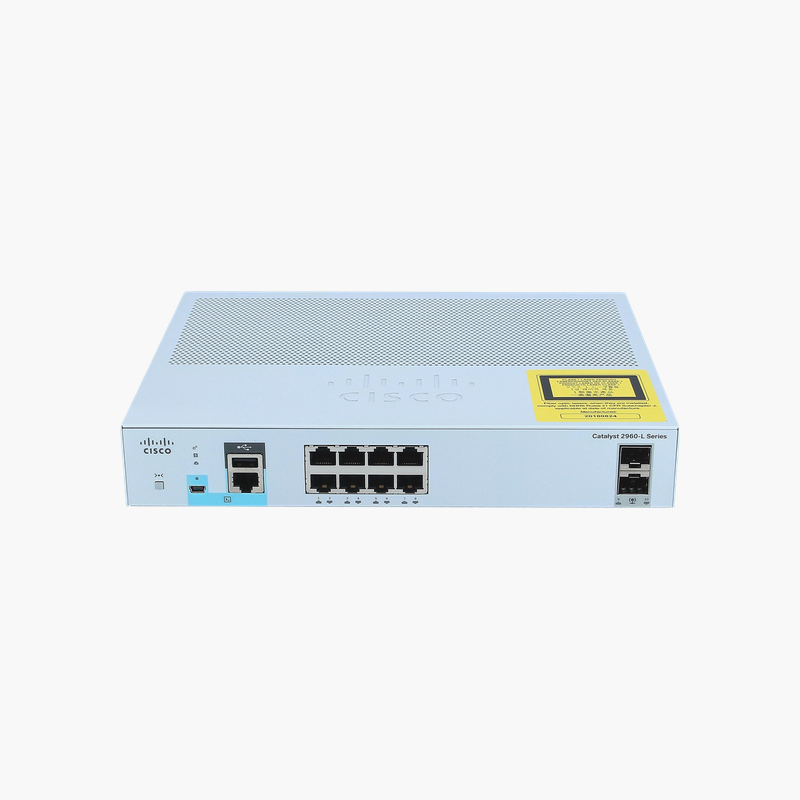
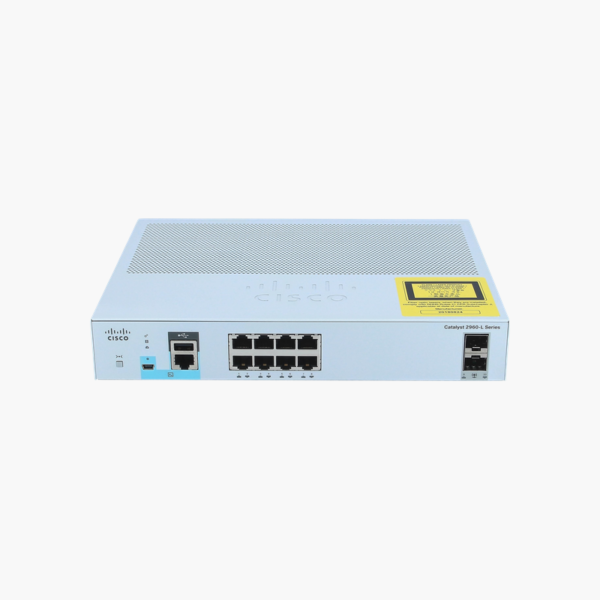
The Cisco WS-C2960L-8TS-LL is a Gigabit access switch from the Catalyst 2960-L Series, with 8 10/100/1000 ports, 2 x 1G SFP uplinks. It runs the LAN Lite Cisco IOS feature set and suits small offices, kiosks and branch sites that need dependable Cisco management on a controlled budget.
Why a Managed Cisco Switch Like the WS-C2960L-8TS-LL Beats an Unmanaged Switch
Unmanaged switches are easy to install but give you no control once the network grows. A single looped cable can flood every port, any visitor can plug in, and there is no way to see which port is causing a problem.
The WS-C2960L-8TS-LL runs Cisco IOS LAN Lite, which provides essential Layer 2 access features: VLANs (64 active), port security, QoS, Spanning Tree and SNMP monitoring for smaller networks. These tools let you separate departments and guests, stop loops before they spread, and troubleshoot port by port.
With 20 Gbps of switching bandwidth and a 14.88 Mpps forwarding rate, the switch forwards traffic from all 8 ports and its uplinks without congestion inside the chassis.
Flexible Uplinks for Fiber or Copper
The uplinks (2 x 1G SFP) connect this switch to a core switch, router or another closet. Fiber SFP modules extend links far beyond the 100 m copper limit, which is useful between floors or buildings.
Silent, Fanless Operation
With no fan, the WS-C2960L-8TS-LL runs silently and has fewer moving parts to fail, so it can sit on a desk, under a counter or in an open office. Keep a few centimetres of clearance around the vents so heat can dissipate.
How to Set Up the Cisco WS-C2960L-8TS-LL
- Mount the switch in a 19-inch rack or on a shelf, keep the vents clear, and connect the AC power cord.
- Connect the uplink to your core switch or router (copper or SFP module), then patch end devices to the access ports.
- Connect to the console port with a terminal program, or use Express Setup / the web interface where available, and assign a management IP, hostname and secure passwords.
- Create your VLANs, enable Spanning Tree and port security, update to the latest supported Cisco IOS release, and save the configuration.














Reviews
There are no reviews yet.