Cisco Meraki MG21-HW-NA 4G LTE Cat 6 Cellular Gateway – Built-in Antennas, IP67, PoE Powered
Cisco Meraki MG21-HW-NA 4G LTE Cat 6 Cellular Gateway – Built-in Antennas, IP67, PoE Powered Price on RequestRequest a quote for volume pricing, availability and lead time.
Back to products
HPE Ethernet 10Gb 2-Port 570FLB Adapter (718939-B21) – FlexibleLOM for ProLiant BladeSystem, 730701-001
HPE Ethernet 10Gb 2-Port 570FLB Adapter (718939-B21) – FlexibleLOM for ProLiant BladeSystem, 730701-001 Price on RequestRequest a quote for volume pricing, availability and lead time.

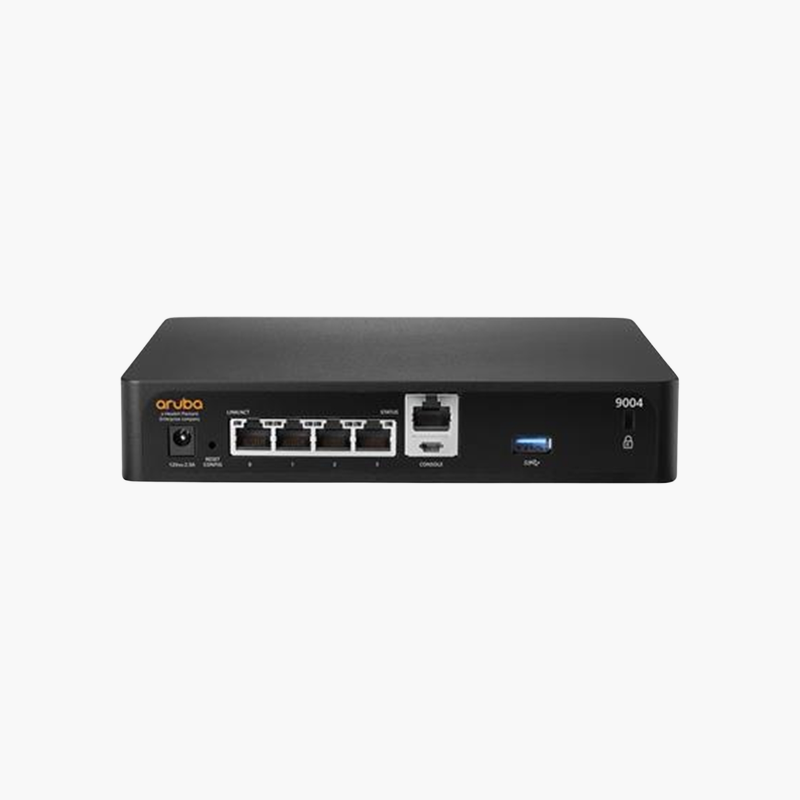
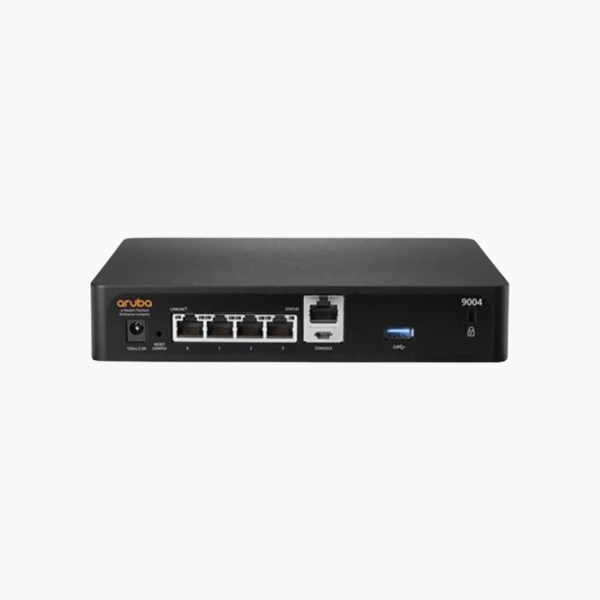
HPE Aruba 9004 (US) Gateway R1B20A – 4-Port Gigabit Branch Gateway, SD-WAN, 4 Gbps Firewall

SKU: R1B20A
  • 30-Day Hassle Free Returns
  • Secure Payment Options

Price on RequestRequest a quote for volume pricing, availability and lead time.

Key Value Highlights

  • 4 Gbps firewall throughput – Stateful firewall with application awareness for branch traffic.
  • 4 x Gigabit Ethernet ports – WAN and LAN connections for small to mid-sized branches.
  • SD-WAN or Mobility Controller mode – Run as an SD-WAN branch gateway with Aruba Central or as a WLAN controller for up to 32 APs.
  • Up to 2,048 clients – 64K firewall sessions and 2,048 IPsec sessions for busy sites.
  • Fanless desktop design – Silent operation with an optional rack-mount kit.

Description

Secure SD-WAN and wireless control for the branch in one fanless gateway.

The HPE Aruba 9004 (US) Gateway R1B20A is a fanless branch gateway with four Gigabit ports and 4 Gbps of firewall throughput. It runs as an SD-WAN gateway managed by Aruba Central or as a mobility controller for up to 32 access points, suiting small and mid-sized branch offices.

Why Branches Need More Than a Basic Router

Branch offices now rely on cloud apps, video and voice, often over several internet links. A basic router cannot steer traffic by application, secure local internet breakout, or provide visibility to central IT teams.

The 9004 combines SD-WAN path selection, a stateful application-aware firewall and VPN in one device. With Aruba Central, policies are defined once and applied to every branch, while traffic is routed across the best available WAN link.

Alternatively, it can run as a mobility controller, managing up to 32 Aruba access points with role-based policies for users and devices.

High Encrypted Performance

The 9004 supports 4 Gbps firewall throughput and up to 4 Gbps of AES-256 encrypted throughput, with 2,048 concurrent IPsec sessions, so secure tunnels to headquarters and the cloud do not limit branch performance.

Compact, Silent Branch Hardware

The fanless desktop chassis (1.14 kg) uses conduction cooling and a 12V adapter, making it suitable for small offices without a server room. An optional rack-mount kit (R1B30A) is available.

How to Set Up the HPE Aruba 9004 Gateway

  1. Decide on the operating mode (SD-WAN with Aruba Central, or Mobility Controller) and prepare the required licenses.
  2. Connect the WAN ports to your internet circuits and a LAN port to the branch switch, then power on the gateway.
  3. For SD-WAN, let the gateway connect to Aruba Central for zero-touch provisioning; for controller mode, configure it through the console or WebUI.
  4. Apply firewall, VPN and SD-WAN policies, verify tunnels and application routing, and update to the recommended software release.

Overview

Model NumberR1B20A
Product NameHPE Aruba 9004 (US) Gateway
Device TypeBranch / SD-WAN Gateway
Ports4 x 100/1000BASE-T
Firewall Throughput4 Gbps
Encrypted ThroughputUp to 4 Gbps (AES-256)
IPsec Sessions2048
Firewall Sessions64000
Maximum Clients2048
Maximum APs (Controller Mode)32
Other InterfacesUSB 3.0, console (micro-USB, RJ-45), Bluetooth 5
CoolingFanless
Power12V DC adapter, 25W max
Dimensions3.82 x 19.85 x 15.31 cm
Weight1.143 kg

Frequently Asked Questions

Find answers to common questions about this product.

Customer Reviews

Reviews

There are no reviews yet.

Be the first to review “HPE Aruba 9004 (US) Gateway R1B20A – 4-Port Gigabit Branch Gateway, SD-WAN, 4 Gbps Firewall”

Your email address will not be published. Required fields are marked *