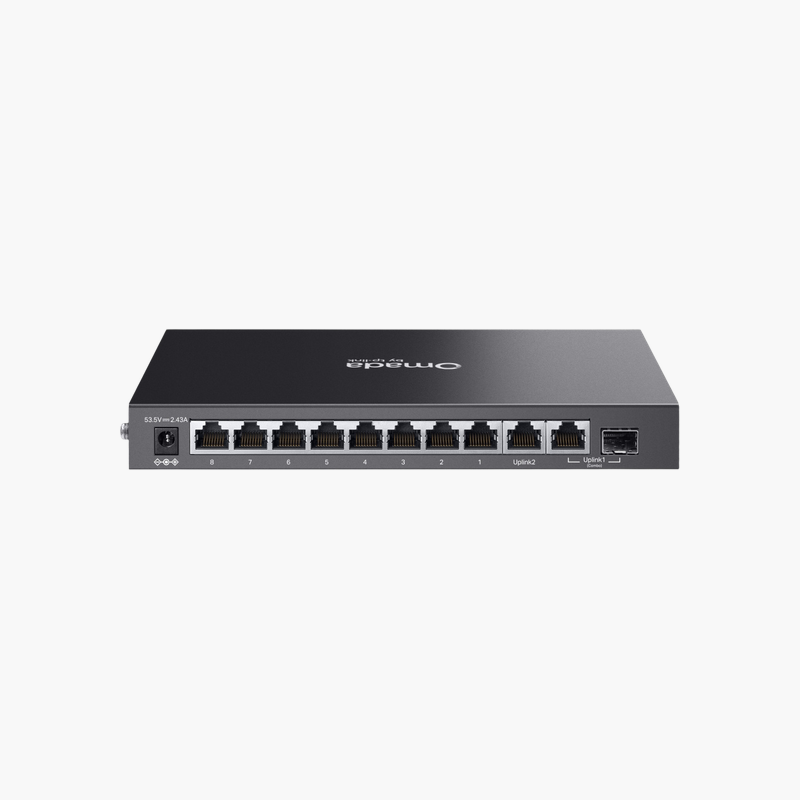
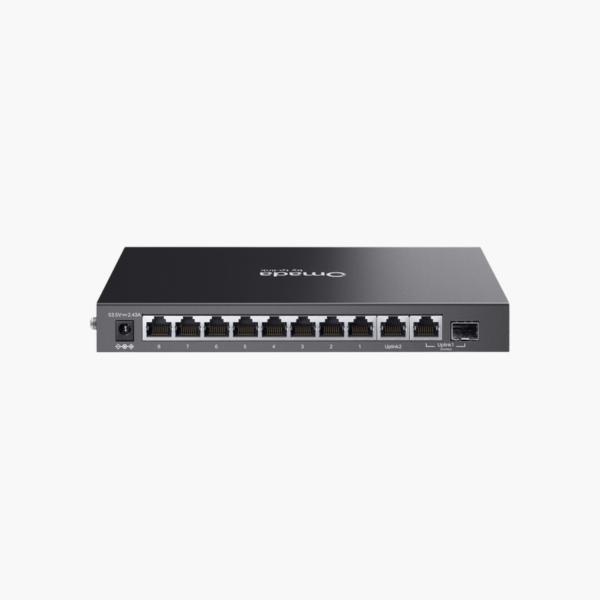
TP-Link Omada ES210GMP 10-Port Gigabit Easy Managed Switch with 8-Port PoE+ (ES210GMP) – 123W PoE, 1x Gigabit RJ45/SFP combo

SKU: ES210GMP
  • 30-Day Hassle Free Returns
  • Secure Payment Options

Price on RequestRequest a quote for volume pricing, availability and lead time.

Key Value Highlights

  • 8x Gigabit PoE+ + 1x Gigabit RJ45 – Gigabit connections for PCs, printers, cameras and access points.
  • 123W PoE budget – 8x PoE+ ports power access points, IP cameras and phones over the data cable – no separate power adapters.
  • 1x Gigabit RJ45/SFP combo uplinks – Fast links to routers, core switches or other floors.
  • Easy Smart management – VLANs, QoS and IGMP snooping through a simple web interface or app.
  • Part number ES210GMP – Quote this part number to be sure you receive this exact version.

Description

The TP-Link Omada ES210GMP 10-Port Gigabit Easy Managed Switch with 8-Port PoE+ (part number ES210GMP) is an easy smart managed PoE switch with 8x Gigabit PoE+ + 1x Gigabit RJ45 and 1x Gigabit RJ45/SFP combo uplinks. It supplies 8x PoE+ power from a 123W budget for access points, IP cameras and VoIP phones.

Reliable connections for every device.

Simplify Installs with Power over Ethernet

Running separate power to every access point, camera and phone adds cost and limits where devices can go, while power bricks clutter ceilings and walls.

The TP-Link Omada ES210GMP 10-Port Gigabit Easy Managed Switch with 8-Port PoE+ delivers 8x PoE+ power from a 123W budget over standard Ethernet, so devices can be installed wherever a network cable can reach.

Ports and Performance

Ports: 8x Gigabit PoE+ + 1x Gigabit RJ45. Uplinks: 1x Gigabit RJ45/SFP combo. PoE: 8x PoE+, 123W budget. SFP/SFP+ ports require compatible transceivers or DAC cables.

Management and Installation

VLANs, QoS and IGMP snooping through a simple web interface or app. Fits on a desk or shelf, or mounts on a wall. Fanless and Omada SDN management.

Setup Instructions

How to Set Up the TP-Link Omada ES210GMP 10-Port Gigabit Easy Managed Switch with 8-Port PoE+

  1. Mount the switch and connect power.
  2. Connect an uplink port to your router or core switch.
  3. Open the cloud dashboard or app and adopt or log in to the switch, then update the firmware.
  4. Create VLANs and QoS rules, then connect your devices.

Overview

BrandTP-Link
ModelOmada ES210GMP 10-Port Gigabit Easy Managed Switch with 8-Port PoE+
Product TypeEasy Smart Managed PoE Switch
ManagementEasy Smart Managed
Ports8x Gigabit PoE+ + 1x Gigabit RJ45
Port Speed10/100/1000 Mbps
PoE Ports8x PoE+
PoE StandardIEEE 802.3af/at PoE+
PoE Budget123W
MountingCompact desktop
FeaturesFanless; Omada SDN management
Part NumberES210GMP
ConditionBrand New
In the BoxSwitch, power cord or adapter, quick installation guide

Frequently Asked Questions

Find answers to common questions about this product.

Customer Reviews

Reviews

There are no reviews yet.

Be the first to review “TP-Link Omada ES210GMP 10-Port Gigabit Easy Managed Switch with 8-Port PoE+ (ES210GMP) – 123W PoE, 1x Gigabit RJ45/SFP combo”

Your email address will not be published. Required fields are marked *