Acer MA200 512GB M.2 2230 NVMe SSD – PCIe Gen4 x4, Up to 5,000MB/s, for Steam Deck & Handhelds
Acer MA200 512GB M.2 2230 NVMe SSD – PCIe Gen4 x4, Up to 5,000MB/s, for Steam Deck & Handhelds Price on RequestRequest a quote for volume pricing, availability and lead time.
Back to products
Acer FA200 1TB NVMe M.2 2280 SSD – PCIe Gen4 x4, Up to 7,200MB/s, 1M IOPS
Acer FA200 1TB NVMe M.2 2280 SSD – PCIe Gen4 x4, Up to 7,200MB/s, 1M IOPS Price on RequestRequest a quote for volume pricing, availability and lead time.

Acer FA100 1TB M.2 PCIe Gen3 x4 NVMe SSD (BL.9BWWA.120) – 3D TLC NAND, Up to 3,300MB/s

SKU: BL.9BWWA.120
  • 30-Day Hassle Free Returns
  • Secure Payment Options

Price on RequestRequest a quote for volume pricing, availability and lead time.

Key Value Highlights

  • 3D TLC NAND – Consistent writes and solid endurance.
  • Up to 3,300MB/s read – Fast boots and app launches compared with SATA.
  • 600 TBW endurance – Years of everyday use headroom.
  • Low-power HMB design – Runs cool in laptops and compact PCs.
  • M.2 2280 – Standard size for desktops and laptops.

Description

Efficient TLC NVMe storage for reliable everyday performance.

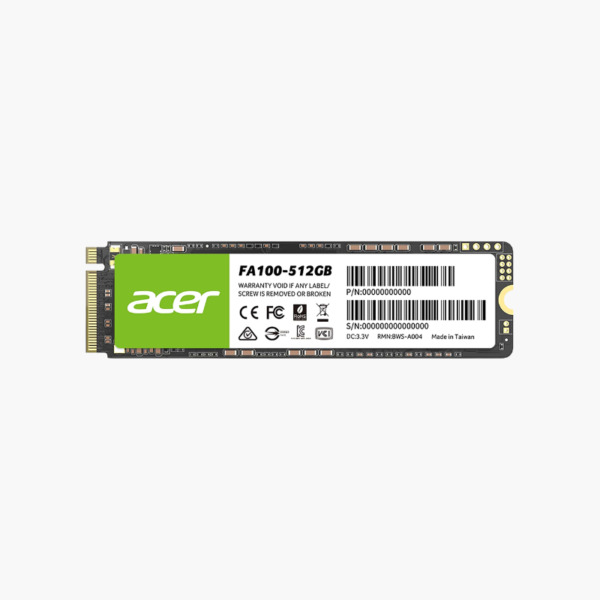
The Acer FA100 1TB (BL.9BWWA.120) is a PCIe Gen3 x4 NVMe M.2 2280 SSD built with 3D TLC NAND. Reading at up to 3,300MB/s with a 600 TBW endurance rating and low power draw, it gives home users, students and office PCs dependable NVMe speed at an affordable price.

Reliable NVMe for Everyday Work and Study

Everyday PCs need storage that is fast, dependable and affordable. QLC budget drives can slow down during large updates or file copies, and hard drives make the whole system feel dated.

The FA100 uses TLC NAND for steadier performance and a 600 TBW rating, giving reliable NVMe responsiveness for work, study and light gaming.

Responsive Everyday Performance

With up to 3,300MB/s reads, the FA100 boots in seconds and loads apps and documents quickly.

Efficient and Reliable

A DRAM-less controller with Host Memory Buffer keeps power low, while TLC NAND and a 600 TBW rating support long-term use.

Setup Instructions

How to Install the Acer FA100 (BL.9BWWA.120)

  1. Shut down and unplug the computer; disconnect the laptop battery if accessible.
  2. Locate the M.2 2280 NVMe slot and remove the screw.
  3. Insert the SSD, press it flat and secure it.
  4. Clone your OS or install Windows fresh, then initialize any extra capacity.

Overview

Model NumberBL.9BWWA.120
Brand / SeriesAcer FA100
Capacity1TB
Drive TypeInternal NVMe Solid State Drive
Form FactorM.2 2280
InterfacePCIe Gen3 x4, NVMe
Sequential ReadUp to 3, 300 MB/s
Sequential WriteUp to 2, 700 MB/s
NAND Type3D TLC NAND
ControllerDRAM-less with Host Memory Buffer
Endurance (TBW)600 TB
Operating Temperature0°C to 70°C
CompatibilityDesktops and laptops with M.2 NVMe slots
Use CaseEveryday computing, office, study
PowerLow-power design
ConditionBrand New

Frequently Asked Questions

Find answers to common questions about this product.

Customer Reviews

Reviews

There are no reviews yet.

Be the first to review “Acer FA100 1TB M.2 PCIe Gen3 x4 NVMe SSD (BL.9BWWA.120) – 3D TLC NAND, Up to 3,300MB/s”

Your email address will not be published. Required fields are marked *