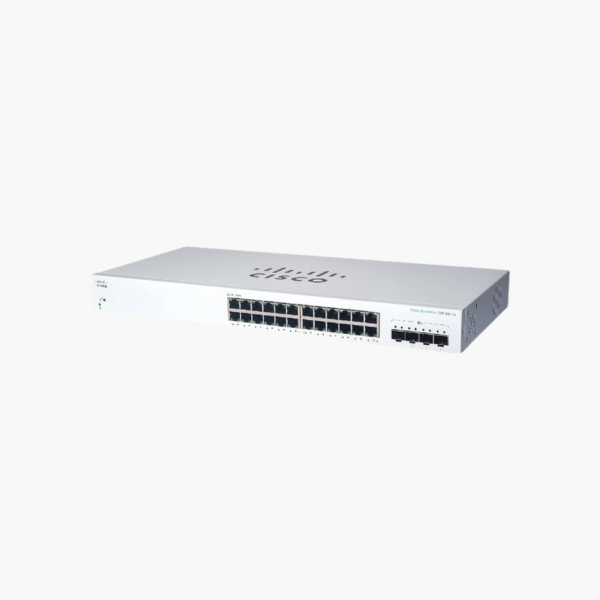
Cisco Business CBS220-24T-4G 24-Port Gigabit Smart Switch (CIBS22024T4G) – 4x 1G SFP
Cisco Business CBS220-24T-4G 24-Port Gigabit Smart Switch (CIBS22024T4G) – 4x 1G SFP Price on RequestRequest a quote for volume pricing, availability and lead time.
Back to products
Cisco Business CBS220-48T-4G 48-Port Gigabit Smart Switch (CIBS22048T4G) – 4x 1G SFP
Cisco Business CBS220-48T-4G 48-Port Gigabit Smart Switch (CIBS22048T4G) – 4x 1G SFP Price on RequestRequest a quote for volume pricing, availability and lead time.

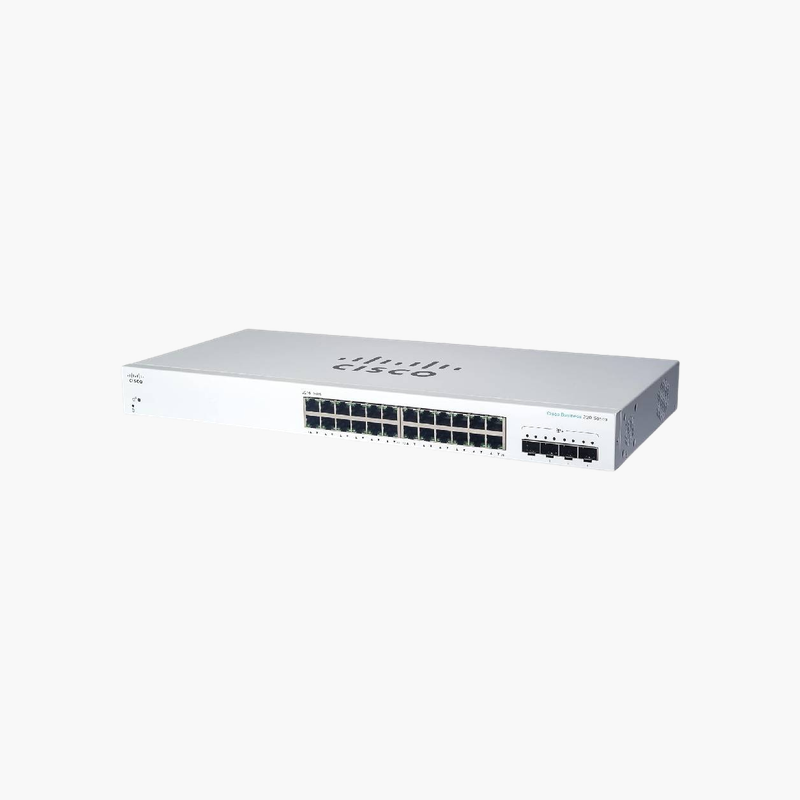
Cisco Business CBS220-24T-4X 24-Port Gigabit Smart Switch with 10G Uplinks (CIBS22024T4X) – 4x 10G SFP+

SKU: CIBS22024T4X
  • 30-Day Hassle Free Returns
  • Secure Payment Options

Price on RequestRequest a quote for volume pricing, availability and lead time.

Key Value Highlights

  • 24x Gigabit RJ45 – Gigabit connections for PCs, printers, cameras and access points.
  • 4x 10G SFP+ uplinks – Fast links to routers, core switches or other floors.
  • Smart managed features – VLANs, QoS, link aggregation and monitoring for growing networks.
  • 19-inch rackmount design – Installs cleanly in standard network racks and cabinets.
  • Web UI, Cisco Business app and dashboard management – Adds flexibility for deployment and management.

Description

The Cisco Business CBS220-24T-4X 24-Port Gigabit Smart Switch with 10G Uplinks is a smart managed switch with 24x Gigabit RJ45 and 4x 10G SFP+ uplinks. It is built for growing small and medium business networks. Management features help segment and prioritise network traffic.

Fast, dependable switching for every port.

Control and Secure Your Network Traffic

Flat, unmanaged networks let guest devices, cameras and office PCs share the same broadcast domain, which slows traffic and weakens security.

The Cisco Business CBS220-24T-4X 24-Port Gigabit Smart Switch with 10G Uplinks adds smart managed features such as VLANs and QoS across 24x Gigabit RJ45, so you can separate traffic and prioritise voice and video.

Ports and Performance

Ports: 24x Gigabit RJ45. Uplinks: 4x 10G SFP+. SFP/SFP+ ports require compatible transceivers or DAC cables.

Management and Installation

VLANs, QoS, link aggregation and monitoring for growing networks. Installs cleanly in standard network racks and cabinets. Web UI, Cisco Business app and dashboard management.

Setup Instructions

How to Set Up the Cisco Business CBS220-24T-4X 24-Port Gigabit Smart Switch with 10G Uplinks

  1. Mount the switch and connect power.
  2. Connect an uplink port to your router or core switch.
  3. Open the web interface and adopt or log in to the switch, then update the firmware.
  4. Create VLANs and QoS rules, then connect your devices.

Overview

BrandCisco
ModelBusiness CBS220-24T-4X 24-Port Gigabit Smart Switch with 10G Uplinks
Product TypeSmart Managed Switch
ManagementSmart Managed
Ports24x Gigabit RJ45
Port Speed10/100/1000 Mbps
Mounting19-inch rackmount
FeaturesWeb UI, Cisco Business app and dashboard management
Use CaseGrowing small and medium business networks
CategoryNetworking Switches
Plug and PlayNo (configurable)
Part NumberCIBS22024T4X
ConditionBrand New
In the BoxSwitch, power cord or adapter, rack-mount kit, quick installation guide

Frequently Asked Questions

Find answers to common questions about this product.

Customer Reviews

Reviews

There are no reviews yet.

Be the first to review “Cisco Business CBS220-24T-4X 24-Port Gigabit Smart Switch with 10G Uplinks (CIBS22024T4X) – 4x 10G SFP+”

Your email address will not be published. Required fields are marked *