Dell 1TB 7.2K RPM SATA 6Gb/s 3.5-inch Server Hard Drive (D3YV6)
Dell 1TB 7.2K RPM SATA 6Gb/s 3.5-inch Server Hard Drive (D3YV6) Price on RequestRequest a quote for volume pricing, availability and lead time.
Back to products
HPE P50310-B21-AX 32GB DDR5-4800 Registered Server Memory
HPE P50310-B21-AX 32GB DDR5-4800 Registered Server Memory Price on RequestRequest a quote for volume pricing, availability and lead time.

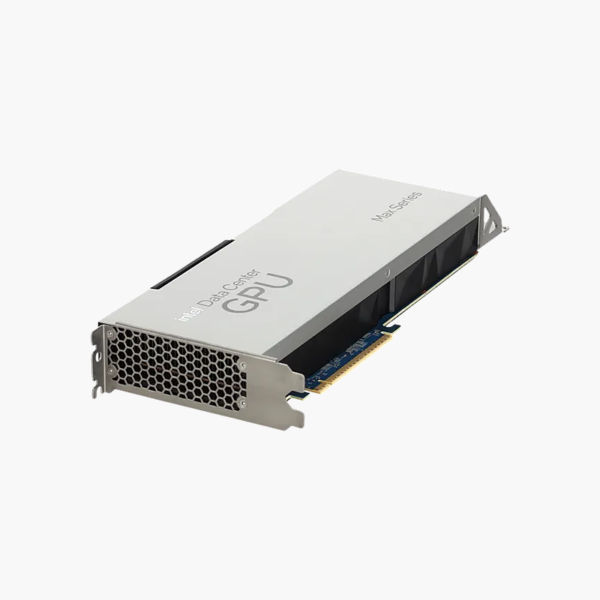
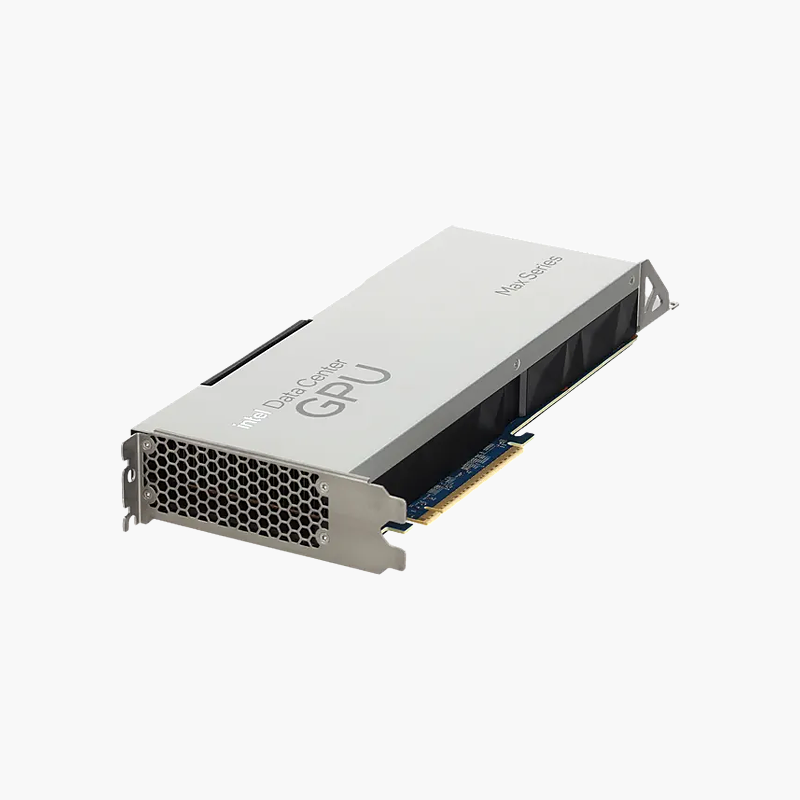
Dell Intel Data Center GPU Max 1100 48GB HBM2e PCIe x16 GPU (WG7J6)

SKU: WG7J6
  • 30-Day Hassle Free Returns
  • Secure Payment Options

Price on RequestRequest a quote for volume pricing, availability and lead time.

Key Value Highlights

  • 56 Xe cores with XMX engines – Accelerates AI training, inference and HPC workloads.
  • 48GB HBM2e memory – High-bandwidth memory for large models and datasets.
  • PCIe Gen5 x16 – Fast host connection in modern PowerEdge servers.
  • 300W, passive cooling – Designed for server chassis airflow.
  • oneAPI software support – Program with Intel oneAPI, SYCL and popular AI frameworks.

Description

The Dell Intel Data Center GPU Max 1100 is a 300W, dual-width, full-height full-length PCIe accelerator with 56 Xe cores and 48GB of HBM2e memory, built for AI, HPC and data analytics in Dell PowerEdge servers. It suits AI, HPC and data analytics teams running Dell PowerEdge infrastructure.

More compute for bigger models.

Accelerate AI and HPC Workloads

AI training, inference and simulations quickly outgrow CPU-only servers, extending job times and delaying results.

56 Xe cores with Intel XMX matrix engines handle AI and HPC math, while 48GB of HBM2e memory keeps large models and datasets close to the compute.

Compute and Memory

56 Xe cores with XMX engines: Accelerates AI training, inference and HPC workloads. 48GB HBM2e memory: High-bandwidth memory for large models and datasets.

Server Integration

PCIe Gen5 x16: Fast host connection in modern PowerEdge servers. 300W, passive cooling: Designed for server chassis airflow. oneAPI software support: Program with Intel oneAPI, SYCL and popular AI frameworks.

Setup Instructions

How to Set Up the Dell Intel Data Center GPU Max 1100 48GB HBM2e PCIe x16 GPU

  1. Confirm the PowerEdge server supports this GPU, its power cabling and airflow.
  2. Power down the server and install the card in a PCIe x16 slot with the GPU power cable.
  3. Power on and install the Intel GPU drivers and oneAPI toolkit.
  4. Verify the GPU is detected and run your AI or HPC workloads.

Overview

BrandDell
ModelIntel Data Center GPU Max 1100 48GB HBM2e PCIe x16 GPU
Product TypeData center GPU
GPUIntel Data Center GPU Max 1100
Xe Cores56
Memory48 GB HBM2e
InterfacePCIe Gen5 x16
Power300 W
Form FactorDual-width, full-height, full-length (DW FHFL)
CoolingPassive
SoftwareIntel oneAPI
Dell Part NumberWG7J6
Part NumberWG7J6
ConditionBrand New
In the BoxGPU card

Frequently Asked Questions

Find answers to common questions about this product.

Customer Reviews

Reviews

There are no reviews yet.

Be the first to review “Dell Intel Data Center GPU Max 1100 48GB HBM2e PCIe x16 GPU (WG7J6)”

Your email address will not be published. Required fields are marked *