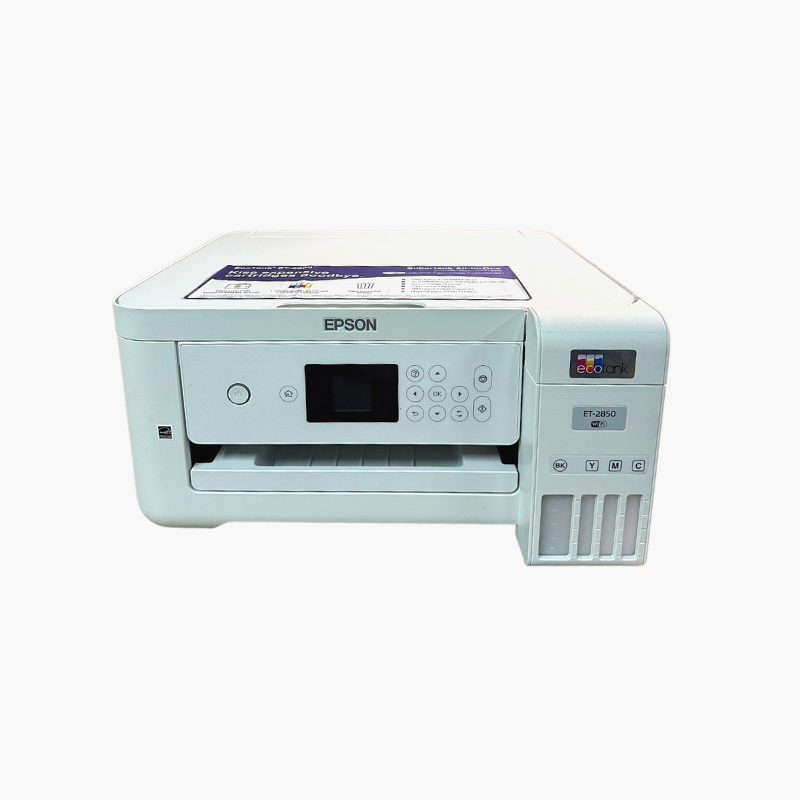
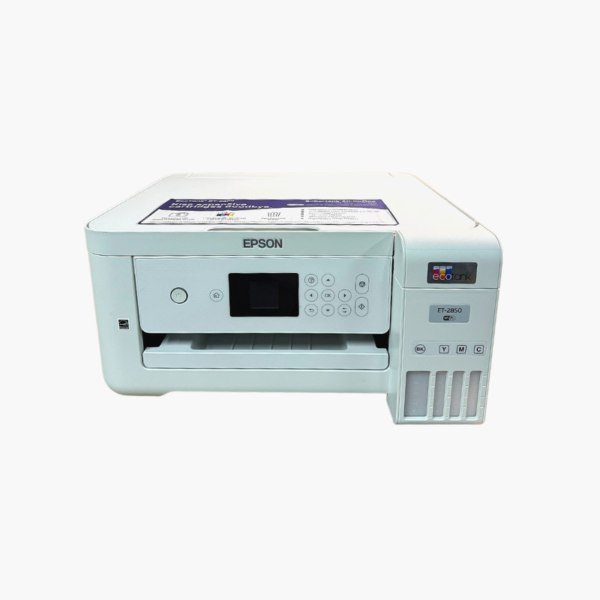
Epson EcoTank ET-2850 Wireless Color All-in-One Cartridge-Free Supertank Printer – Scan, Copy, Auto 2-Sided Printing

SKU: EPSON-ECOTANK-ET-2850
  • 30-Day Hassle Free Returns
  • Secure Payment Options

Price on RequestRequest a quote for volume pricing, availability and lead time.

Key Value Highlights

  • Automatic two-sided printing – Saves paper and effort on multi-page documents.
  • Cartridge-free EcoTank ink – Refill from Epson 502 bottles at a low cost per page.
  • 10.5 ppm black, 5 ppm color (ISO) – Suits steady home and home-office use.
  • 1200 x 2400 dpi flatbed scanner – Copies and scans documents and photos.
  • 1.44-inch color LCD with Wi-Fi – Provides simple setup and control.

Description

The Epson EcoTank ET-2850 is a wireless color all-in-one supertank printer for home users who want automatic two-sided printing and low ink costs. It prints, scans, and copies, uses refillable Epson 502 ink bottles, and connects over Wi-Fi to computers and phones.

Deep-Dive Story & Problem/Solution

Two-Sided Printing Should Not Mean Flipping Pages by Hand

Manual duplex is easy to get wrong. Pages go back in upside down, the order gets mixed, and the job is reprinted. Many home users give up and print single-sided, doubling paper use.

The ET-2850 adds an automatic duplexer to the entry EcoTank design. It prints both sides without intervention, at 10.5 ppm in black and 5 ppm in color for single-sided pages.

Epson 502 ink bottles feed four refillable tanks, with a 127 mL black bottle and 70 mL color bottles included.

Automatic Duplex With Supertank Savings

Print resolution reaches 4800 x 1200 dpi. A 100-sheet tray handles everyday jobs, and borderless photo printing is supported.

Simple Home All-in-One

The flatbed scanner offers 1200 x 2400 dpi hardware resolution. Wi-Fi, Wi-Fi Direct, AirPrint, and Mopria cover mobile printing.

Setup Instructions

How to Set Up the Epson EcoTank ET-2850

  1. Remove protective tape and fill the tanks from the 502 ink bottles.
  2. Turn on the printer and wait for ink charging to finish.
  3. Load paper in the tray.
  4. Connect to Wi-Fi with the LCD menu or Epson Smart Panel app.

Overview

ModelEpson EcoTank ET-2850
FunctionsPrint, scan, copy
Print TechnologyHeat-Free inkjet, cartridge-free supertank
Print Speed10.5 ppm black, 5 ppm color (ISO)
Print Resolution4800 x 1200 dpi
InkEpson 502 bottles (black 127 mL; colors 70 mL each)
Paper Input100 sheets
Duplex PrintingAutomatic
ScannerFlatbed, 1200 x 2400 dpi
ConnectivityWi-Fi, Wi-Fi Direct, USB 2.0
Mobile PrintingApple AirPrint, Mopria, Epson Smart Panel
Display1.44-inch color LCD
Dimensions14.8 x 22.3 x 10.2 inches (printing)
In the BoxPrinter, four ink bottles, power cord, setup guide
MaintenanceRefill tanks from bottles; run nozzle check and cleaning as needed

Frequently Asked Questions

Find answers to common questions about this product.

Customer Reviews

Reviews

There are no reviews yet.

Be the first to review “Epson EcoTank ET-2850 Wireless Color All-in-One Cartridge-Free Supertank Printer – Scan, Copy, Auto 2-Sided Printing”

Your email address will not be published. Required fields are marked *