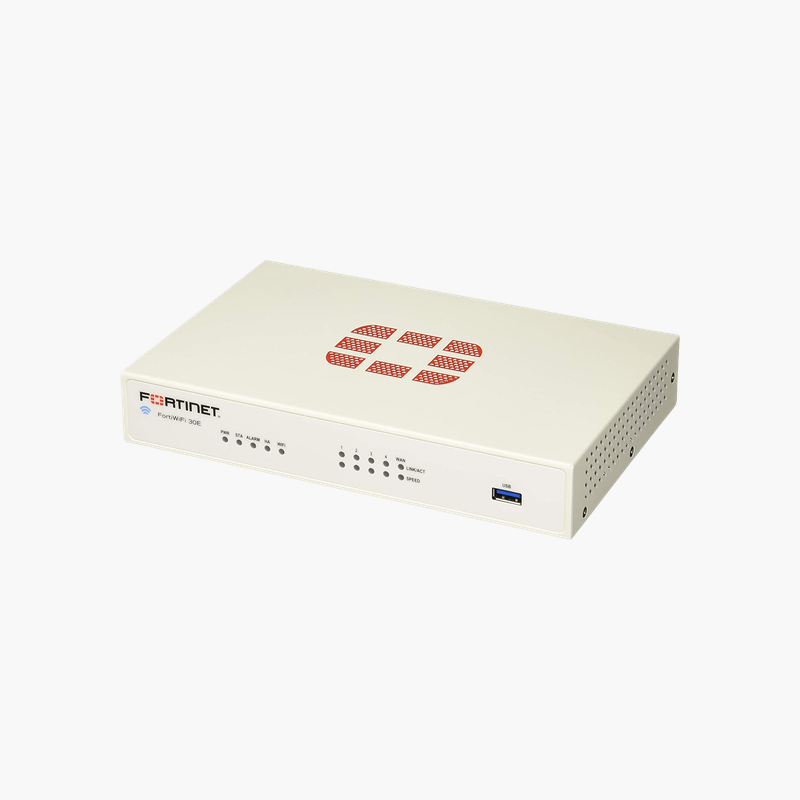
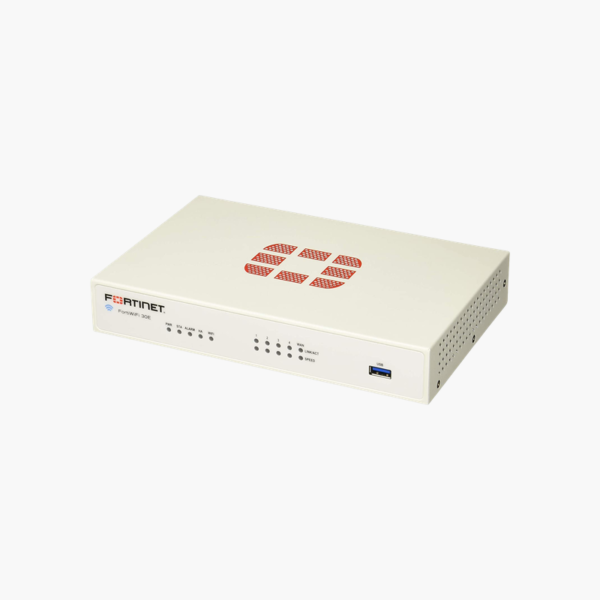
Fortinet FortiWiFi 30E (FWF-30E) Wireless Next-Generation Firewall with Dual-Band Wi-Fi – 950 Mbps Firewall, 150 Mbps Threat Protection

SKU: FWF-30E
  • 30-Day Hassle Free Returns
  • Secure Payment Options

Price on RequestRequest a quote for volume pricing, availability and lead time.

Key Value Highlights

  • 950 Mbps firewall / 150 Mbps threat protection – Inspects traffic with IPS, antivirus and application control enabled, measured on Fortinet’s enterprise traffic mix.
  • 240 Mbps IPS and 200 Mbps NGFW throughput – Application-aware inspection that stops exploits and malware without slowing everyday traffic.
  • 5 x GE RJ45 – One WAN and four switched LAN ports cover a typical small office.
  • 75 Mbps IPsec VPN + built-in Secure SD-WAN – Connect branches and remote users securely and steer traffic across multiple internet links by application.
  • Integrated Wi-Fi – Dual-band 802.11a/b/g/n wireless replaces a separate access point in small offices.

Description

Security, SD-WAN and Wi-Fi in one desktop appliance.

The Fortinet FortiWiFi 30E (FWF-30E) is a desktop next-generation firewall that combines threat protection, Secure SD-WAN and IPsec VPN on FortiOS. With 950 Mbps firewall and 150 Mbps threat protection throughput, it suits small offices, retail sites and remote branches.

Why Basic Routers and Legacy Firewalls Leave Networks Exposed

Most attacks now arrive inside encrypted web traffic, cloud applications and phishing links. A basic router with port filtering cannot see any of that, and older firewalls slow to a crawl when IPS and antivirus inspection are switched on, forcing teams to choose between security and speed.

The FortiWiFi 30E uses Fortinet’s purpose-built security processors to inspect traffic in hardware. That is why it can sustain 240 Mbps of IPS and 150 Mbps of full threat protection (IPS, antivirus, application control) while still forwarding 950 Mbps of firewall traffic.

FortiOS also includes Secure SD-WAN at no extra cost: the firewall measures latency, jitter and packet loss on each internet link and routes applications like Microsoft 365 or VoIP over the best path. Branches connect back to head office with 75 Mbps of IPsec VPN throughput.

Integrated Dual-Band Wireless

The FortiWiFi 30E adds an 802.11a/b/g/n radio that operates on 2.4 GHz or 5 GHz, so a small office can run secure, policy-controlled Wi-Fi directly from the firewall, with separate SSIDs for staff and guests.

Compact, Quiet Branch Design

The FortiWiFi 30E is a desktop unit that fits on a shelf or in a small comms cabinet, powered by an external adapter. It can be deployed with zero-touch provisioning through FortiGate Cloud or FortiManager.

How to Set Up the Fortinet FortiWiFi 30E

  1. Place the appliance on a desk or mount it in a rack, connect power, and connect your internet link to a WAN port.
  2. Connect a PC to an internal port, open https://192.168.1.99 (the default management address), and sign in with the default admin account to set a new password.
  3. Run the setup wizard to configure WAN, LAN, DNS and firewall policies, then register the device to activate FortiGuard and FortiCare services.
  4. Enable security profiles (IPS, antivirus, web filtering, application control), set up SD-WAN and VPN, and upgrade to the recommended FortiOS release.

Overview

Model NumberFWF-30E
Product LineFortinet FortiWiFi
Device TypeNext-Generation Firewall / Secure SD-WAN Appliance
Firewall Throughput Details950 Mbps
IPS Throughput240 Mbps
NGFW Throughput200 Mbps
Threat Protection Throughput150 Mbps
IPsec VPN Throughput75 Mbps
Concurrent Sessions900000
New Sessions per Second15000
Interfaces5 x GE RJ45 (1 WAN, 4 switch ports)
Wireless DetailsDual-band 802.11a/b/g/n
Operating SystemFortiOS
Form FactorDesktop
PowerExternal power adapter

Frequently Asked Questions

Find answers to common questions about this product.

Customer Reviews

Reviews

There are no reviews yet.

Be the first to review “Fortinet FortiWiFi 30E (FWF-30E) Wireless Next-Generation Firewall with Dual-Band Wi-Fi – 950 Mbps Firewall, 150 Mbps Threat Protection”

Your email address will not be published. Required fields are marked *