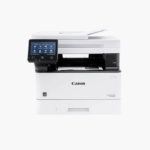
Canon imageCLASS MF465dw Wireless Monochrome Laser All-in-One Printer – 42 ppm, Print, Scan, Copy, Fax
Canon imageCLASS MF465dw Wireless Monochrome Laser All-in-One Printer – 42 ppm, Print, Scan, Copy, Fax Price on RequestRequest a quote for volume pricing, availability and lead time.
Back to products
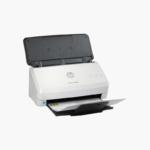
HP ScanJet Pro 3000 s4 Sheet-Feed Document Scanner – 40 ppm, Duplex, 50-Sheet ADF, USB 3.0
HP ScanJet Pro 3000 s4 Sheet-Feed Document Scanner – 40 ppm, Duplex, 50-Sheet ADF, USB 3.0 Price on RequestRequest a quote for volume pricing, availability and lead time.

HP ScanJet Pro 2000 s2 Sheet-Feed Document Scanner – 35 ppm, Duplex, 50-Sheet ADF, USB 3.0

SKU: HP-6FW06A
  • 30-Day Hassle Free Returns
  • Secure Payment Options

Price on RequestRequest a quote for volume pricing, availability and lead time.

Key Value Highlights

  • 35 ppm / 70 ipm scanning – Digitizes stacks of paperwork in minutes.
  • One-pass duplex – Captures both sides of each page in a single feed.
  • 50-sheet automatic document feeder – Runs multi-page jobs unattended.
  • 3,500 pages recommended daily – Suits regular office scanning workloads.
  • USB 3.0 connection – Transfers scans quickly to a PC.

Description

The HP ScanJet Pro 2000 s2 is a sheet-feed document scanner for small offices and individual desks. It scans up to 35 pages or 70 images per minute in one-pass duplex, feeds 50 sheets at a time, captures detail at up to 600 dpi, and connects to a computer through USB 3.0.

Deep-Dive Story & Problem/Solution

Paper Files Slow Down Searching, Sharing, and Storage

Invoices, contracts, and forms kept in folders take time to find and space to store. Scanning them one page at a time on a flatbed is too slow for anything beyond occasional use.

The ScanJet Pro 2000 s2 feeds a 50-sheet stack and scans both sides at once. Included HP Scan software creates searchable PDFs and sends files to folders, email, or cloud destinations.

Its small footprint fits beside a monitor, so each desk that handles paperwork can have its own scanner.

Reliable Mixed-Media Feeding

The feeder handles paper from 50 to 180 g/m2, ID cards, and long documents up to 3,100 mm, with ultrasonic multi-feed detection to catch double feeds.

Software and Driver Support

TWAIN, ISIS, and WIA drivers are supported, allowing use with document management and accounting applications.

Setup Instructions

How to Set Up the HP ScanJet Pro 2000 s2

  1. Connect the power adapter and USB 3.0 cable to the scanner and computer.
  2. Download and install the HP Scan software and drivers.
  3. Open the input tray, adjust the paper guides, and load documents face down.
  4. Select a scan shortcut and press the scan button.

Overview

ModelHP ScanJet Pro 2000 s2 (6FW06A)
Scanner TypeSheet-feed document scanner
Scan SpeedUp to 35 ppm / 70 ipm
Duplex ScanningOne-pass duplex
Optical ResolutionUp to 600 dpi
ADF Capacity50 sheets
Maximum Scan Size216 x 3, 100 mm
Media Weight50 to 180 g/m2
Multi-feed DetectionUltrasonic
InterfaceUSB 3.0
DriversTWAIN, ISIS, WIA
Operating SystemsWindows, macOS
File FormatsPDF, searchable PDF, JPEG, PNG, TIFF, and more
MaintenanceClean rollers and scan strips; replace roller kit as prompted

Frequently Asked Questions

Find answers to common questions about this product.

Customer Reviews

Reviews

There are no reviews yet.

Be the first to review “HP ScanJet Pro 2000 s2 Sheet-Feed Document Scanner – 35 ppm, Duplex, 50-Sheet ADF, USB 3.0”

Your email address will not be published. Required fields are marked *