SanDisk Extreme Portable SSD 2TB External SSD (SDSSDE70-2T00-G25)
SanDisk Extreme Portable SSD 2TB External SSD (SDSSDE70-2T00-G25) – USB 3.2 Gen 2, USB Type-C Price on RequestRequest a quote for volume pricing, availability and lead time.
Back to products
SanDisk Extreme M.2 NVMe 2TB PCIe 4.0 NVMe M.2 SSD (SDSSDX3N-2T00-G26)
SanDisk Extreme M.2 NVMe 2TB PCIe 4.0 NVMe M.2 SSD (SDSSDX3N-2T00-G26) – PCIe 4.0 x4 NVMe, M.2 2280 Price on RequestRequest a quote for volume pricing, availability and lead time.

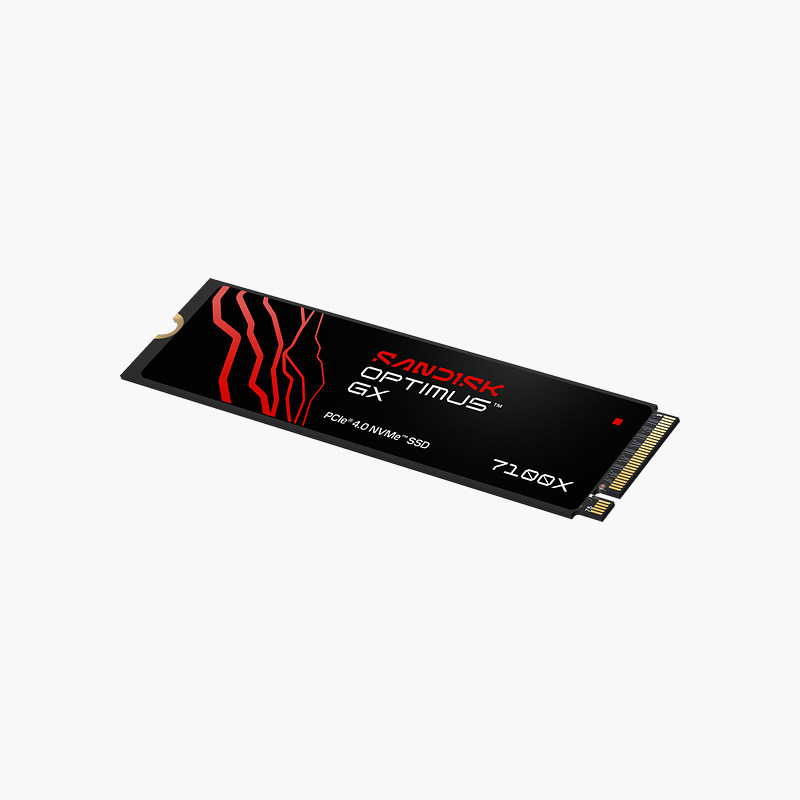
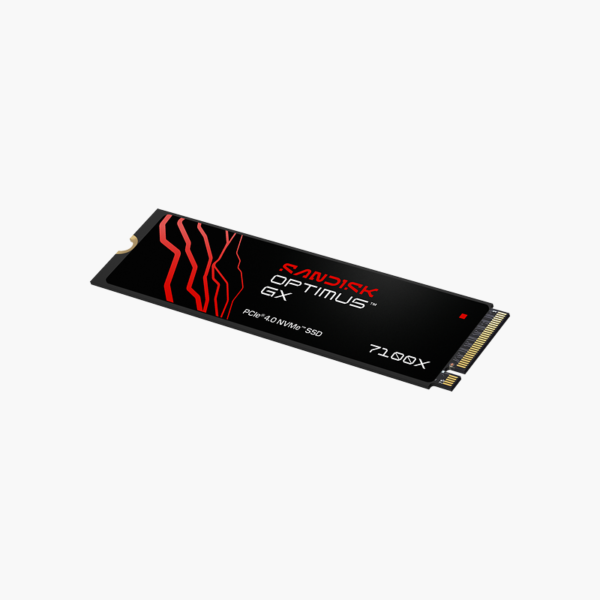
SanDisk Optimus GX 7100X for ROG Xbox Ally 2TB NVMe SSD for Consoles (SDSG71200TAN) – PCIe 4.0 x4 NVMe, M.2 2230

SKU: SDSG71200TAN
  • 30-Day Hassle Free Returns
  • Secure Payment Options

Price on RequestRequest a quote for volume pricing, availability and lead time.

Key Value Highlights

  • Built for ROG Xbox Ally / Ally X and PC handhelds – Expands game storage so you can keep more titles installed.
  • PCIe 4.0 NVMe speed – Fast load times that meet console M.2 requirements.
  • 2TB capacity – Room for a large library of modern games.
  • M.2 2230 – Compact 2230 size for handheld gaming PCs.
  • Also works in PCs – Use it in a desktop or laptop M.2 slot if you change platforms.

Description

The SanDisk Optimus GX 7100X for ROG Xbox Ally 2TB (SDSG71200TAN) is a 2TB PCIe 4.0 NVMe SSD built for ROG Xbox Ally / Ally X and PC handhelds. It adds fast internal storage so gamers can keep more titles installed and spend less time deleting and re-downloading.

Reliable SSD performance for every day.

Stop Deleting Games to Make Room

Modern games often exceed 100GB each, so built-in console and handheld storage fills up after only a handful of titles. Re-downloading games wastes hours and bandwidth.

The SanDisk Optimus GX 7100X for ROG Xbox Ally 2TB adds 2TB of fast NVMe storage that meets the platform’s requirements, so games load quickly and run directly from the drive.

Console-Ready Design

The M.2 2230 form factor fits handheld gaming PCs such as the ROG Xbox Ally.

Fast Load Times

PCIe 4.0 NVMe speed keeps game load times close to the system’s internal SSD.

Setup Instructions

How to Install the SanDisk Optimus GX 7100X for ROG Xbox Ally 2TB

  1. Power off the handheld and remove the back cover following the manufacturer’s guide.
  2. Remove the existing SSD screw and swap or add the 2230 SSD.
  3. Reassemble and boot, then reinstall the OS or clone the old drive.
  4. Install games and verify the drive in storage settings.

Overview

BrandSanDisk
Model NumberSDSG71200TAN
Product LineOptimus GX 7100X for ROG Xbox Ally
Product TypeNVMe SSD for Consoles
Capacity2TB
Form FactorM.2 2230
InterfacePCIe 4.0 x4 NVMe
Console CompatibilityROG Xbox Ally / Ally X and PC handhelds
Best ForGame storage expansion
Moving PartsNone (solid-state)
MaintenanceNo routine maintenance; keep firmware updated
Operating SystemsWindows, macOS, Linux (platform dependent)
Shock ResistanceHigher than mechanical drives
ConditionBrand New
In the Box1x SanDisk Optimus GX 7100X for ROG Xbox Ally 2TB

Frequently Asked Questions

Find answers to common questions about this product.

Customer Reviews

Reviews

There are no reviews yet.

Be the first to review “SanDisk Optimus GX 7100X for ROG Xbox Ally 2TB NVMe SSD for Consoles (SDSG71200TAN) – PCIe 4.0 x4 NVMe, M.2 2230”

Your email address will not be published. Required fields are marked *