SanDisk SSD PLUS 2TB 2.5" SATA III Internal SSD (SDSSDA-2T00-G26) – Up to 545MB/s
SanDisk SSD PLUS 2TB 2.5" SATA III Internal SSD (SDSSDA-2T00-G26) – Up to 545MB/s Price on RequestRequest a quote for volume pricing, availability and lead time.
Back to products
Synology SAT5210 7TB 2.5" SATA Enterprise SSD (SAT5210-7000G) – Over 10,000 TBW, Power-Loss Protection
Synology SAT5210 7TB 2.5" SATA Enterprise SSD (SAT5210-7000G) – Over 10,000 TBW, Power-Loss Protection Price on RequestRequest a quote for volume pricing, availability and lead time.

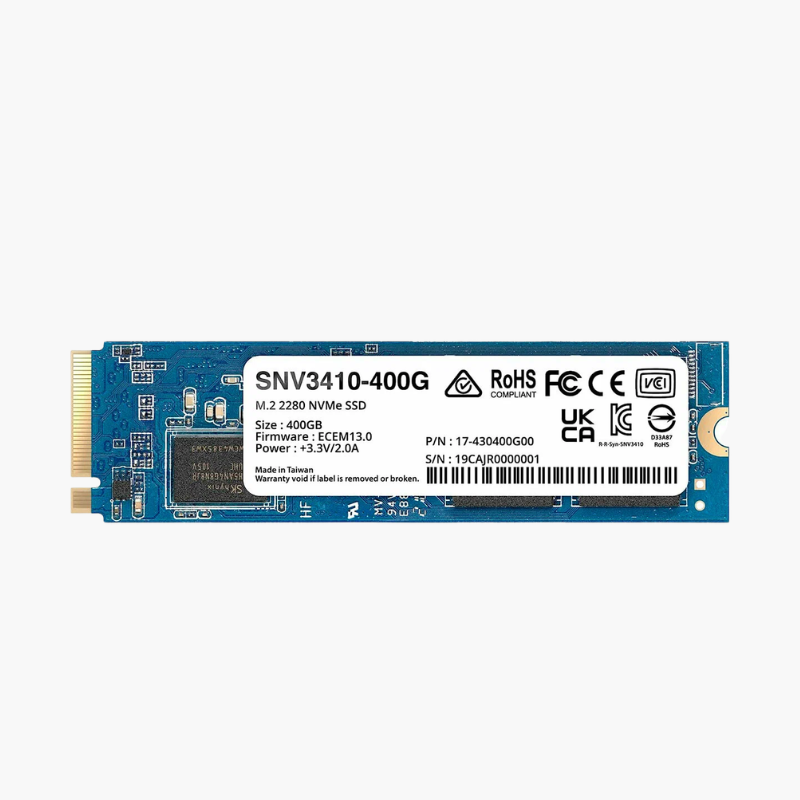
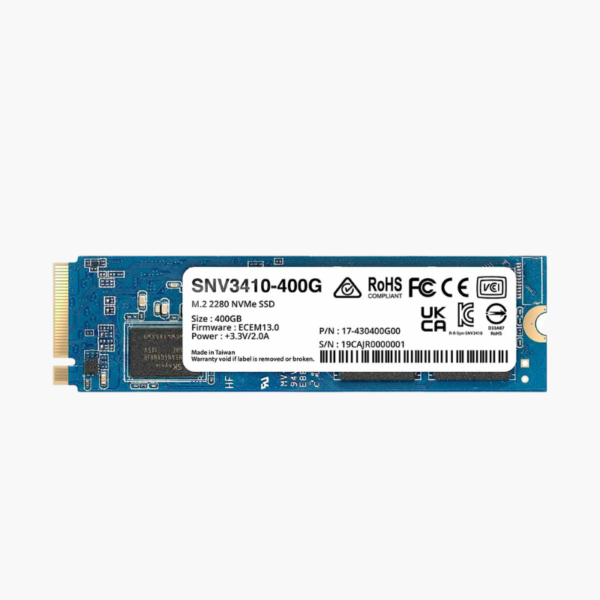
Synology SNV3410 400GB M.2 2280 NVMe SSD (SNV3410-400G) – PCIe Gen3 x4, 491 TBW, NAS Cache

SKU: SNV3410-400G
  • 30-Day Hassle Free Returns
  • Secure Payment Options

Price on RequestRequest a quote for volume pricing, availability and lead time.

Key Value Highlights

  • Designed for Synology NAS caching – Validated with DSM for full compatibility and monitoring.
  • Up to 3,000MB/s read, 750MB/s write – Fast NVMe caching for frequently accessed data.
  • 225K / 45K random IOPS – Speeds up small-file and multi-user workloads.
  • 491 TBW endurance – Built for the constant writes of cache duty.
  • M.2 2280 NVMe – Fits Synology NAS M.2 slots and adapter cards.

Description

NVMe cache built for Synology NAS, with endurance for always-on duty.

The Synology SNV3410-400G is a 400GB M.2 2280 PCIe Gen3 x4 NVMe SSD designed for SSD caching in Synology NAS systems. With up to 3,000MB/s reads, 225K random read IOPS and a 491 TBW endurance rating, it accelerates file access, VMs and databases for small businesses and power users.

Why NAS Caching Needs Purpose-Built NVMe Drives

SSD caching in a NAS absorbs a large share of reads and writes, especially with many users or virtual machines. Consumer NVMe drives may wear out quickly and are not validated with DSM.

The SNV3410 is built and validated by Synology for this role. Its endurance and firmware are tuned for 24/7 caching, and DSM monitors its health and remaining life.

Faster Multi-User and VM Performance

With up to 225K random read IOPS, the SNV3410 cache speeds up file browsing, Synology Photos indexing, virtual machines and databases on supported NAS models.

Seamless DSM Integration

Storage Manager recognizes the drive, reports SSD lifespan and delivers firmware updates, making cache management straightforward.

Setup Instructions

How to Install the Synology SNV3410-400G

  1. Check your NAS compatibility list and shut the NAS down.
  2. Open the M.2 slot cover (or install a Synology M.2 adapter card).
  3. Insert the SSD and secure it with the latch or screw, then close the NAS.
  4. In Storage Manager, create a read-only cache (one drive) or read-write cache (two drives in RAID 1).

Overview

Model NumberSNV3410-400G
Brand / SeriesSynology SNV3410
Capacity400GB
Drive TypeNVMe SSD for NAS caching
Form FactorM.2 2280
InterfacePCIe Gen3 x4, NVMe
Sequential ReadUp to 3, 000 MB/s
Sequential WriteUp to 750 MB/s
Random Read / Write (4KB)Up to 225, 000 / 45, 000 IOPS
Endurance (TBW)491 TB
Peak Power3.5W
CompatibilitySynology NAS with M.2 NVMe slots or adapters
FirmwareUpdated through Synology DSM
WorkloadNAS caching, VMs, databases
Operation24/7 NAS duty
ConditionBrand New

Frequently Asked Questions

Find answers to common questions about this product.

Customer Reviews

Reviews

There are no reviews yet.

Be the first to review “Synology SNV3410 400GB M.2 2280 NVMe SSD (SNV3410-400G) – PCIe Gen3 x4, 491 TBW, NAS Cache”

Your email address will not be published. Required fields are marked *