Sonnet G10E-SFP-SR 10GBASE-SR SFP+ Transceiver (G10E-SFP-SR) – 300m, Multimode fiber, LC duplex
Sonnet G10E-SFP-SR 10GBASE-SR SFP+ Transceiver (G10E-SFP-SR) – 300m, Multimode fiber, LC duplex Price on RequestRequest a quote for volume pricing, availability and lead time.
Back to products
TP-Link SM311LM 1000Base-SX Multimode SFP Module (SM311LM) – 550m, Multimode fiber, LC duplex
TP-Link SM311LM 1000Base-SX Multimode SFP Module (SM311LM) – 550m, Multimode fiber, LC duplex Price on RequestRequest a quote for volume pricing, availability and lead time.

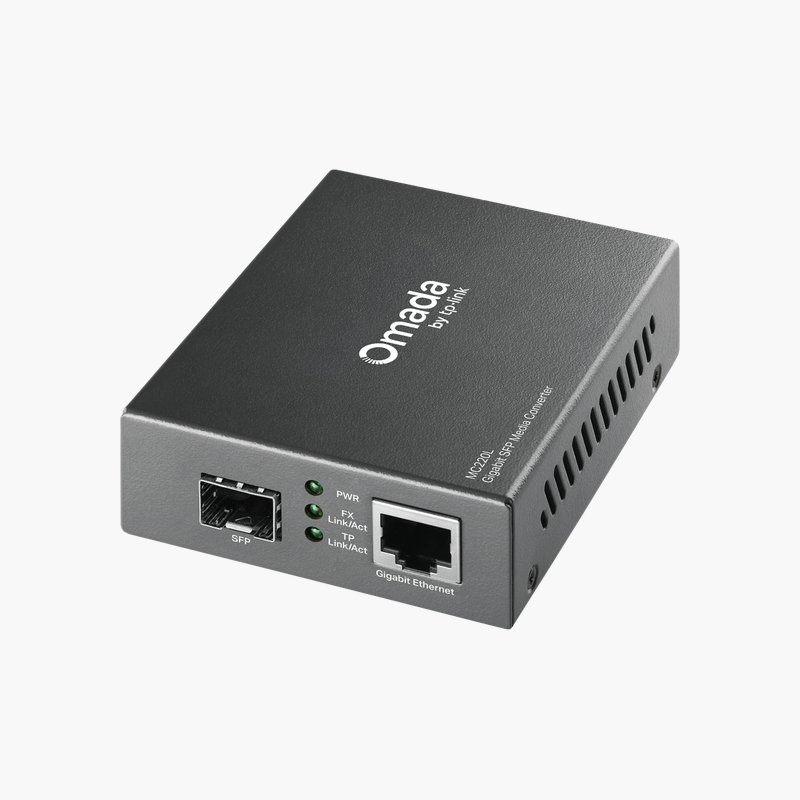
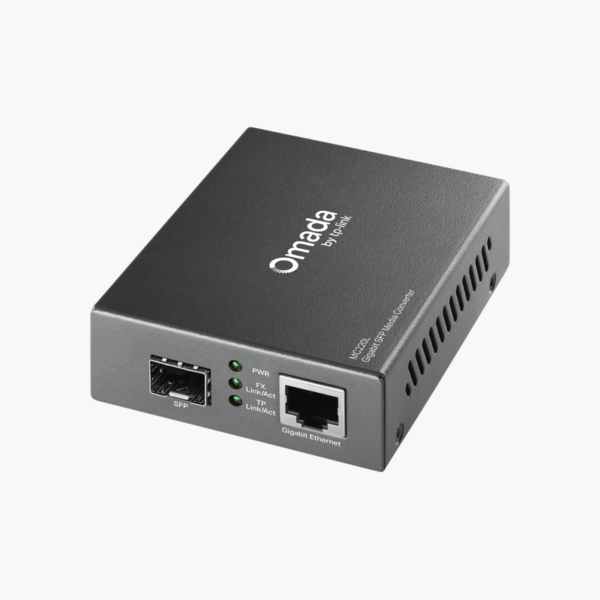
TP-Link MC220L Gigabit SFP Media Converter (MC220L)

SKU: MC220L
  • 30-Day Hassle Free Returns
  • Secure Payment Options

Price on RequestRequest a quote for volume pricing, availability and lead time.

Key Value Highlights

  • RJ45 to SFP conversion – Links copper Ethernet devices to fiber runs.
  • Gigabit speed – Full Gigabit throughput across the fiber link.
  • SFP slot – Choose a multimode or single-mode SFP to match the distance.
  • Plug-and-play – No configuration required.

Description

The TP-Link MC220L Gigabit SFP media converter connects a 10/100/1000 RJ45 copper device to a fiber link through a 1000Base-X SFP slot, letting businesses extend Gigabit Ethernet beyond copper distance limits with the multimode or single-mode SFP module that suits each run.

Built for the job, simple to install.

Extend Ethernet Over Fiber

Copper Ethernet stops at around 100 meters, which is not enough between buildings, floors or industrial areas.

The TP-Link MC220L Gigabit SFP Media Converter bridges copper and fiber so the network can reach further.

Key Specifications

Product Type: Gigabit media converter. Copper Port: 1x 10/100/1000 RJ45. Fiber Port: 1x 1000Base-X SFP slot. Standards: IEEE 802.3ab, 802.3z.

Getting the Most From It

Full Gigabit throughput across the fiber link. Choose a multimode or single-mode SFP to match the distance.

Setup Instructions

How to Set Up the TP-Link MC220L Gigabit SFP Media Converter

  1. Unpack the device and check the contents.
  2. Install it in the intended location following the guide.
  3. Connect cables and power (if required).
  4. Confirm operation through status LEDs or the management interface.

Overview

BrandTP-Link
ModelMC220L Gigabit SFP Media Converter
Product TypeGigabit media converter
Copper Port1x 10/100/1000 RJ45
Fiber Port1x 1000Base-X SFP slot
StandardsIEEE 802.3ab, 802.3z
PowerExternal power adapter
CategoryNetwork Accessories
Use CaseMedia Converter
DeliveryPhysical product
Compatibility CheckRecommended before ordering
Part NumberMC220L
ConditionBrand New
In the BoxProduct and documentation

Frequently Asked Questions

Find answers to common questions about this product.

Customer Reviews

Reviews

There are no reviews yet.

Be the first to review “TP-Link MC220L Gigabit SFP Media Converter (MC220L)”

Your email address will not be published. Required fields are marked *